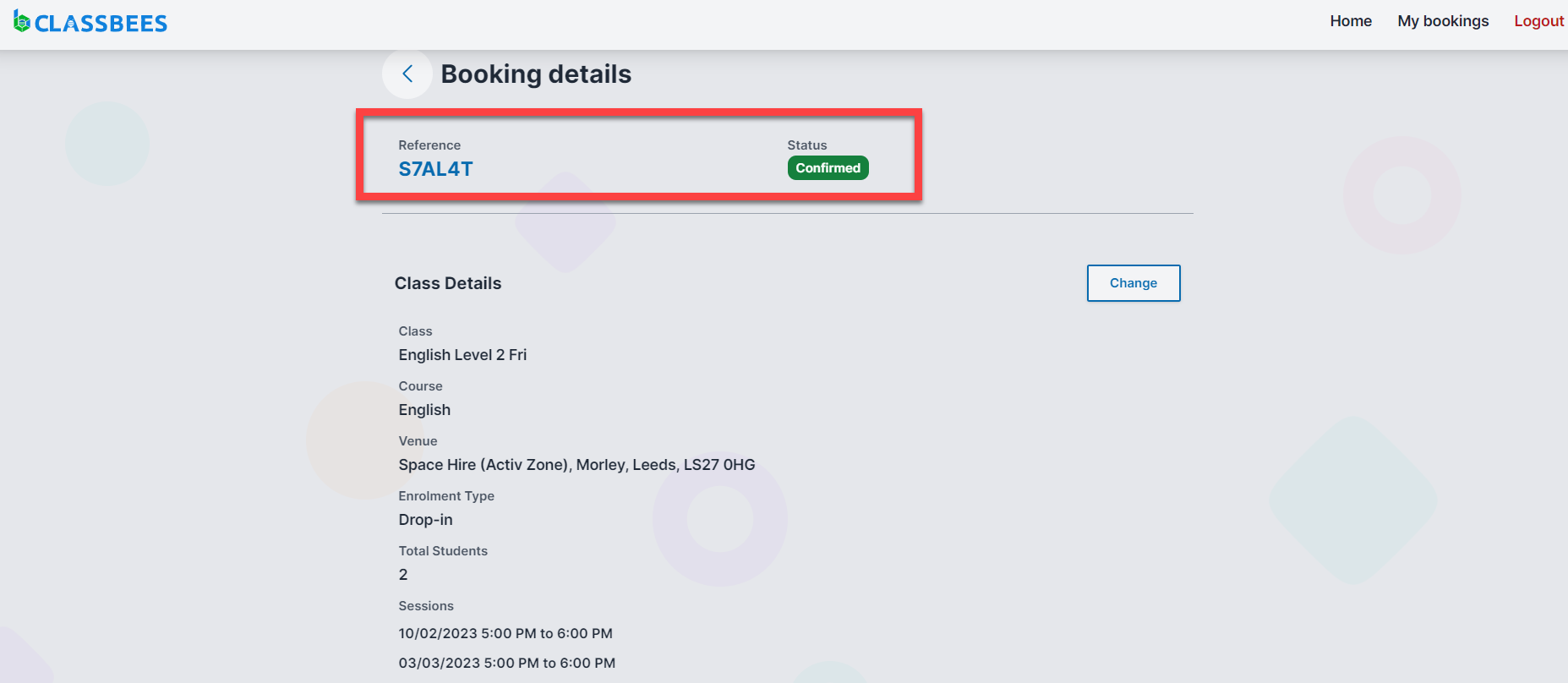
It is possible to view and manage the bookings from the Classbees booking page on the manage account
View Bookings
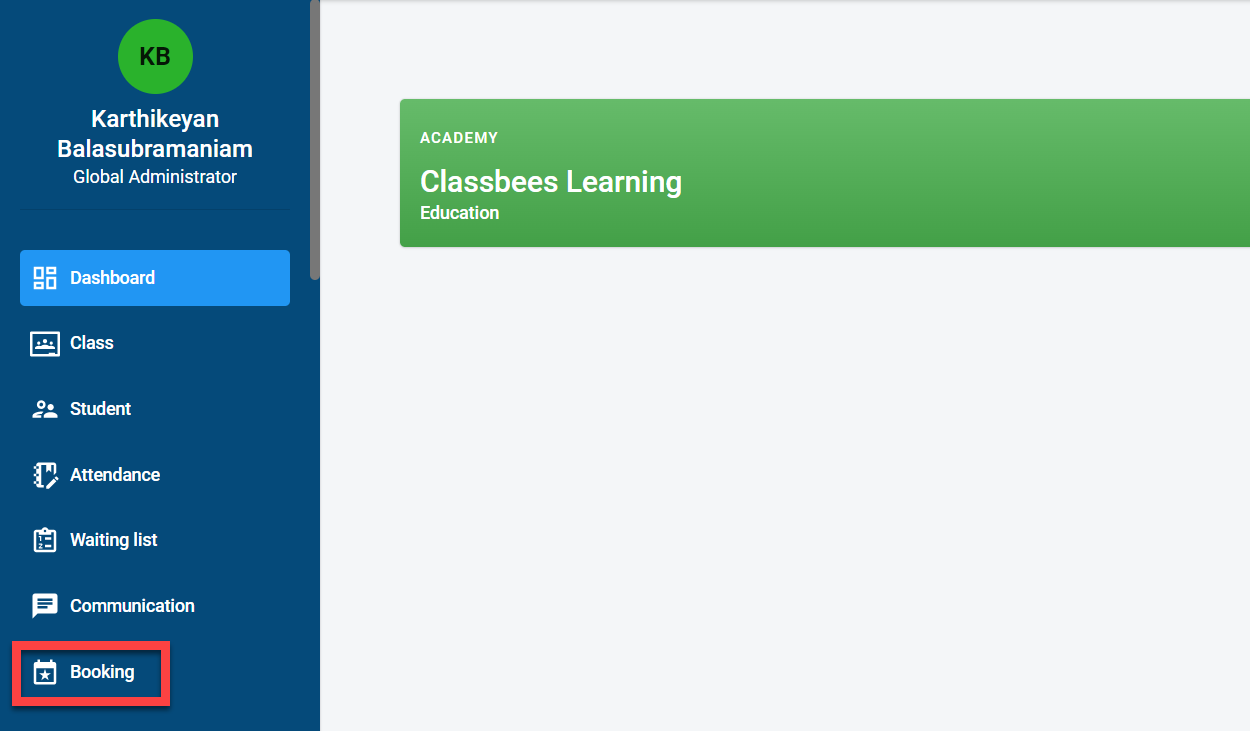
To access bookings, click on “Booking” in the main menu.
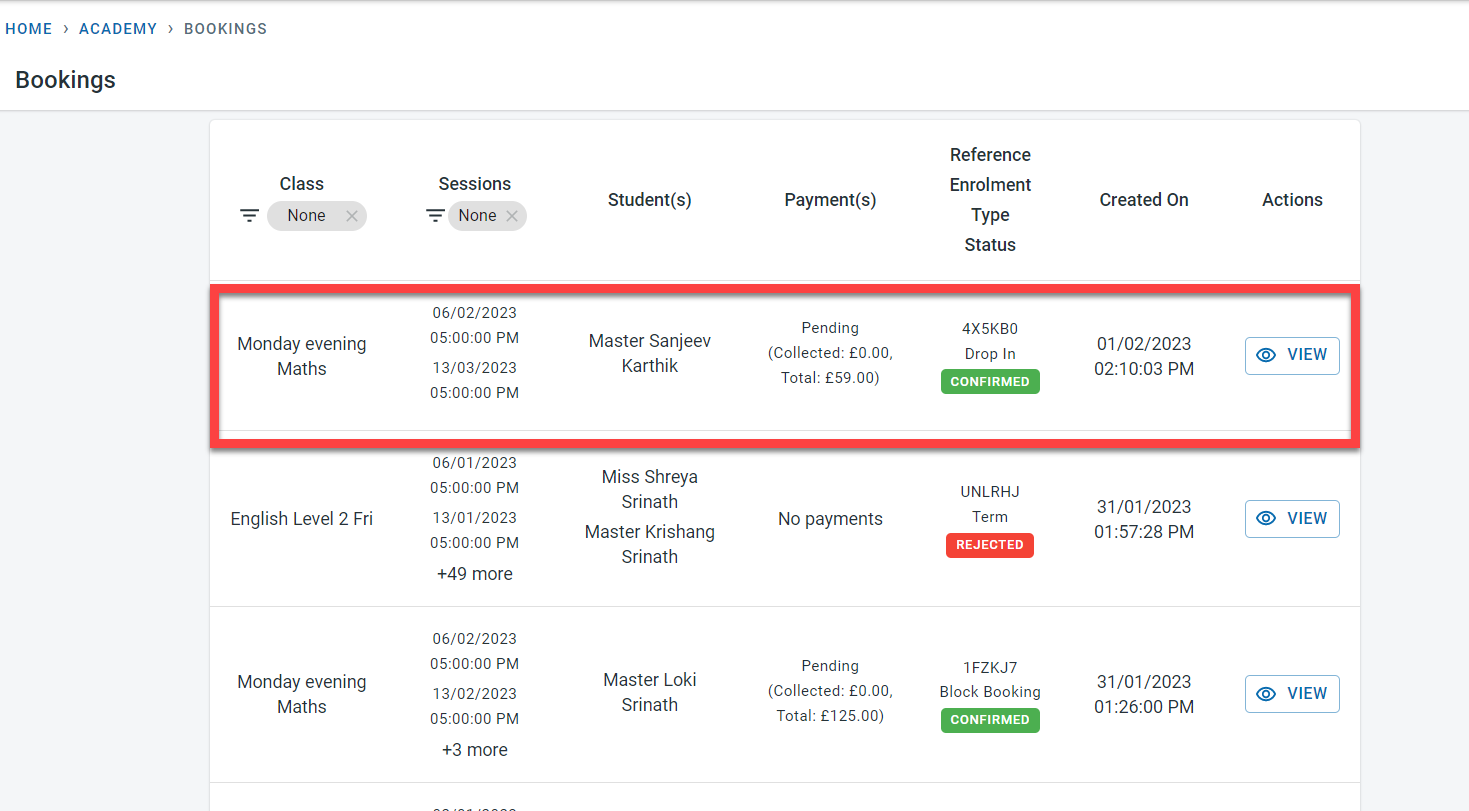
All the bookings for the academy will be visible on the bookings home screen.
Filters can be applied on Class and Sessions to view the bookings for a specific class or for a specific date
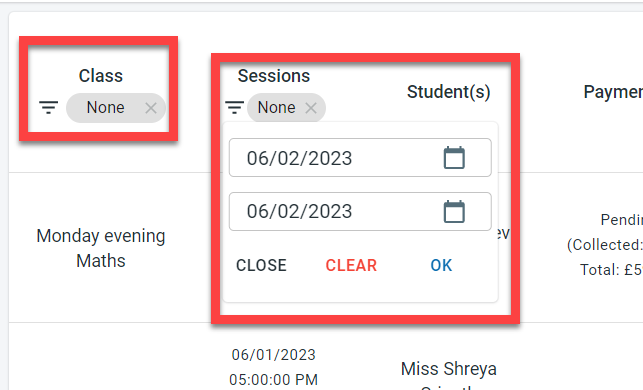
The bookings matching the filters will be displayed
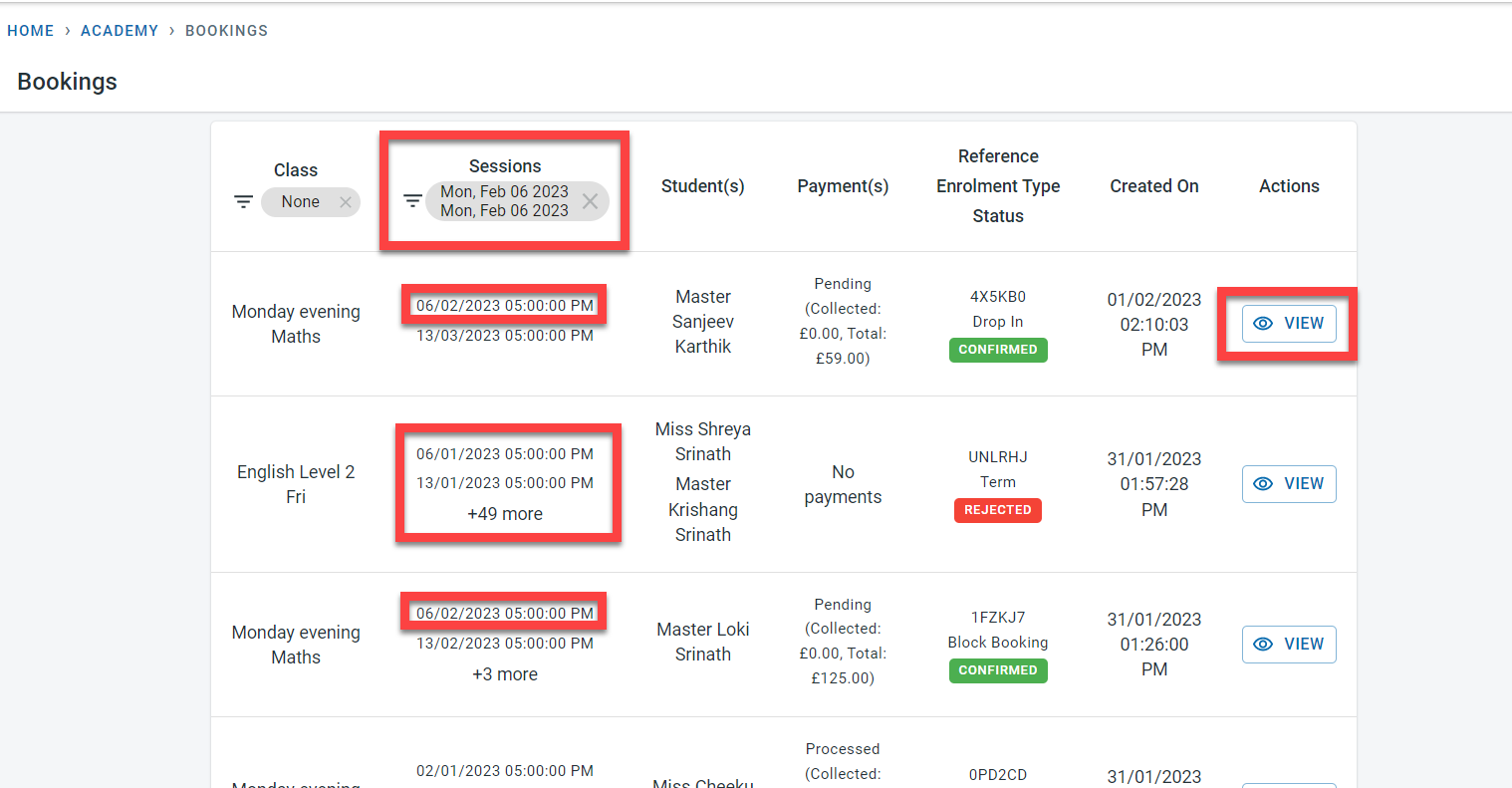
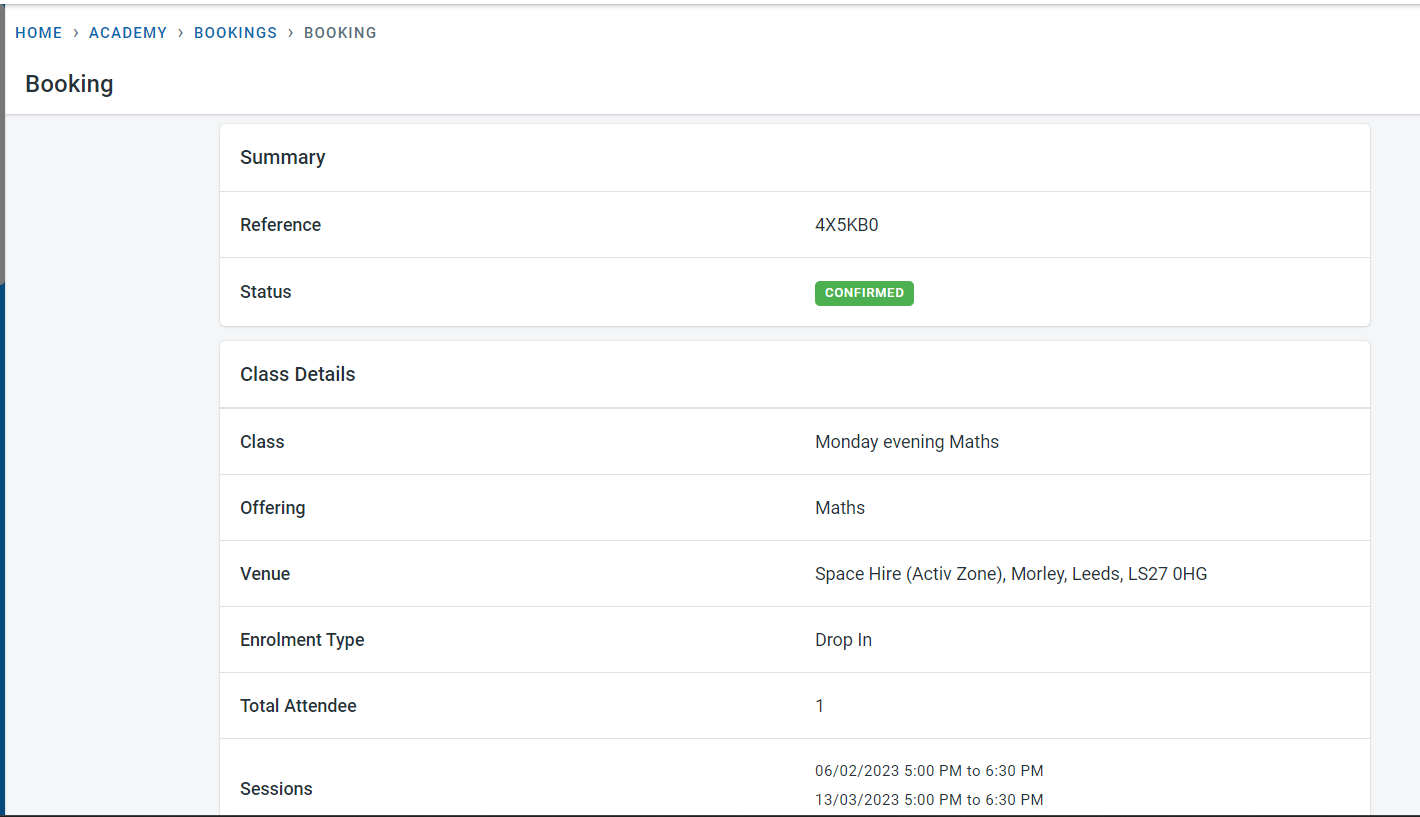
Click on “View” next to the booking to see more details about the booking.
Manage Bookings
Bookings for classes and activities will be made from the Classbees.com website or app by the users
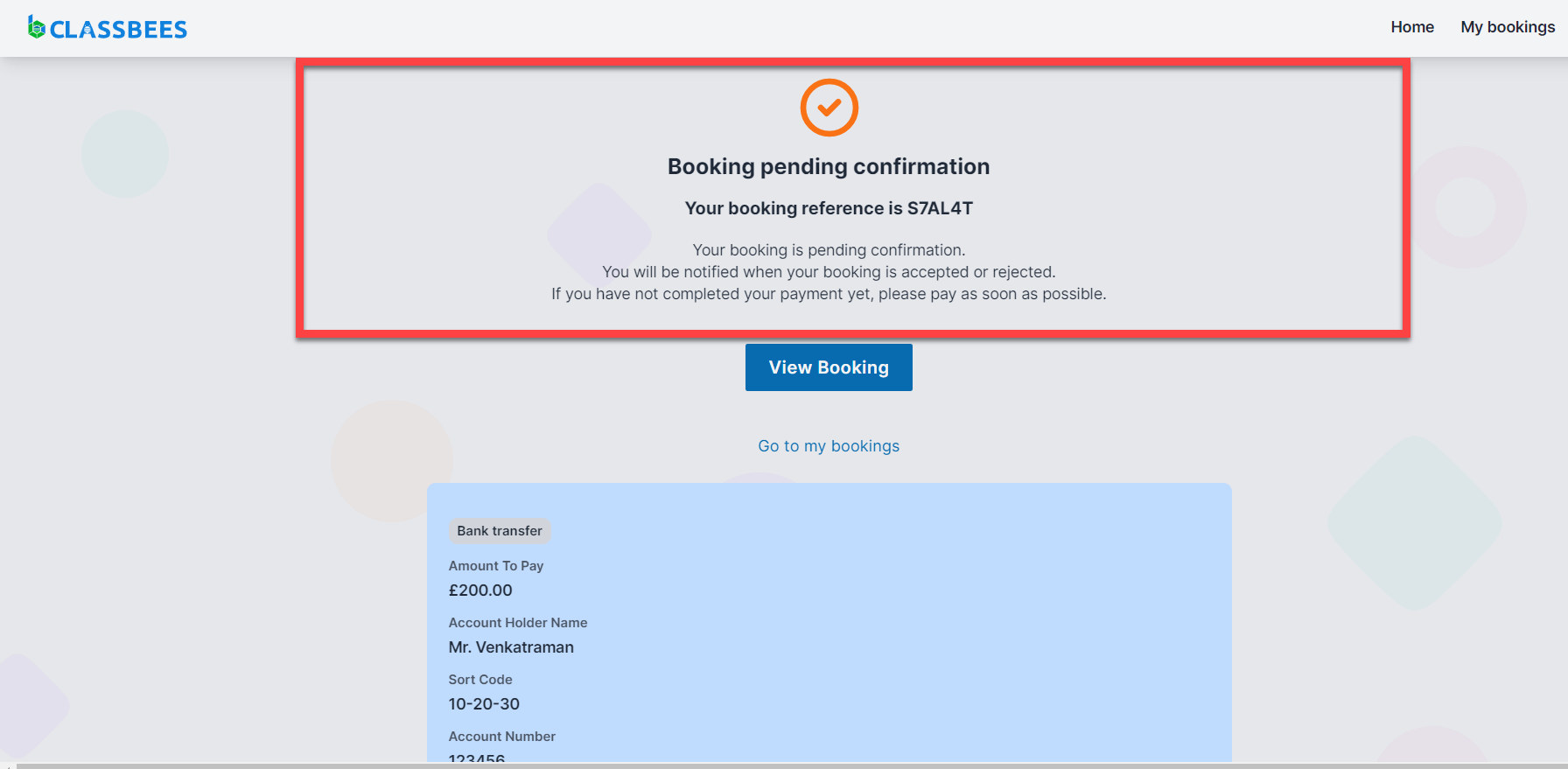
Bookings will be visible on the manage-booking page. Booking will be in a pending status if the booking has to be manually confirmed (two-step booking).
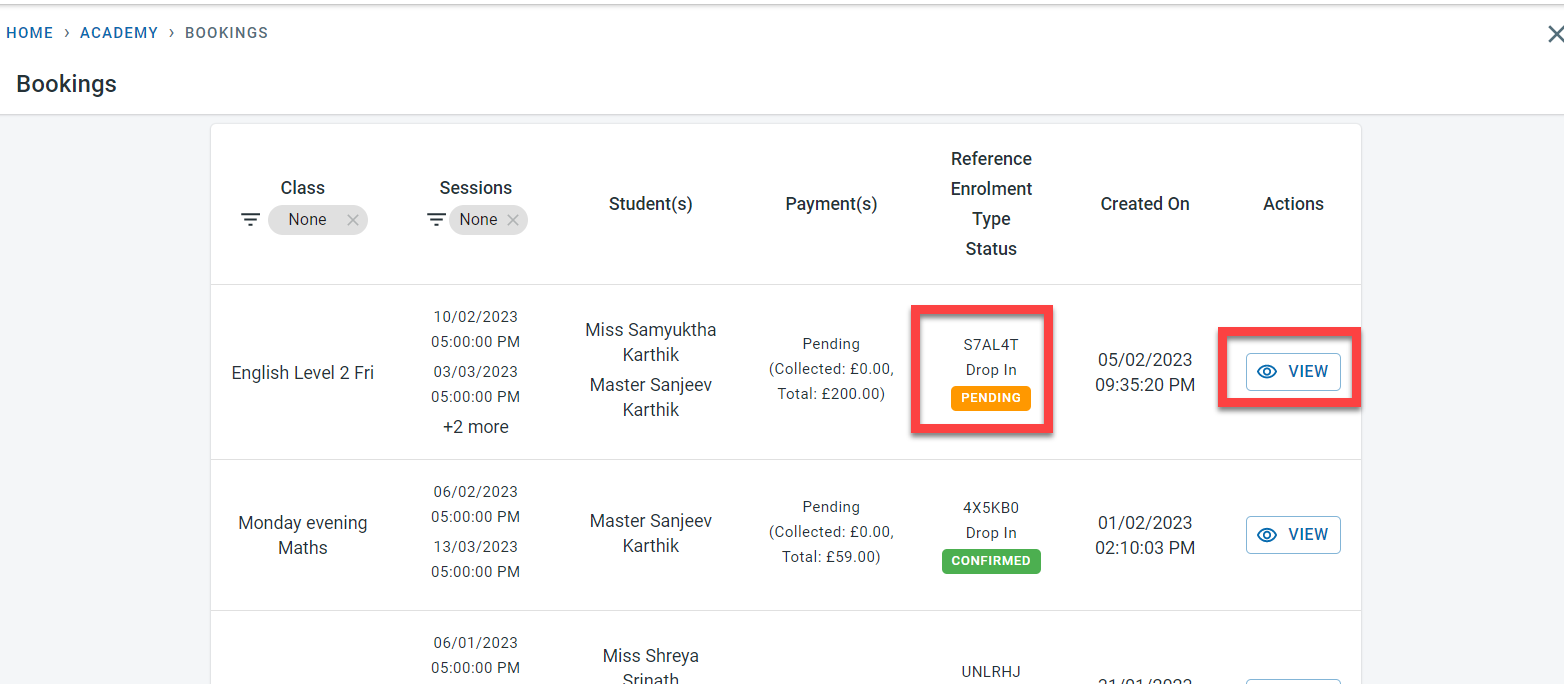
Click on “View” - Next to the booking.
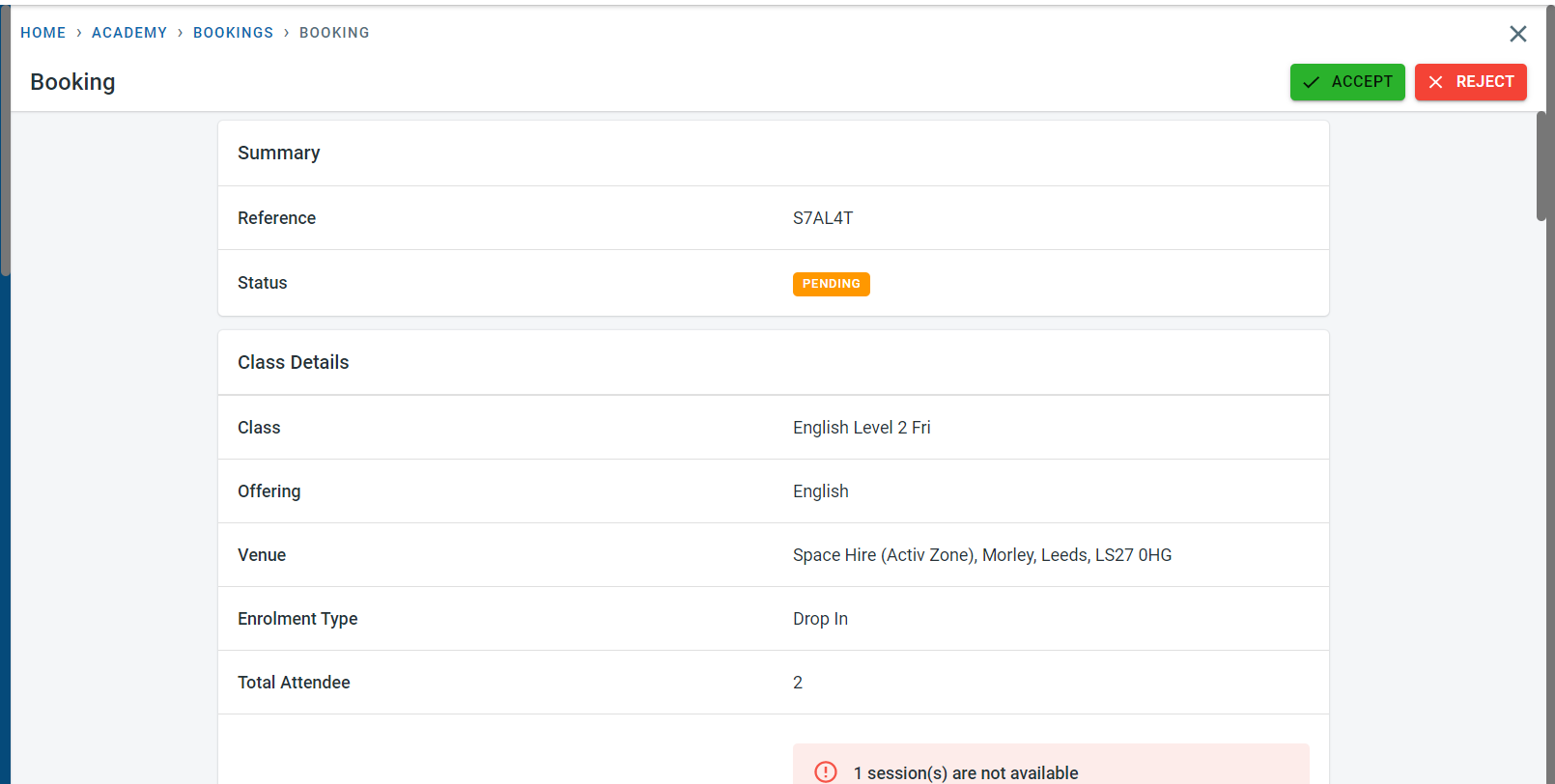
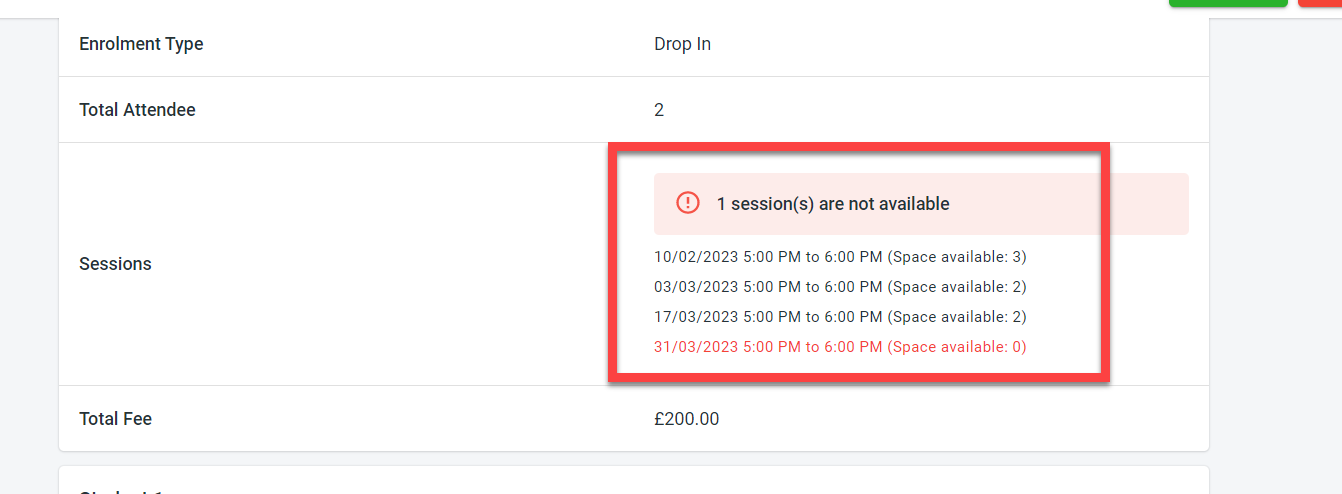
In the booking, it is possible to view the sessions requested by the user and also the availability within those sessions.
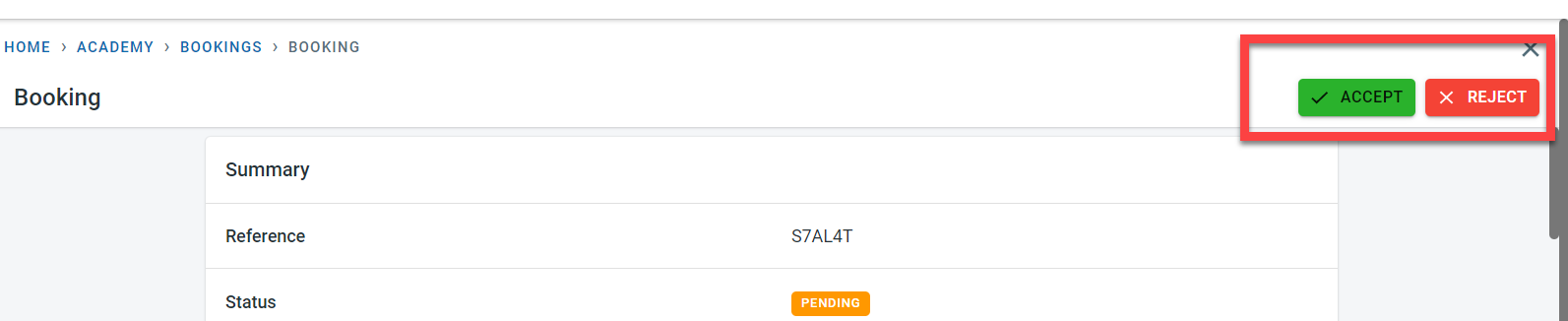
Once the details of the booking and the session availability have been verified, the booking can be accepted or rejected
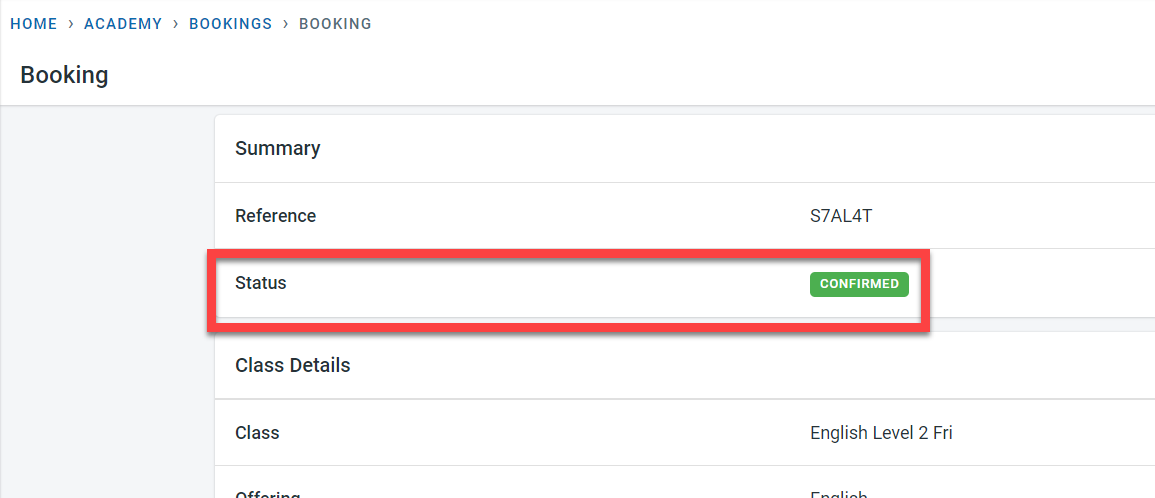
The booking status would reflect the confirmation or rejection in the manage system
Users will be able to view the booking confirmation in the classbees.com website or app