It is possible to create a new class by copying an existing class.
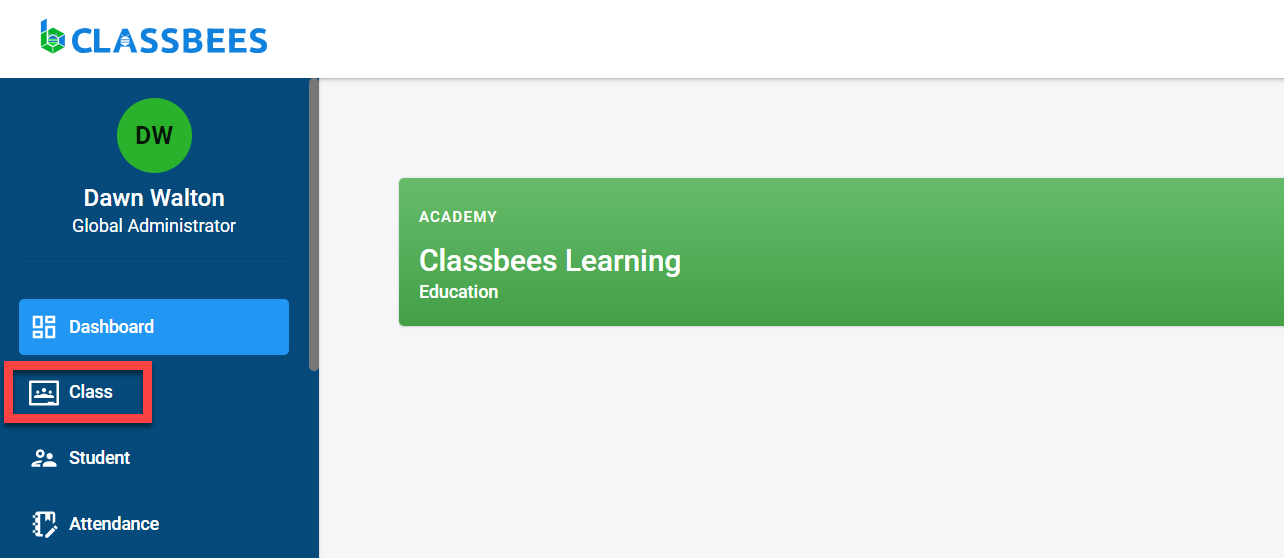
To copy the class, first select an existing class.To access the class module, select “Class” from the main menu
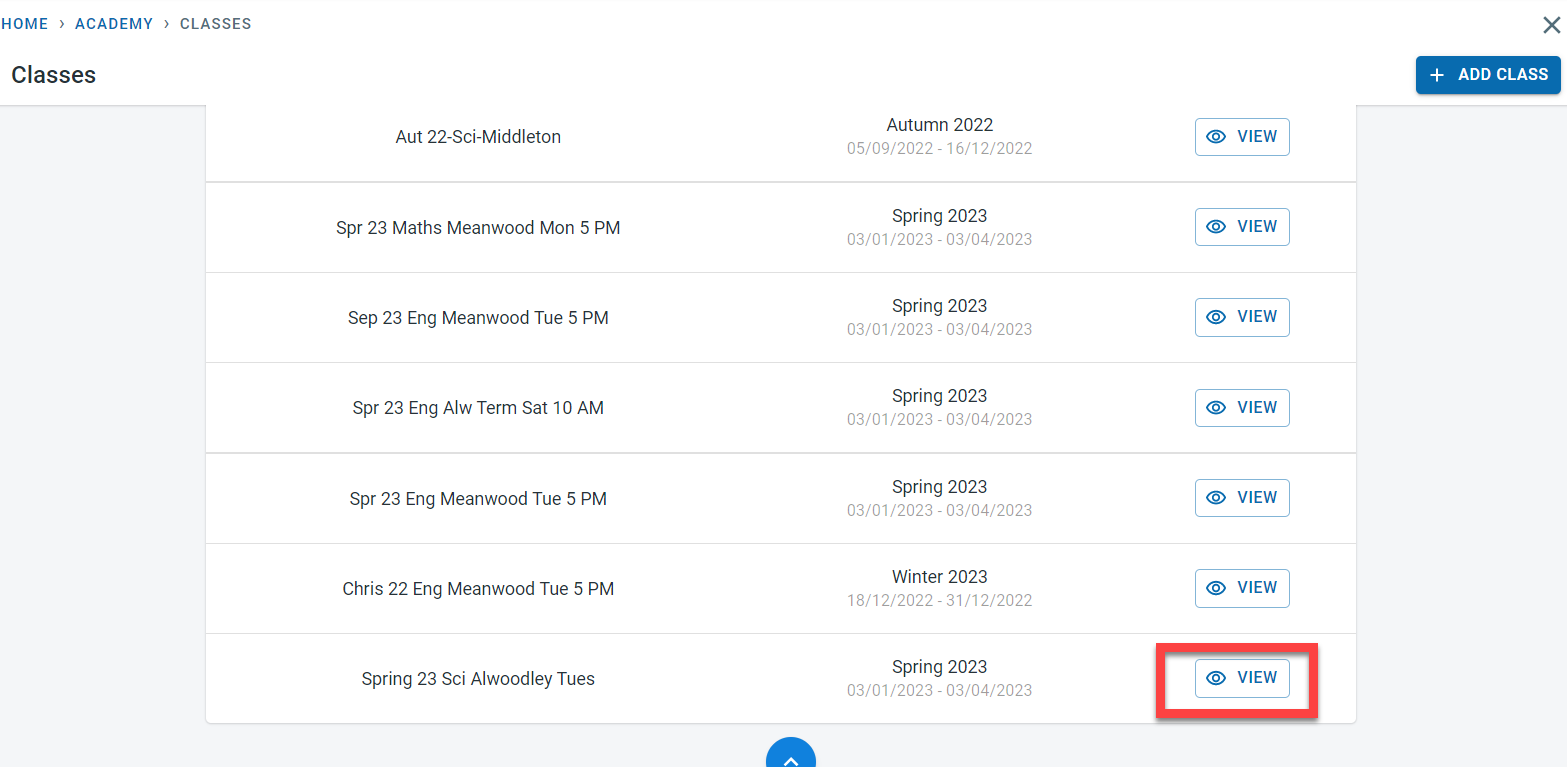
Click on “View” next to the original class which will be used as a base to create the new class.
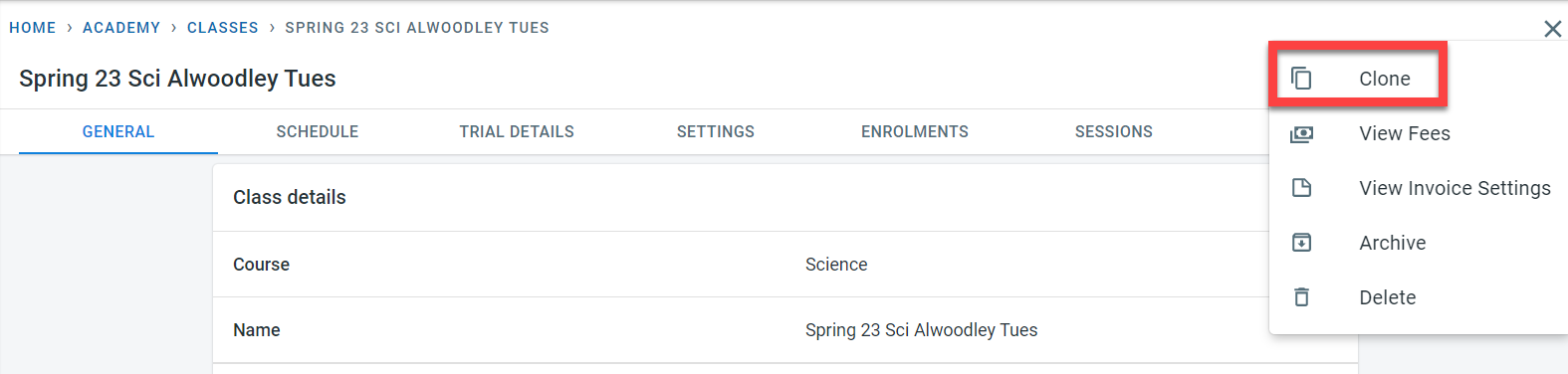
Click on the three dots on the top right of the screen next to the “Edit” button. Click on “Clone”
Enter the name for the new class and select the term for the class
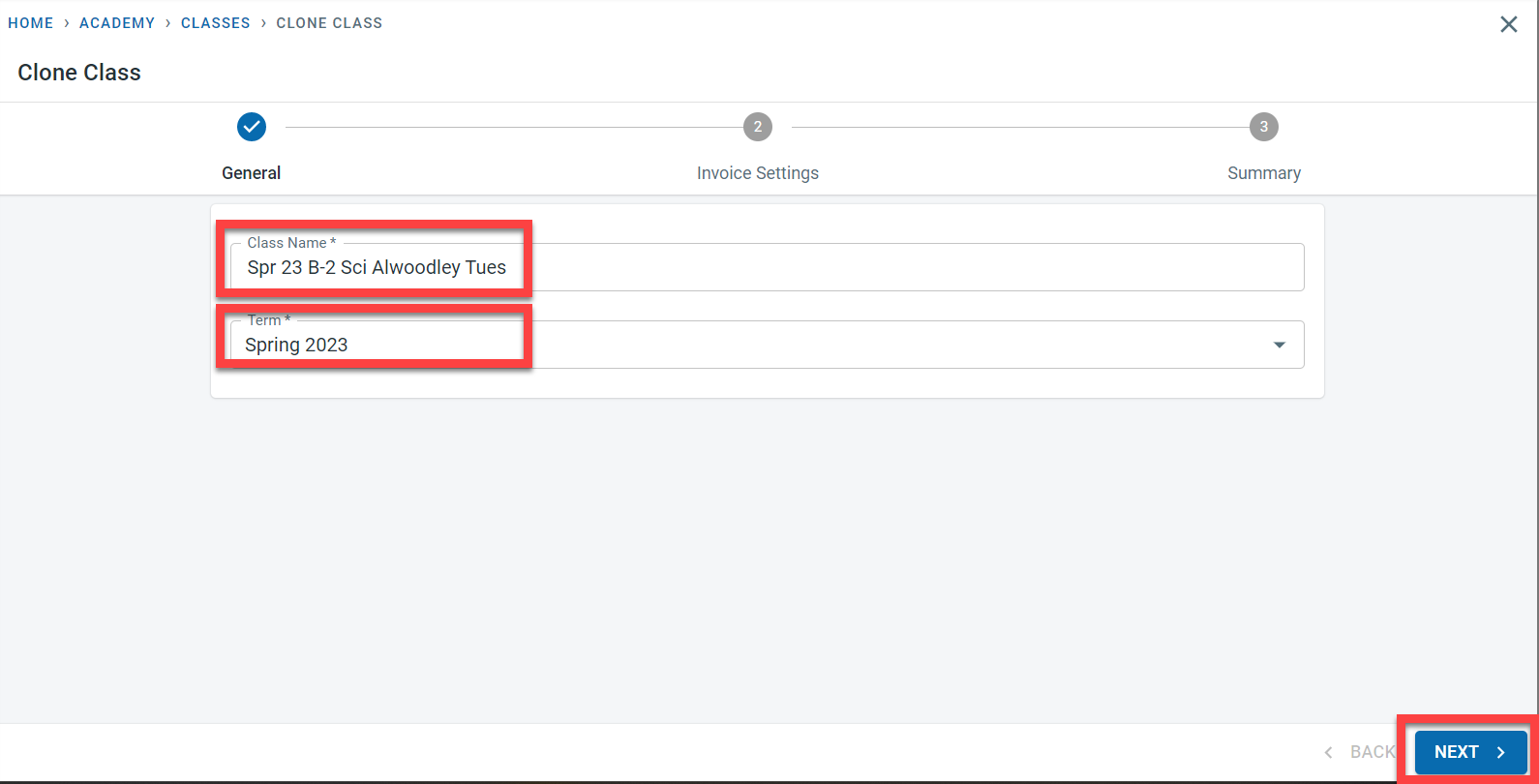
Click on “Next”
Enter the first and last invoice date and the invoicing frequency for the new class.
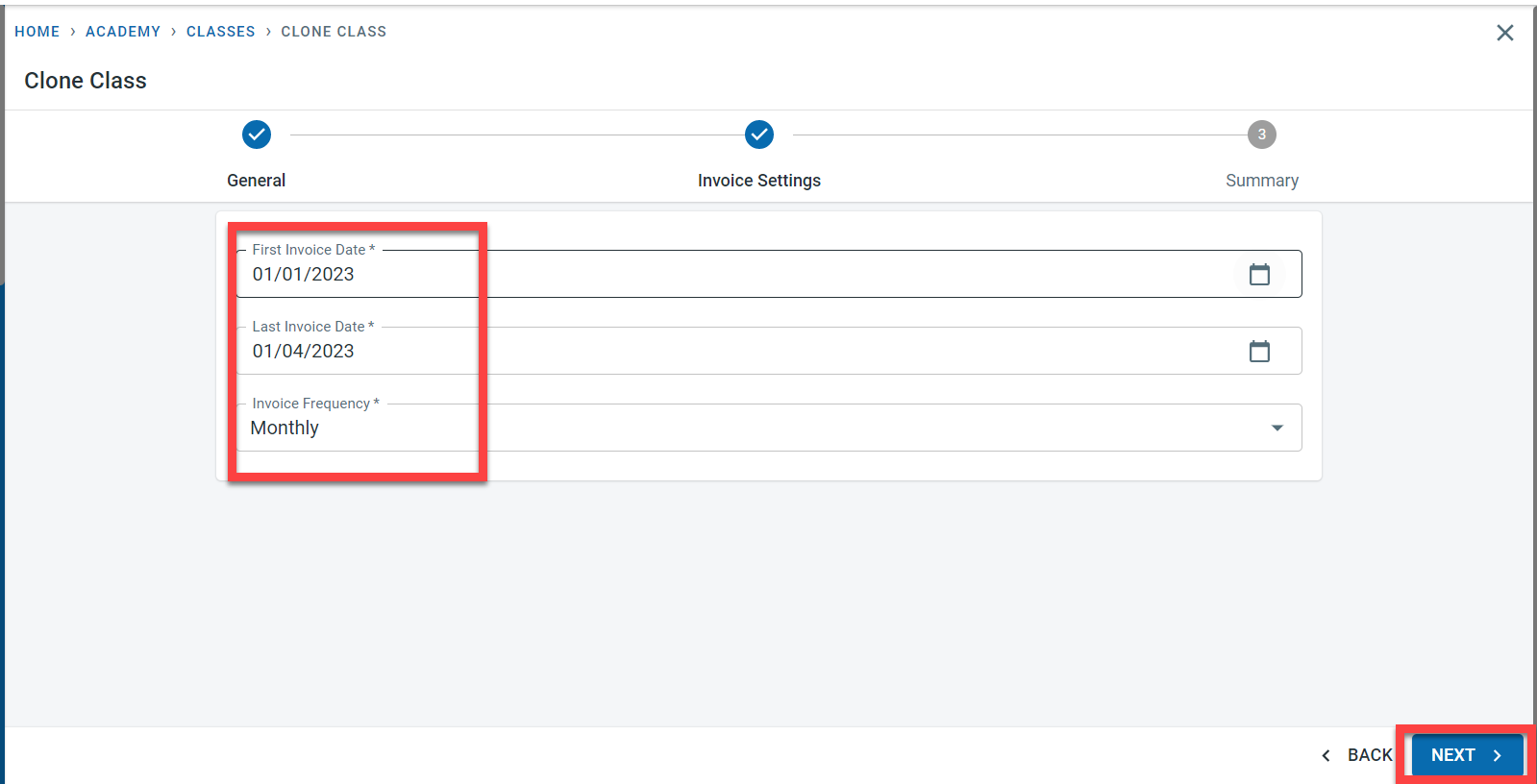
Click on “Next”. A summary of the details entered will be shown on the screen. Click on Clone.
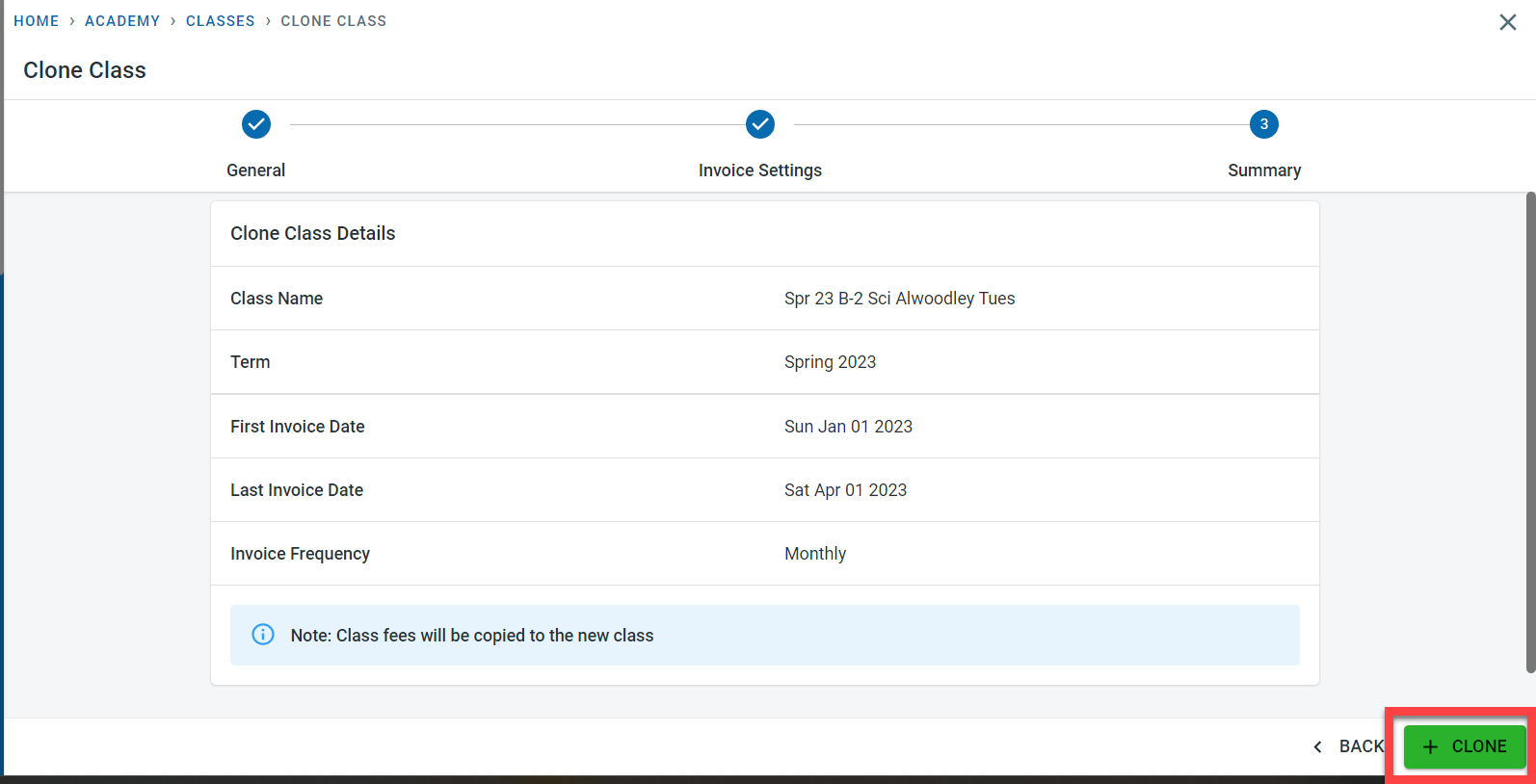
The new class will now be created as a copy of the existing class.
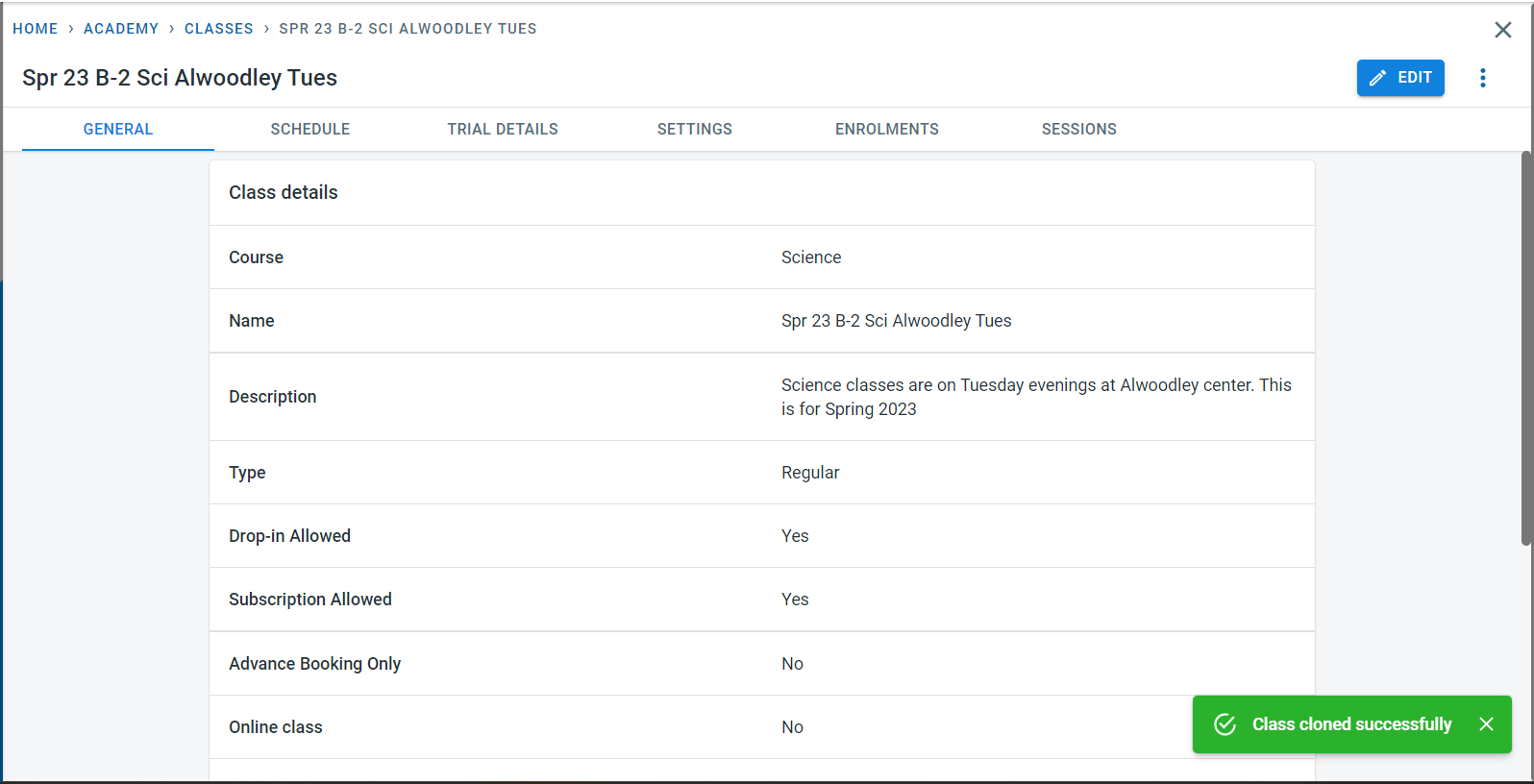
Enrolments can be copied to the new class which is described in detail in the copy student enrolment section