Before adding invoices to the class, the class has to be created first.
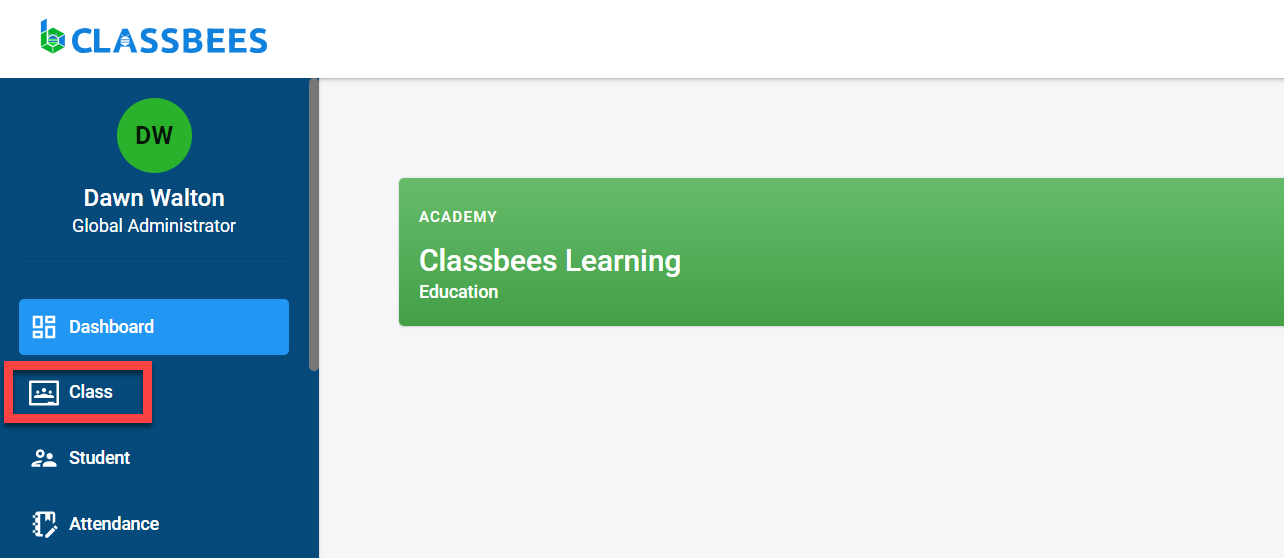
To access the class module, select “Class” from the main menu
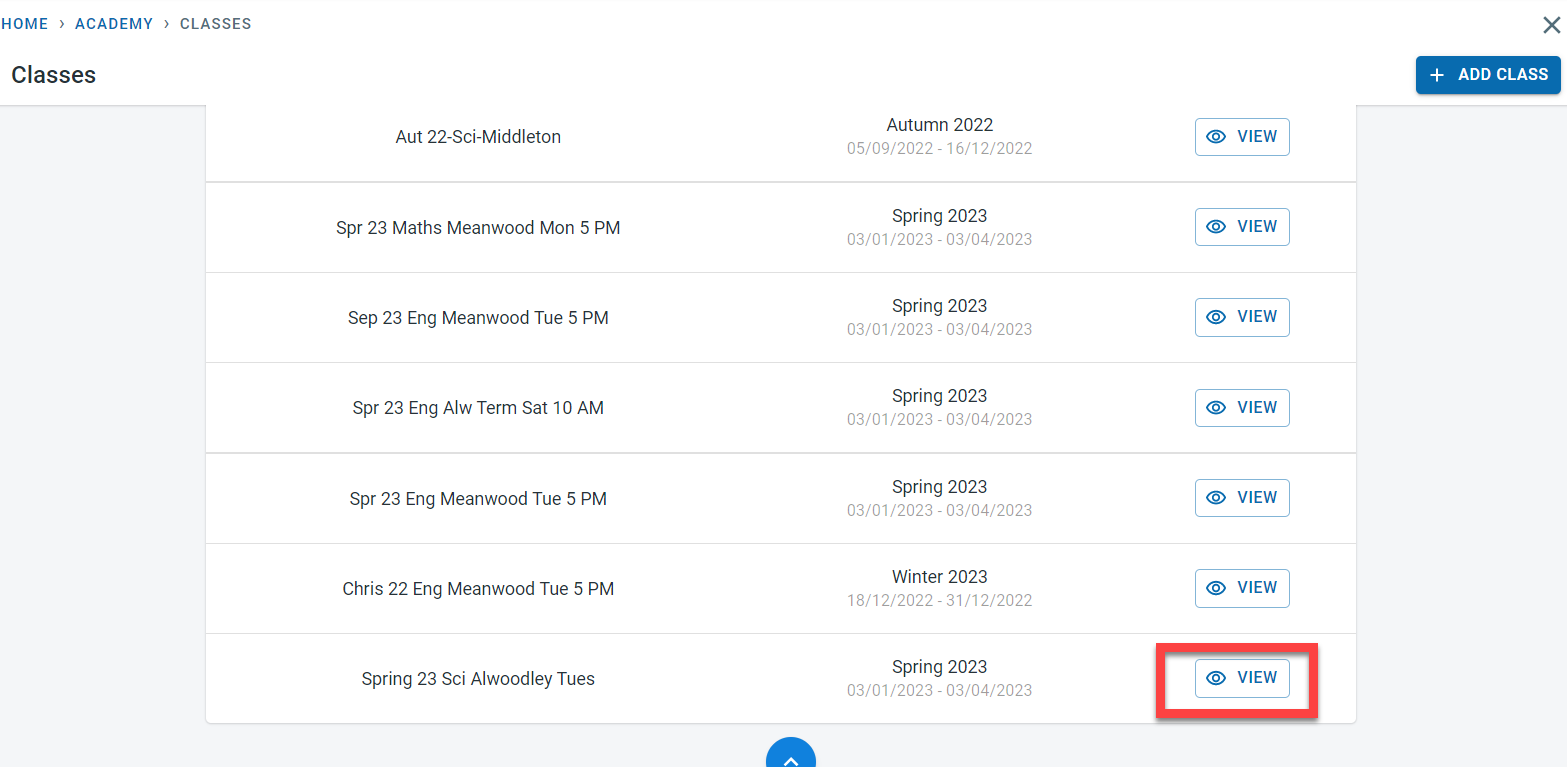
Click on “View” next to the class for which the fees has to be added.
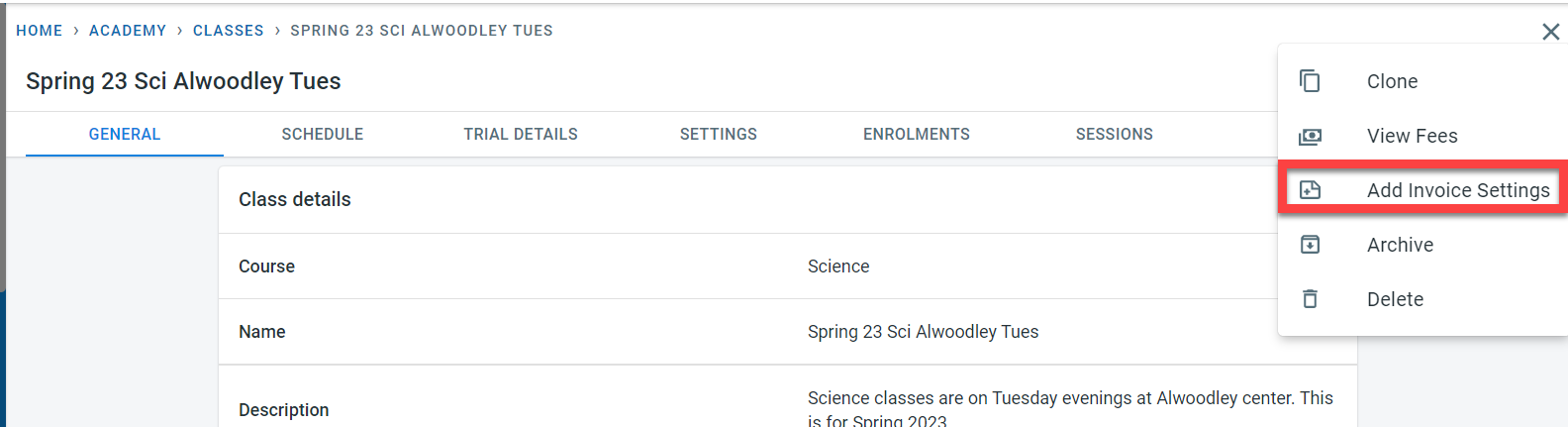
Click on the three dots on the top right of the screen next to the “Edit” button. Click on “Add invoice Settings”
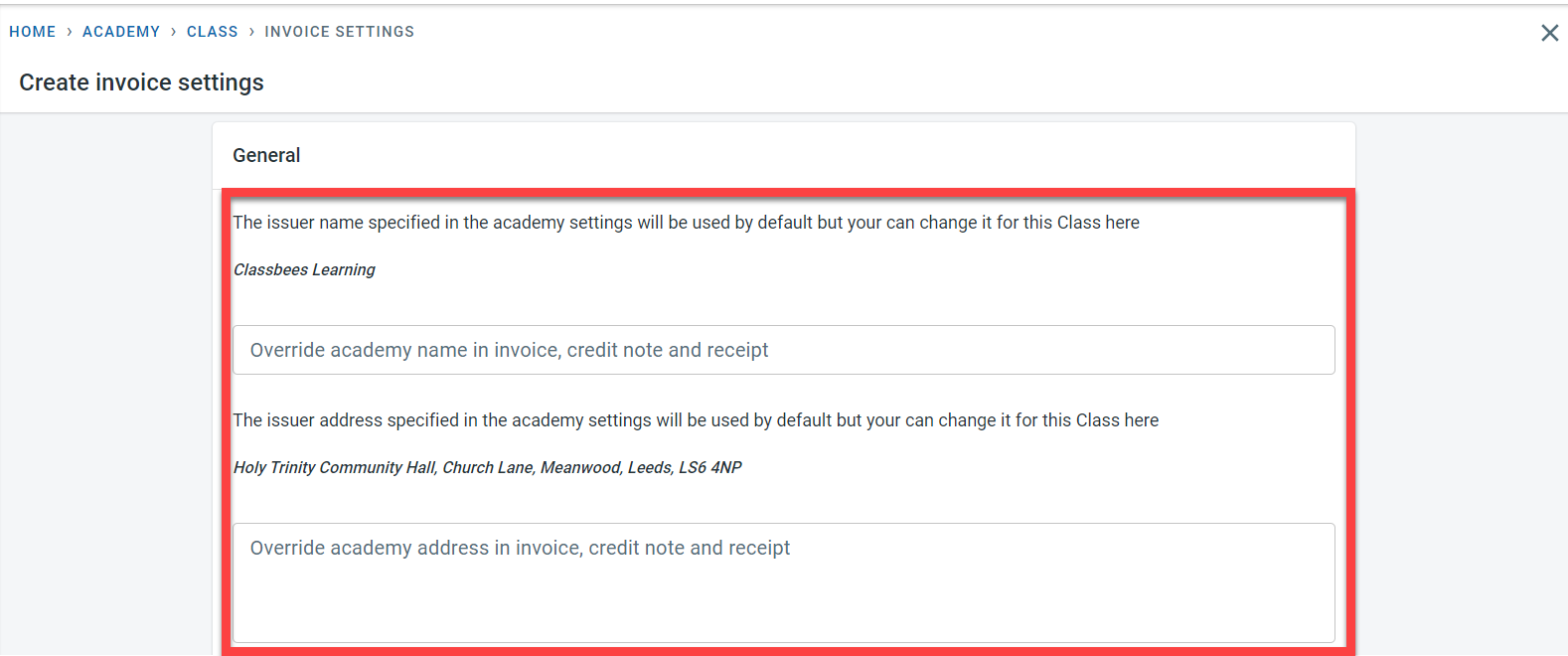
The academy name and the address to be used in the Invoice, credit note, and receipts for the class are maintained here. This information is copied from the academy-level setting but can be overwritten here for the class.
The following values are also maintained
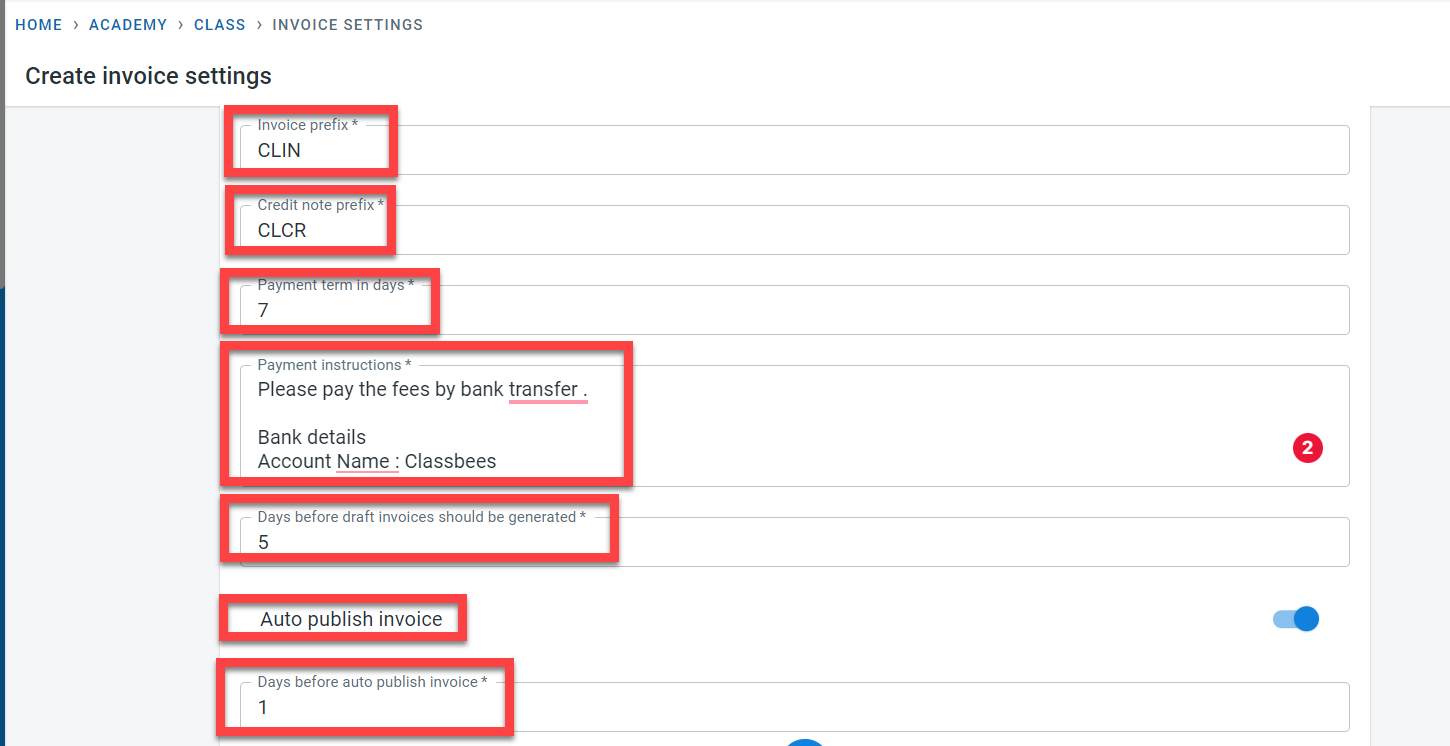
- The prefix for Credit notes and Invoices for the class
- Payment terms in days - this is used to calculate the invoice due date by adding the payment term date to the invoice date
- Payment instructions to be populated at the bottom of the invoices
- Days before the invoice date should be generated - this determines when the draft invoices should be generated in relation to the invoice date.
- Auto publish invoices - invoices can be auto-published (changes from draft to published status) based on the invoice date and the value set for the “days before auto publish invoice”
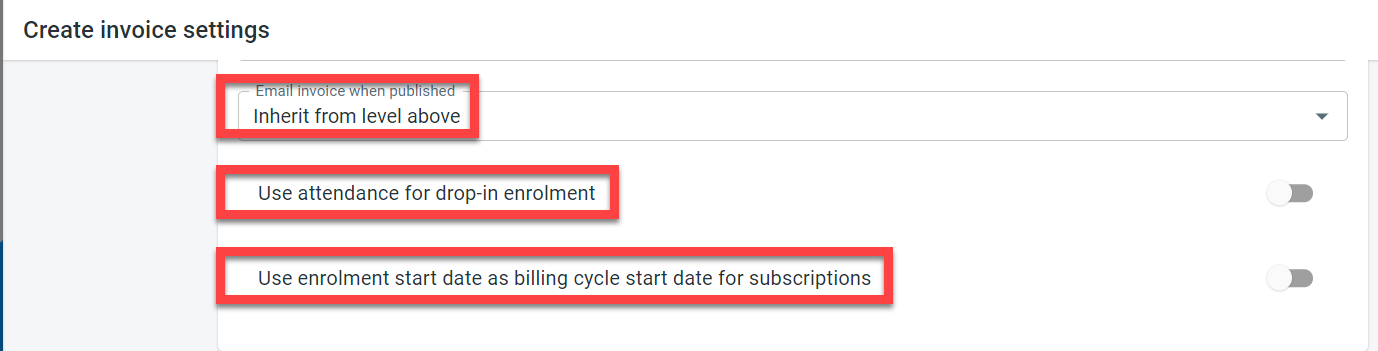
It is possible to set at the class level whether invoices published for the class have to be emailed out to the finance contacts for the student. The email settings at the academy level can be copied to the class or this setting can be overwritten at the class level.
For the “drop in” enrolment type, the invoices are usually generated based on the reservation of the session for the student. Instead of generating the invoices based on reservation, it is possible to use the attendance data to generate invoices for drop-in students. This is controlled by the “Use attendance for drop-in enrolment” setting in the class invoice setting.
The setting which is relevant for the subscription is “Use enrolment start date as billing cycle start date for subscriptions”.
There are two ways in which the subscription fee billing cycle can be calculated. The first one is where the fees are to be calculated based on the term dates and the second option is where the subscription fees will be calculated based on the enrolment date of the student. If the fees are to be calculated based on the enrolment date, then activate the “Use Enrolment start date as billing cycle start date for subscriptions”
For enrolment invoices, it is necessary to set up the dates when the invoices are to be generated. The first and the last invoice generation date for the class along with the periodic frequency for the invoice generation are set for individual classes. These dates are used by the system along with the other invoice settings to automatically generate draft invoices and to publish the invoices.
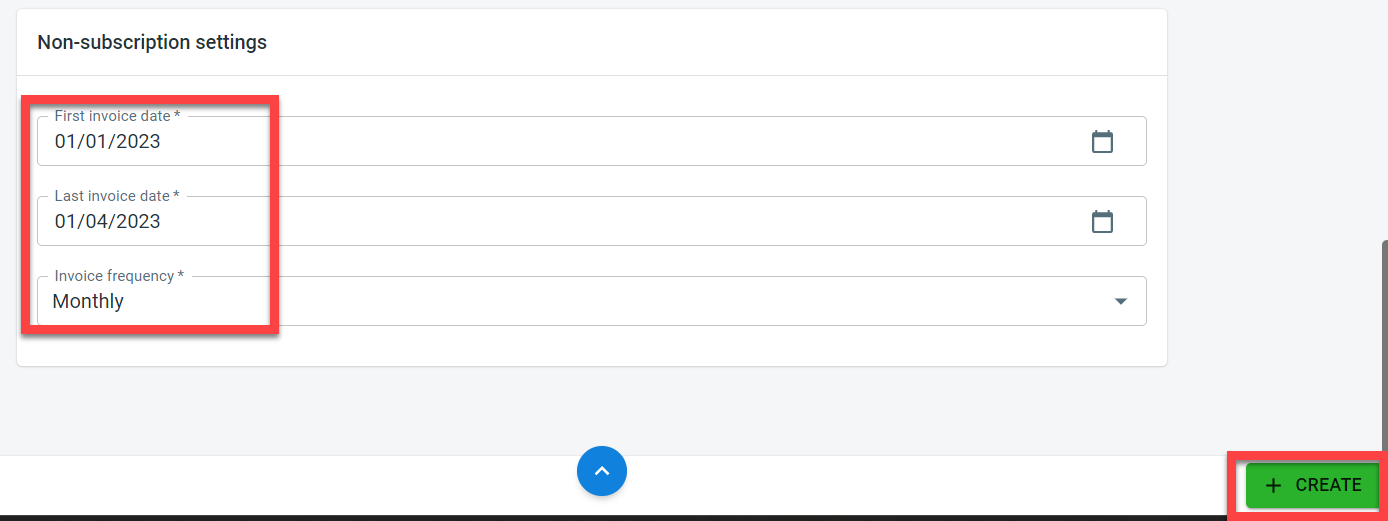
Click on “Create” to save the invoice setting for the class.A success message would be displayed when the invoice settings for the class is saved.