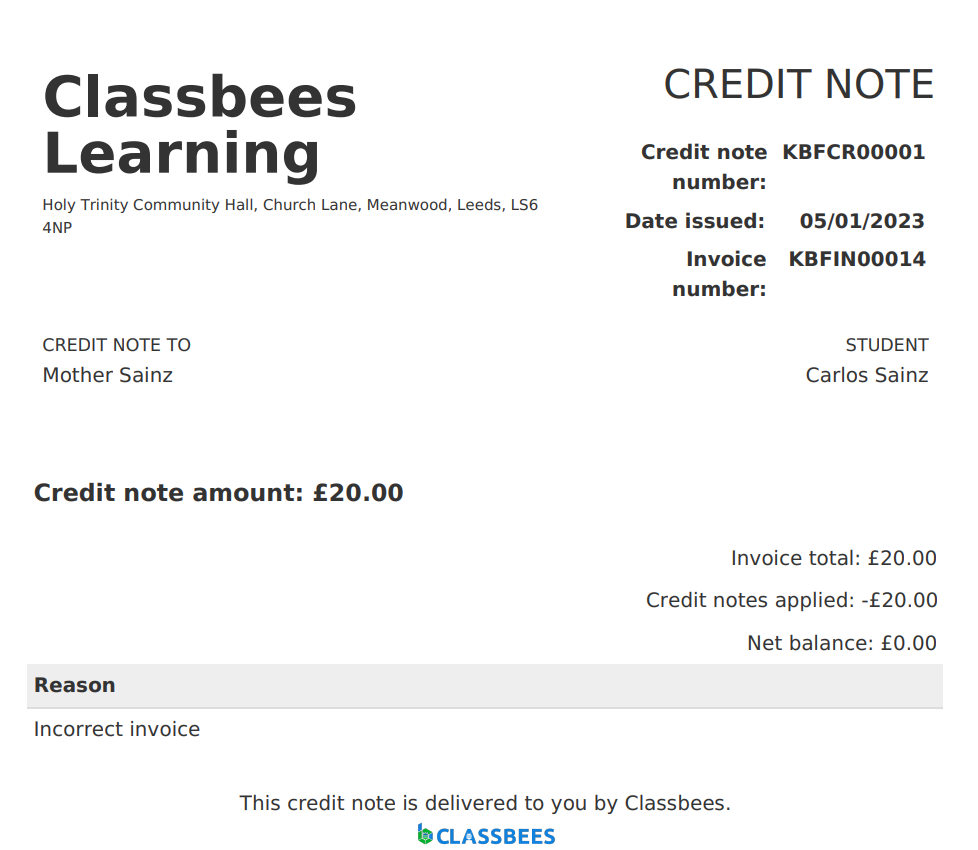
A published invoice is a legal document and it cannot be amended. Credit notes are created in the system to cancel invoices that have been published in the system. The credit note essentially ‘pays’ the incorrect invoice so there is no outstanding payment.
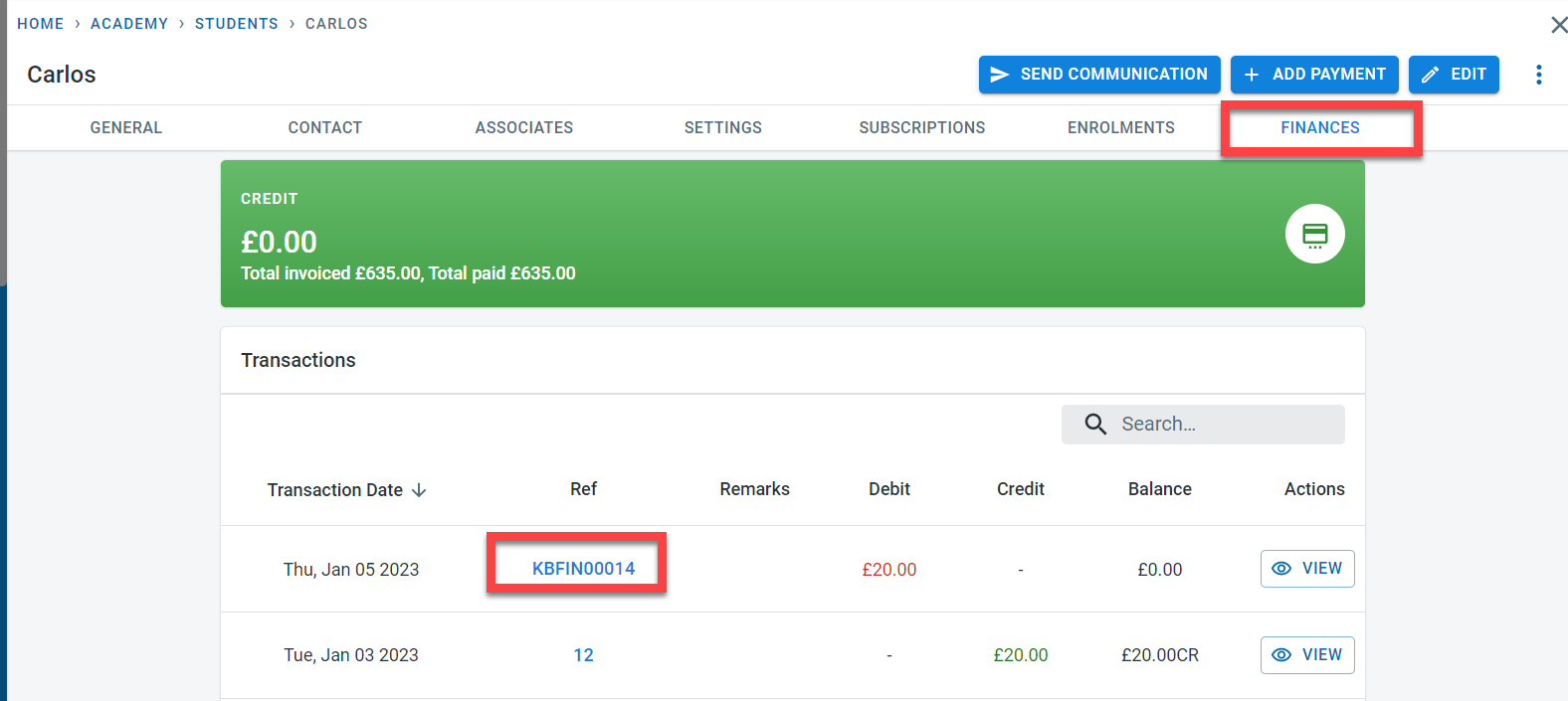
Select the invoice. An invoice can be selected from the student (Student –> Finance –.> Click on the Invoice number)
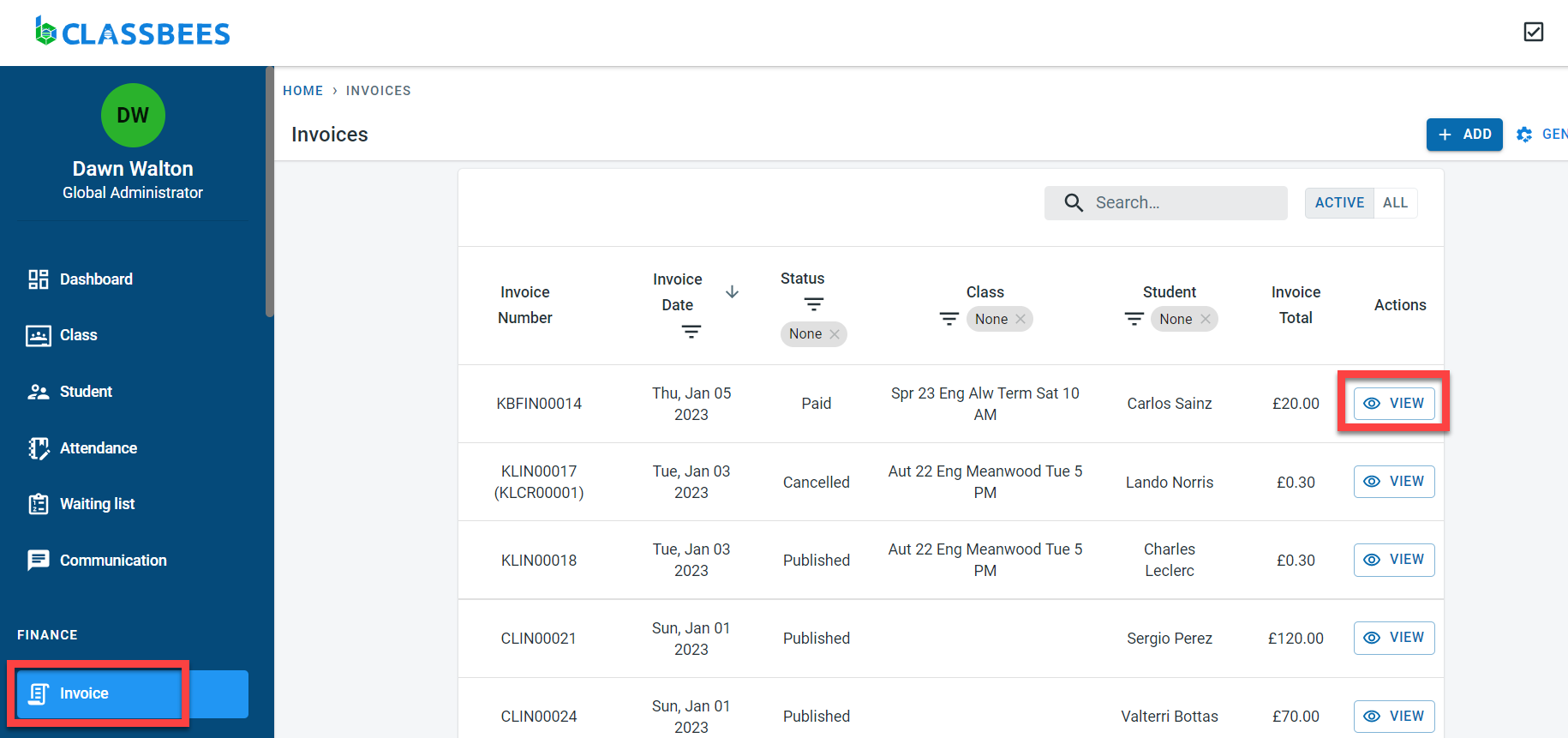
or can be selected from the invoice screen (Invoice –> Click on “View” next to the invoice)
To cancel an invoice, click on “Cancel”
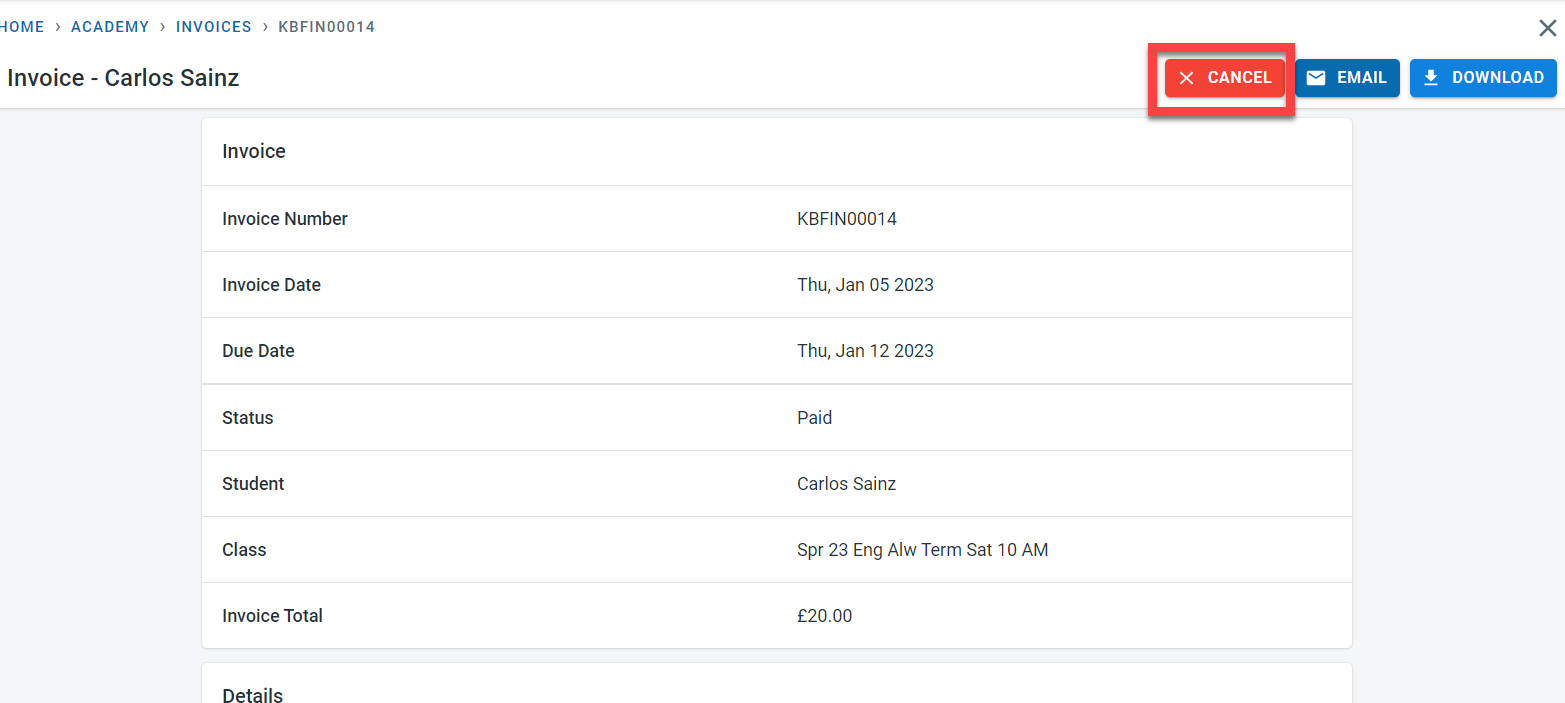
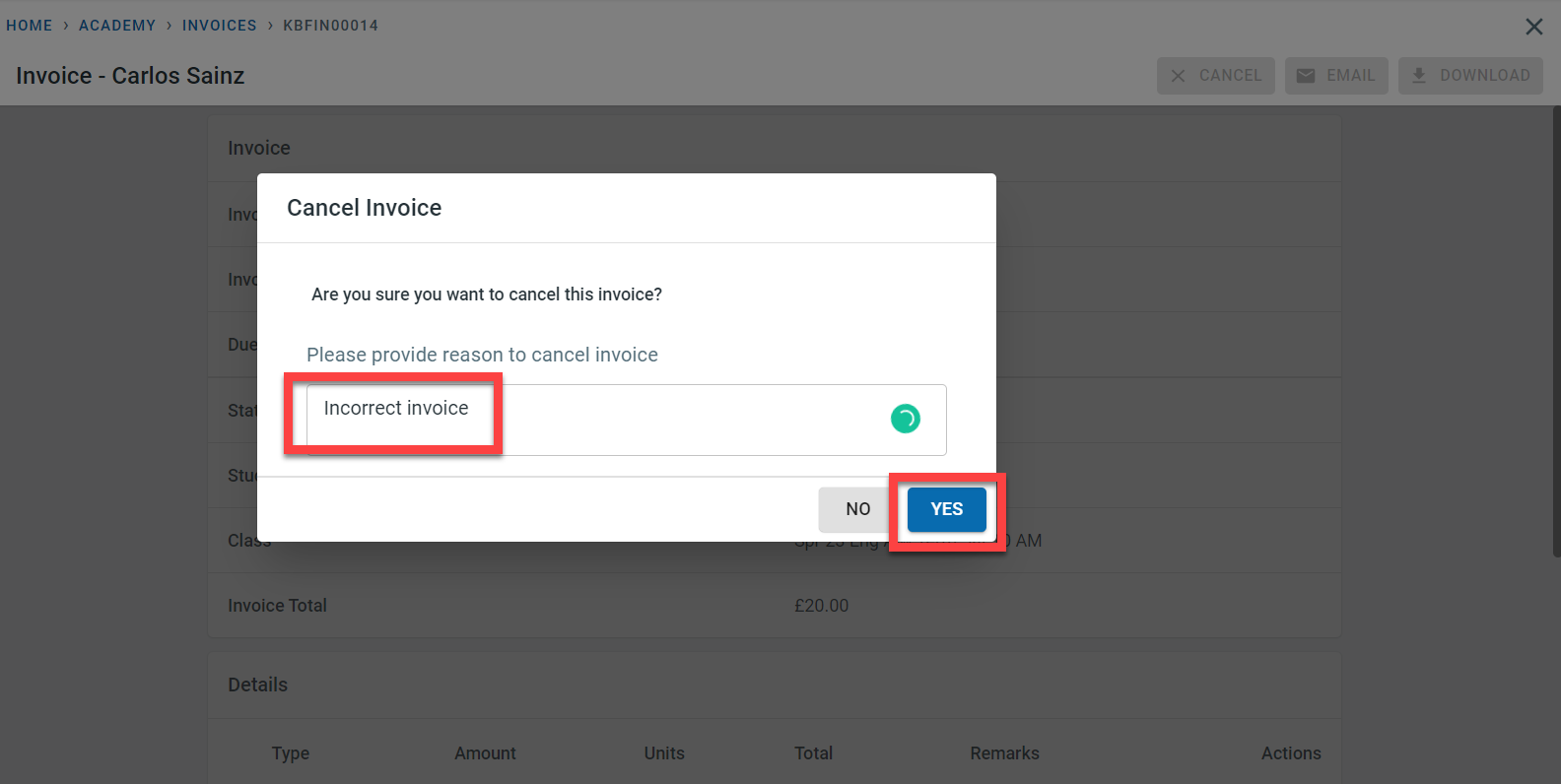
Enter a reason for canceling the invoice and click on “Yes”
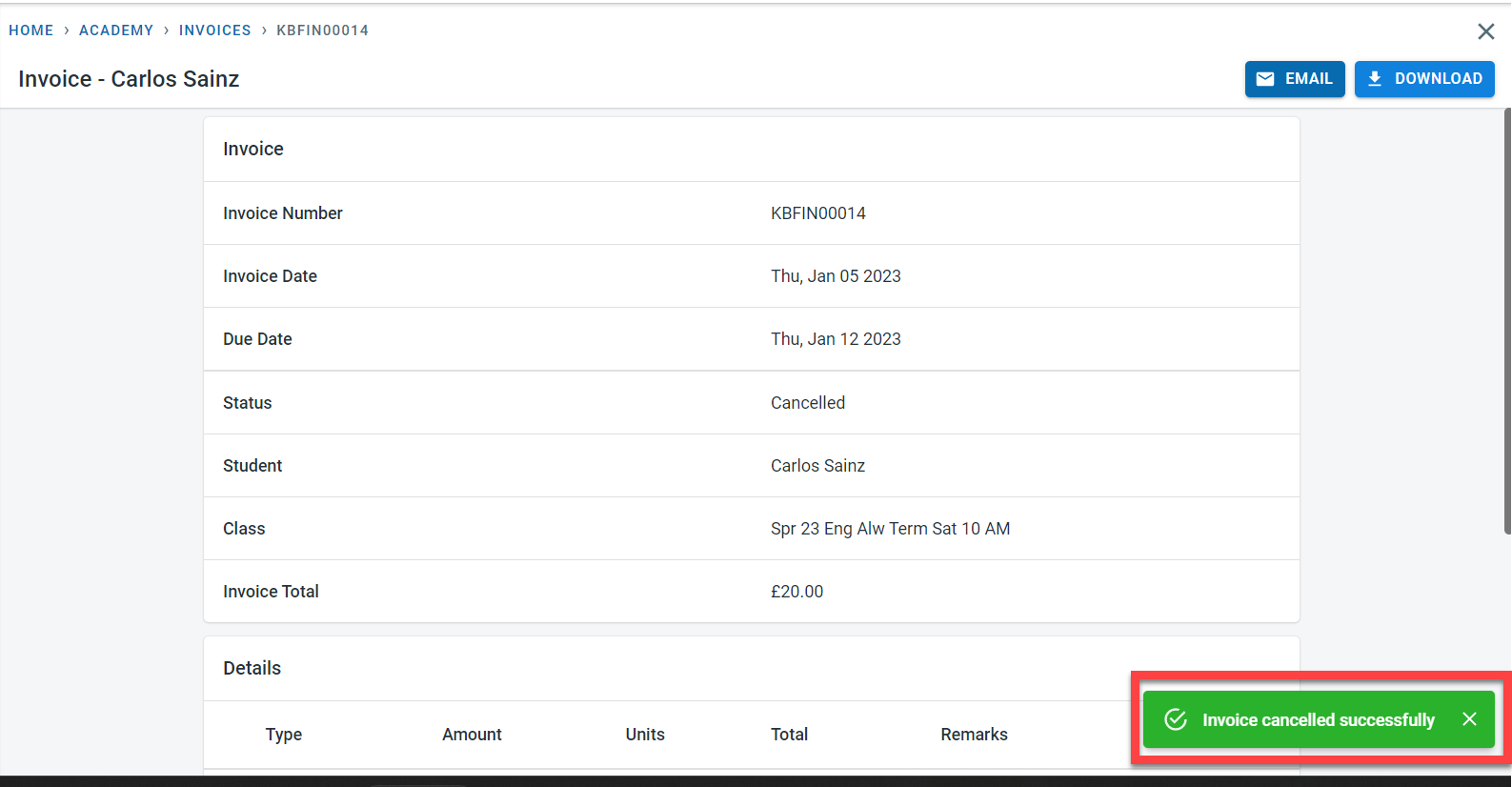
A message will be displayed to confirm that the invoice was canceled and the status of the invoice would be cancelled.
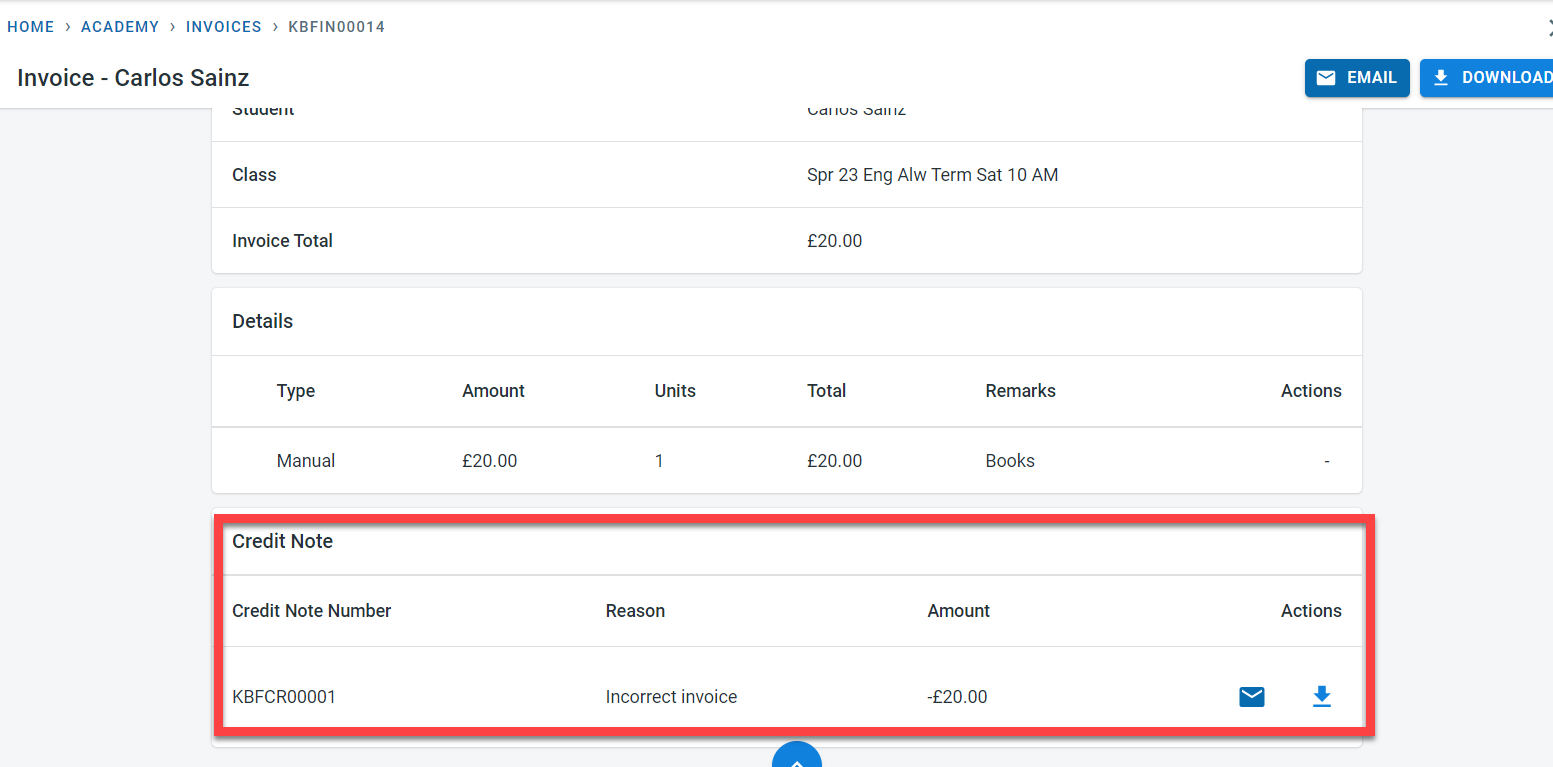
A credit note will be created for the cancelled invoice
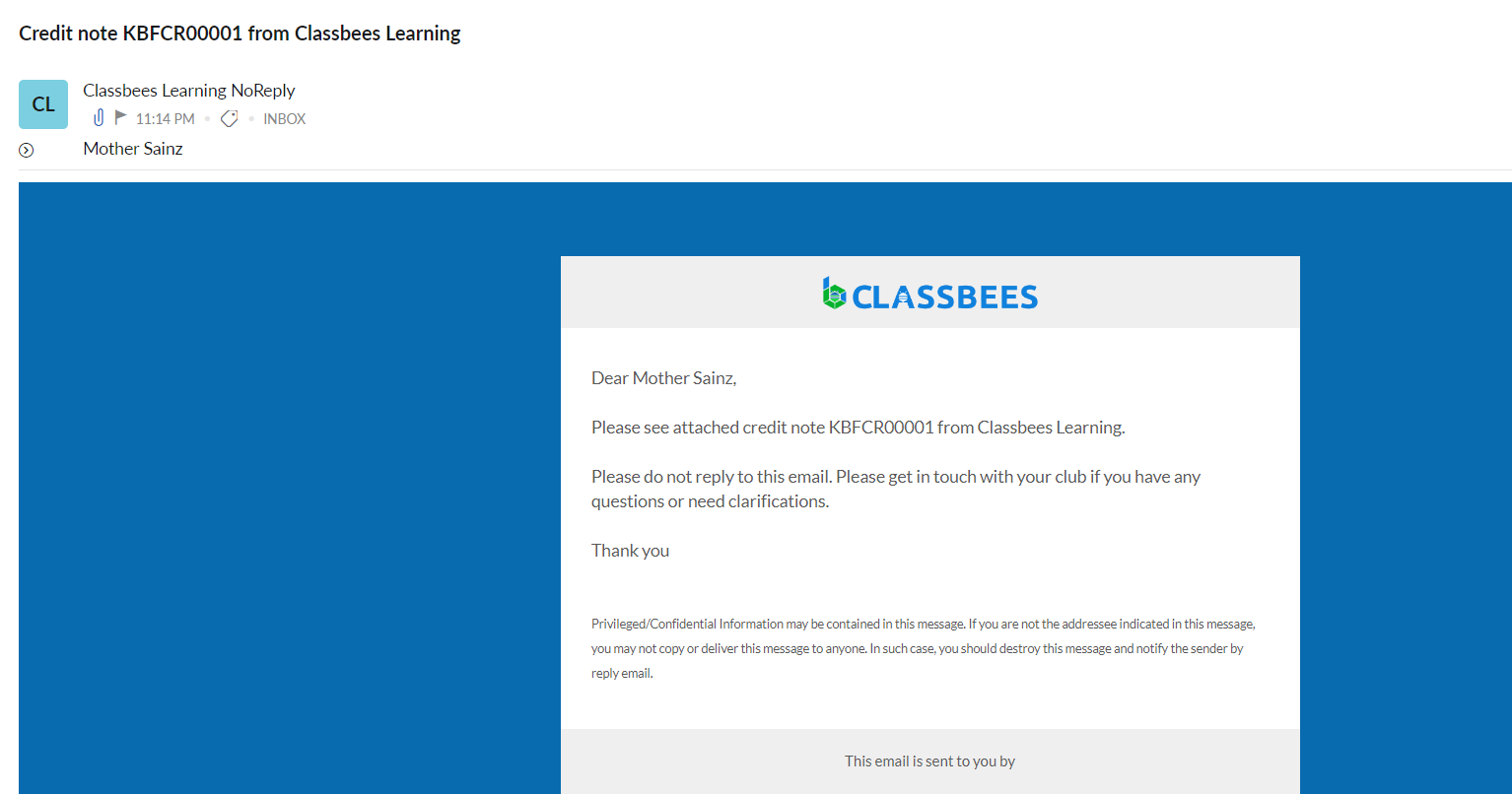
An email would be sent to the finance contact (as per academy and student setting) when the invoice is canceled
The PDF version of the credit note is shown below