The subscription fees would be determined at the academy level. The student might move between classes but the subscription fees would always be the same and would be from the academy-level subscription fees.
Details on how to set up the subscription fee at the academy level and how to add a subscription to the student are available in the getting started - Subscription at academy/club.
Automatic generation of invoice
Automatic generation of invoice
Subscription-based invoices are automatically generated in draft status before the subscription invoice date for the student based on “Days before draft invoice should be generated” field in academy setting.
The invoice will be published automatically based on the “Days before auto publish invoice” value in the academy setting
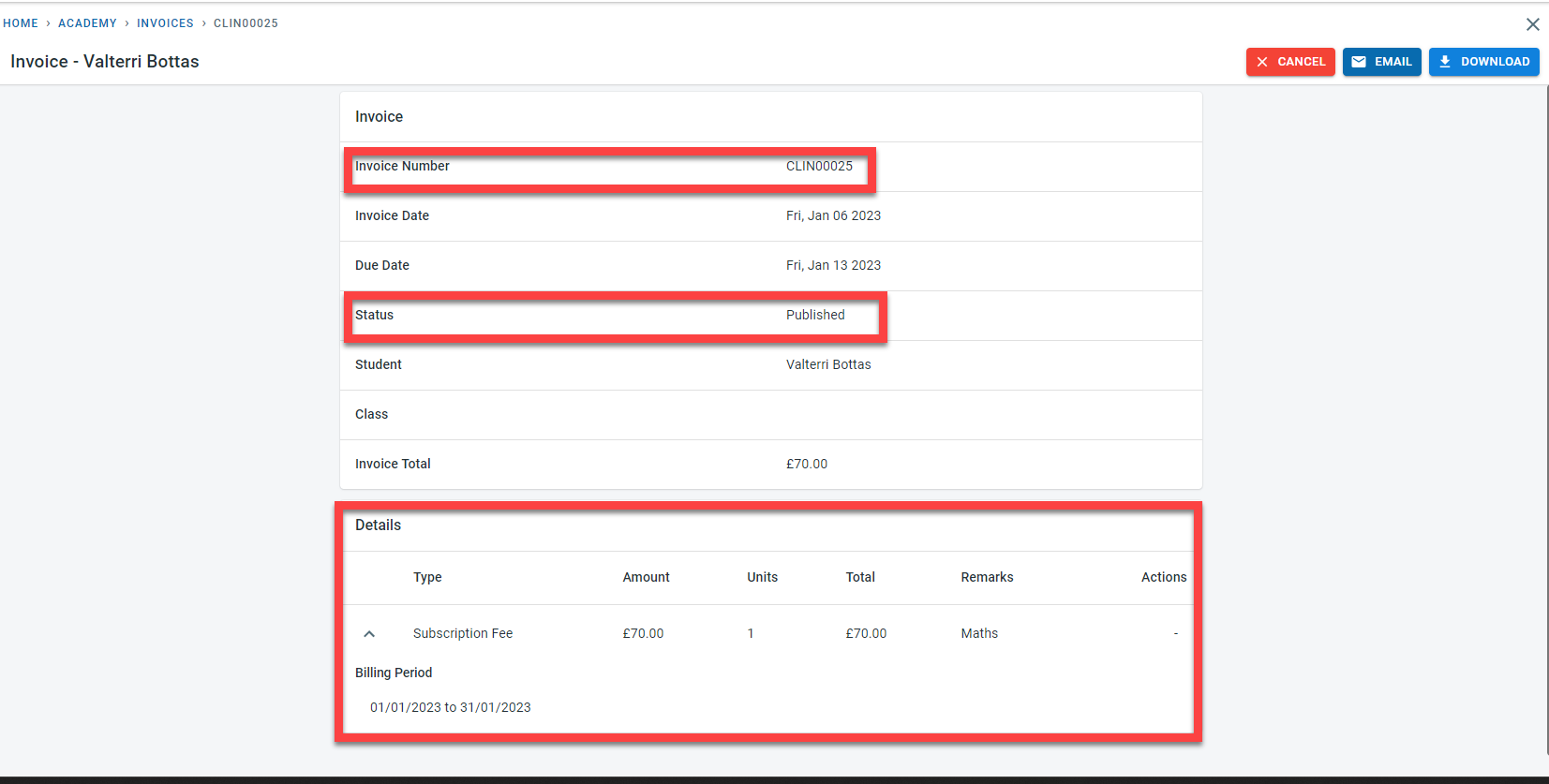
A sample published invoice is shown below
Manual generation of invoice
It is possible to generate enrolment invoices manually before the system autogenerates the invoice.
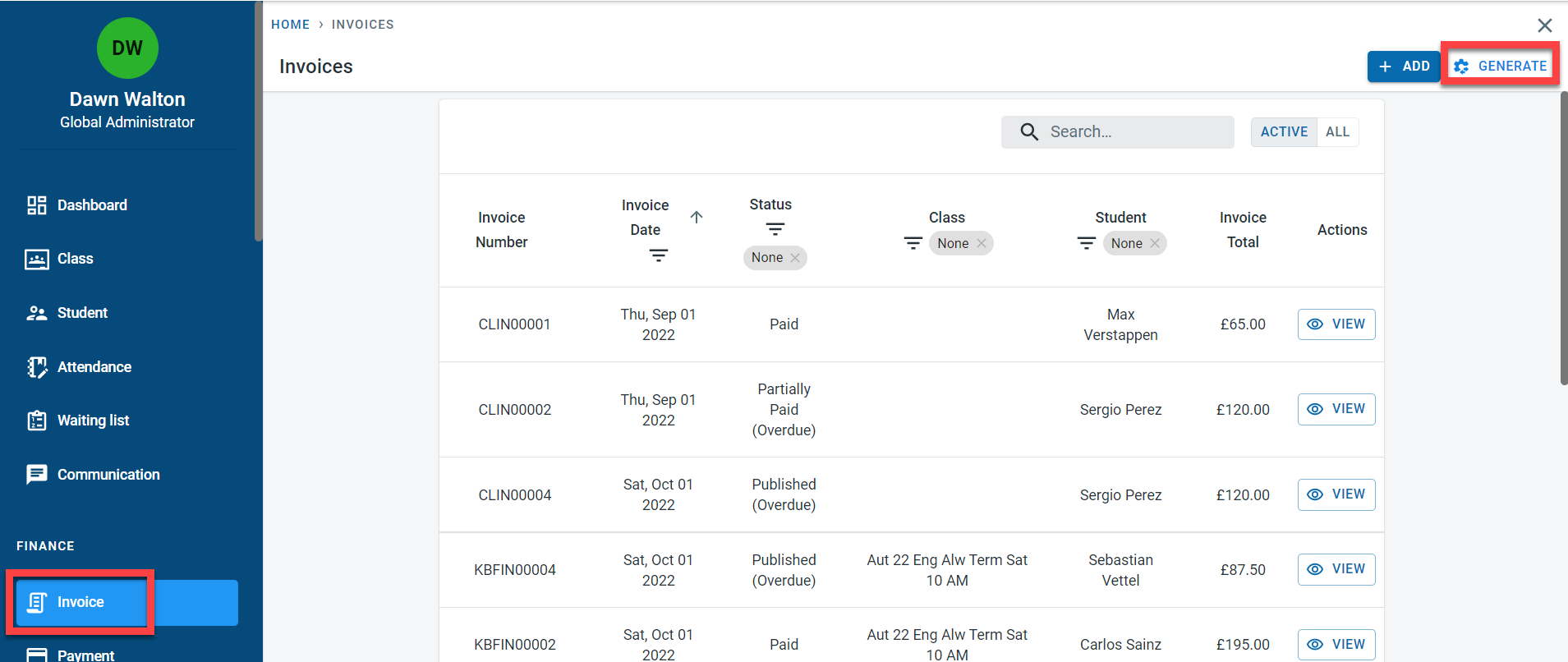
Navigate to the invoice screen. Click on “Generate”
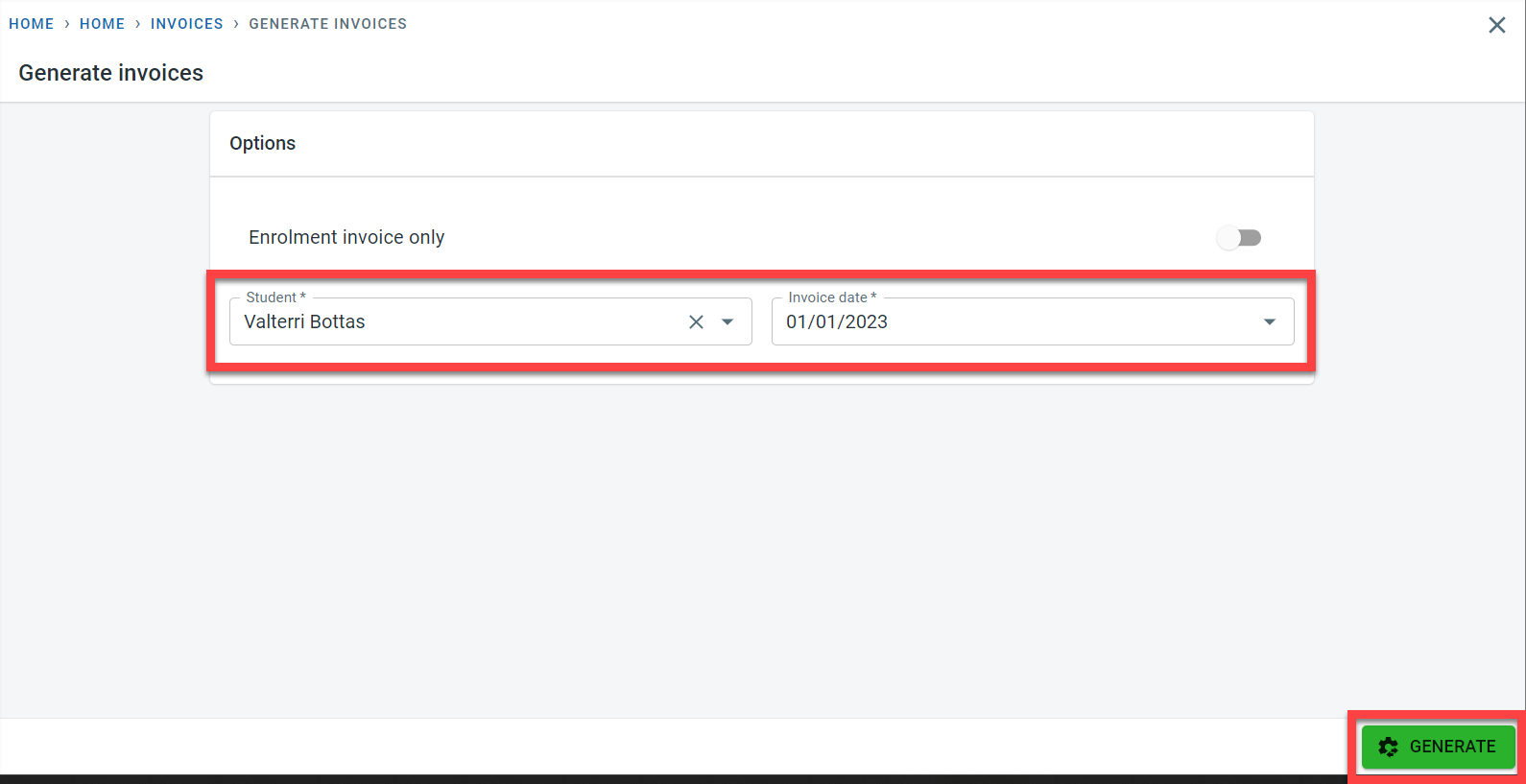
In the “Generate invoices” screen, Select the student name and the invoice date. The invoice date would be based on the “Collect payment on” date from the student subscription.
Click on Generate
A draft invoice will be generated for the student

Details in the invoice
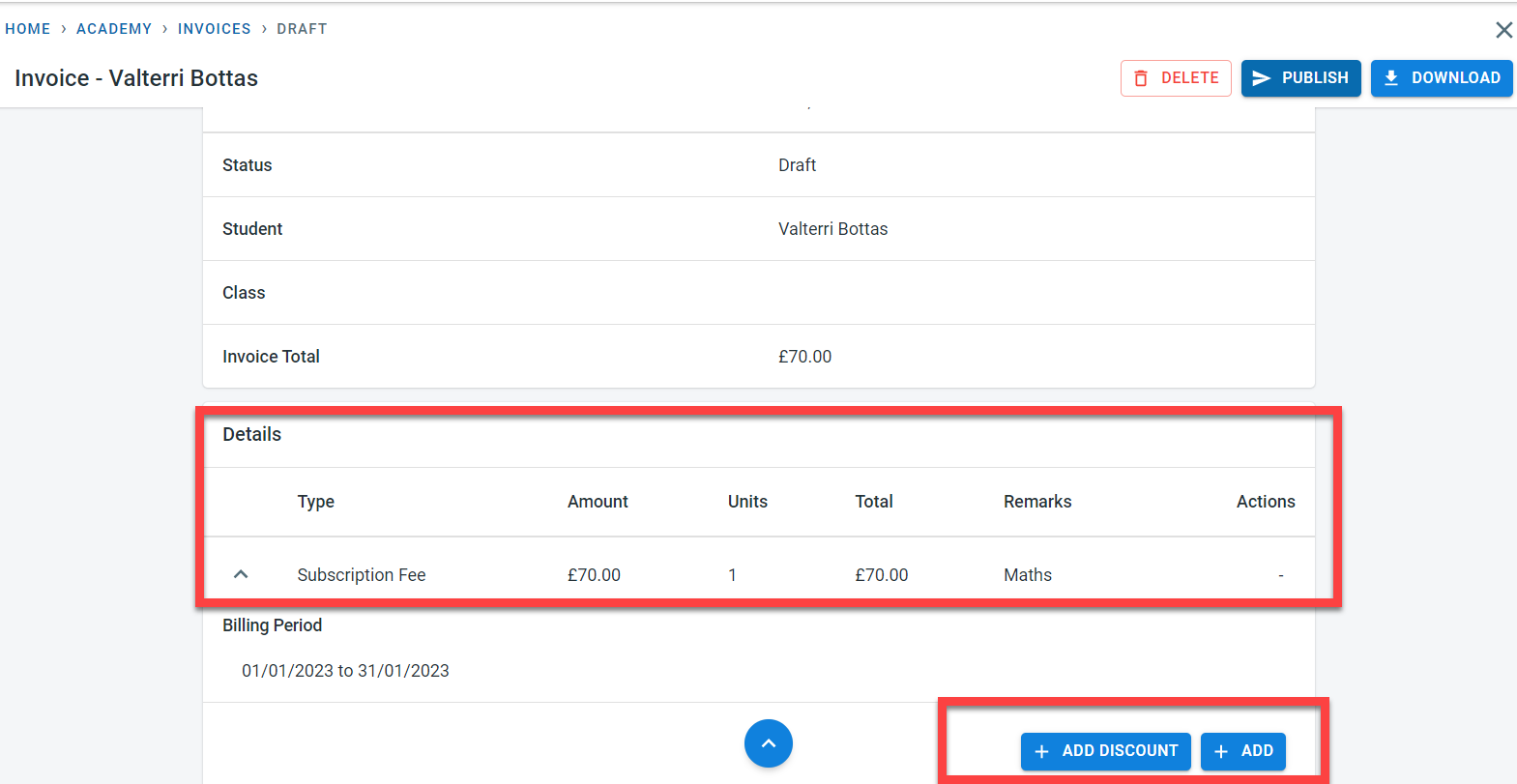
When the invoice is in draft status, it is possible to add extra line items as well as discounts.