Payments received by the academy and the club from the student outside the manage system have to be manually recorded in the system. The payments have to be recorded so that the student accounts are kept up to date and would help the academy and club to track the aged debts.
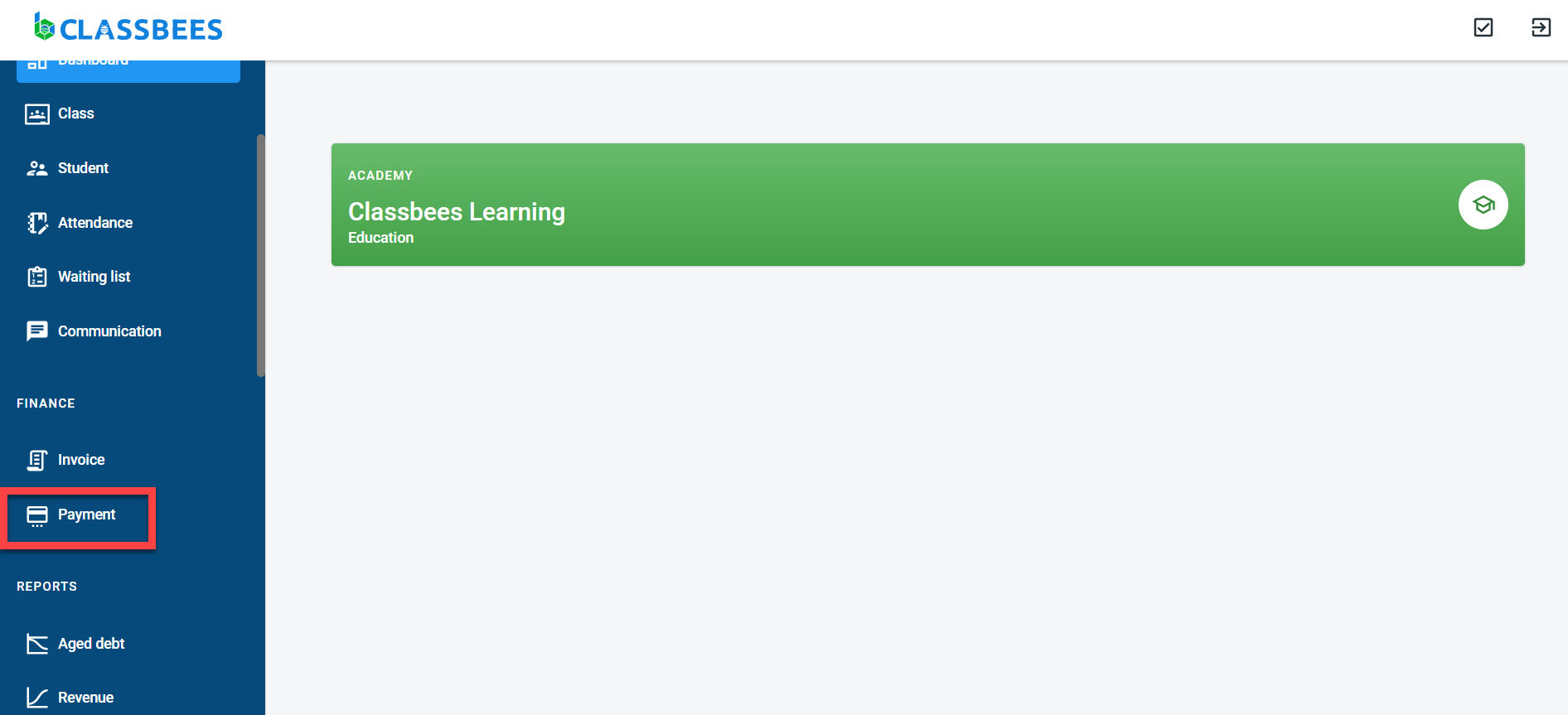
To manually record payments in the system, select “Payment” from the main menu
Click on “Add” to manually enter the payment.
Payments can be recorded from the student screen as well. Navigate to the student screen- click on “Add Payment”
In the payment screen, Enter the student name (only if you have started off from the payment screen), payment amount, the date when the payment was made, payment mode, and remarks if any.
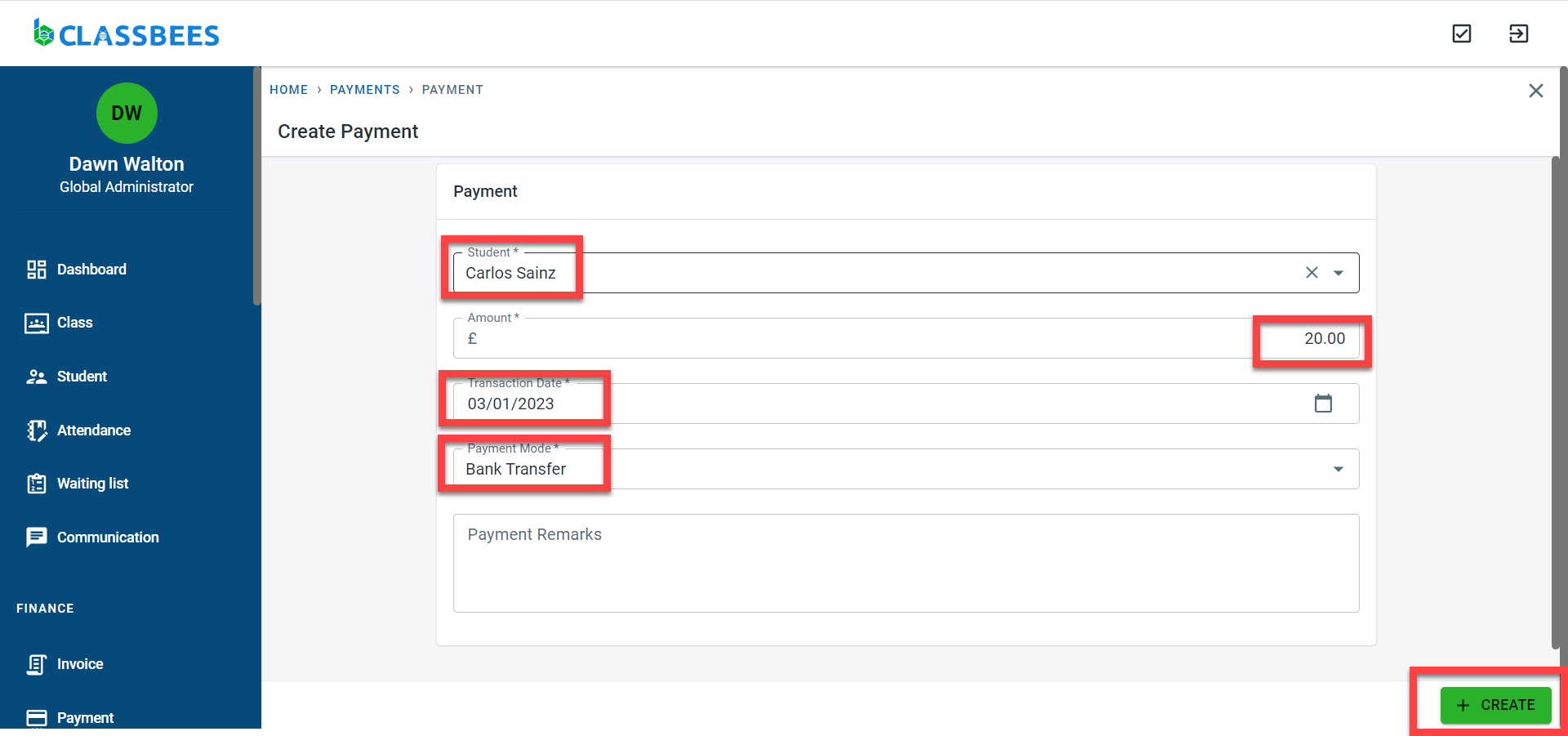
Click on create to save the payment
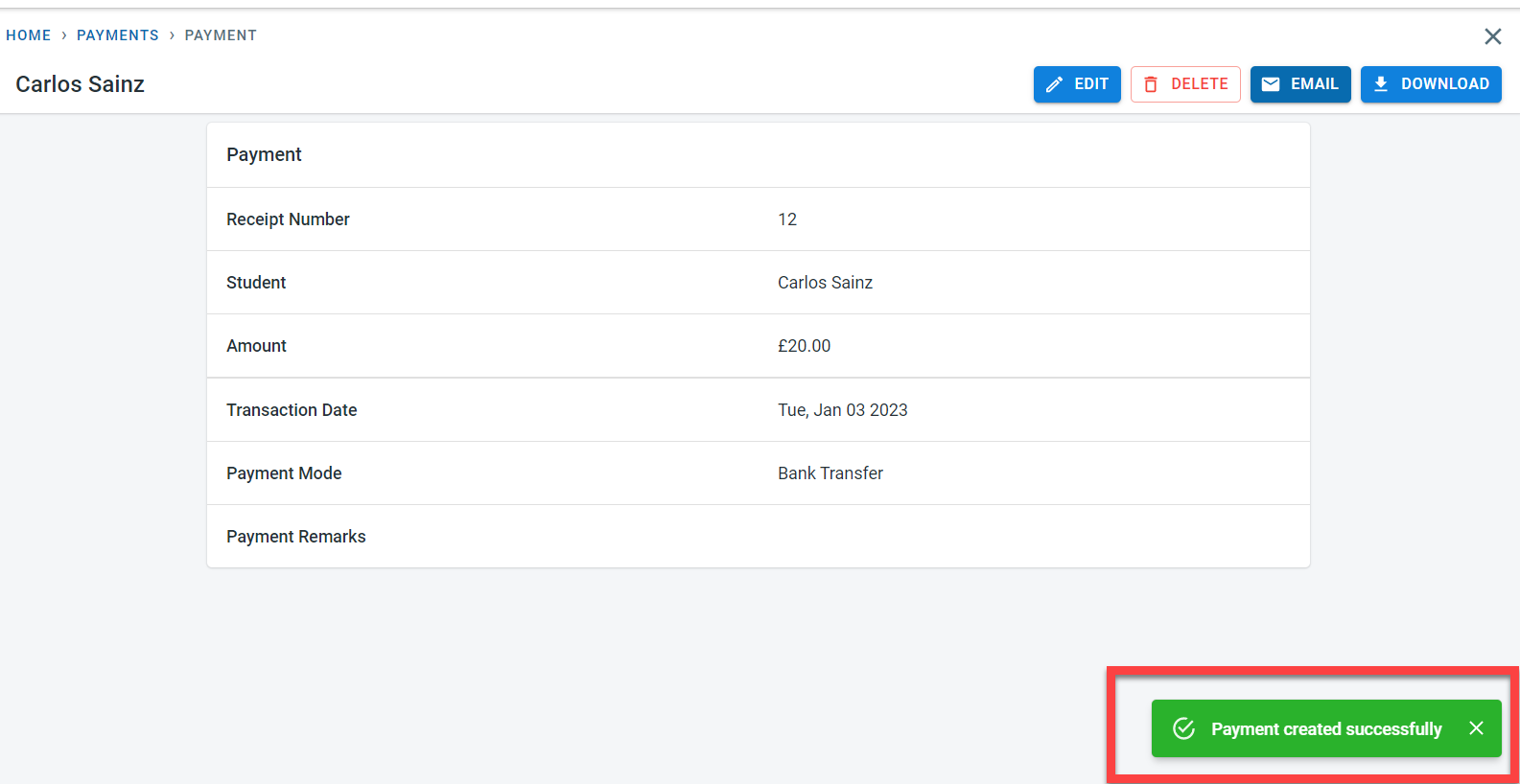
A message would be displayed to confirm that the payment has been recorded in the system