Classbees help center
  • Home
changelog
changelog
  • Getting started
    • Signup
    • Login
    • Academy
      • Subscription at academy/club
      • Stripe Connect Account
    • Term
    • Venue
    • Course
    • Academy Settings
    • Extras and Discounts
    • Account Settings
  • Classes
    • Setup classes
    • Fees
      • Subscription fees at class level
    • Invoice setting
    • Clone class
    • Archive and Delete Class
    • Term/PAYG vs. Subscription fees
  • Student Management
    • Setup
    • Assign subscription to Student
    • Reservation
    • Enrolment
      • Copy Enrolment
    • Waiting list
    • Archive and Delete Student
  • Attendance
    • Record in and out times
    • Substitutes and One-offs
  • Communication
    • Email
    • SMS
    • Device SMS
  • Finance
    • Invoices
      • Manual Invoice
      • Enrolment based invoices
      • Subscription based invoices
    • Credit notes
    • Payments
      • Manual Payment
      • Card payments
      • Direct debit
      • Quick Payments
    • Transactions
      • Balance Adjustment
  • booking
    • Manage bookings
  • Reports
    • Attendance
    • Revenue
    • Aged debt
    • Photo consent
  • Team management
    • Multi user login
  • Invoice-setups
    • Time In and Time out

Card payments

Before collecting card payments in the Manage system, it is necessary to connect the academy/club’s stripe connect account to Classbees.

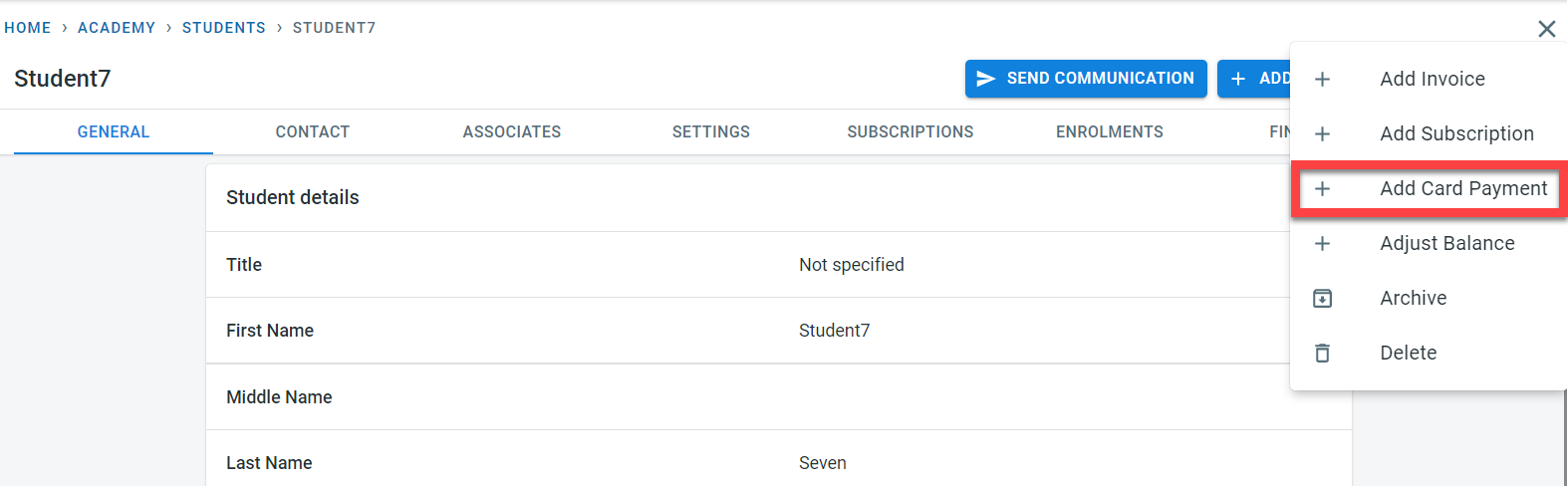
Payment can be recorded from the student screen.

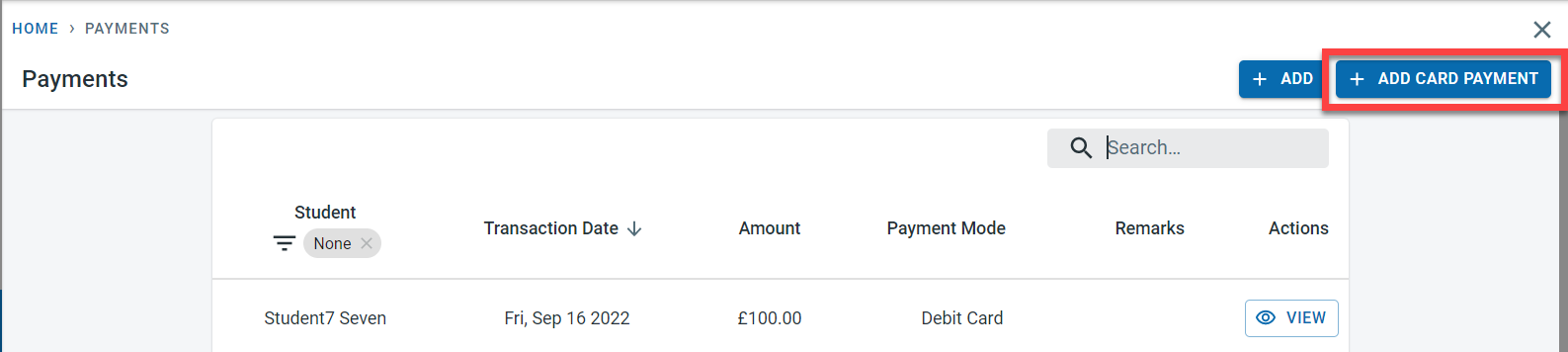
or from the payment page

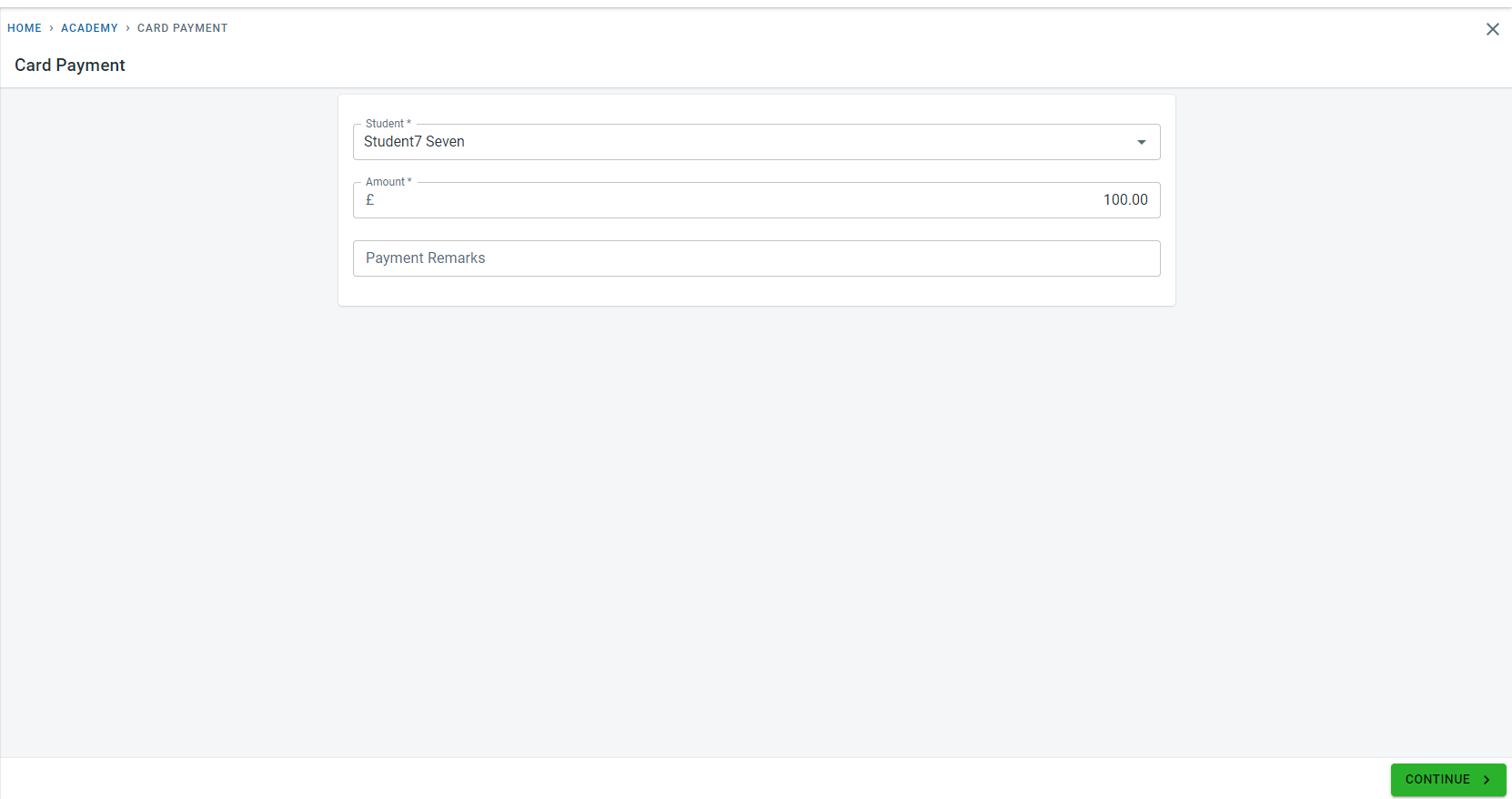
Enter the payment amount and click on “Continue”

Enter the card details and Click on “Continue Securely”
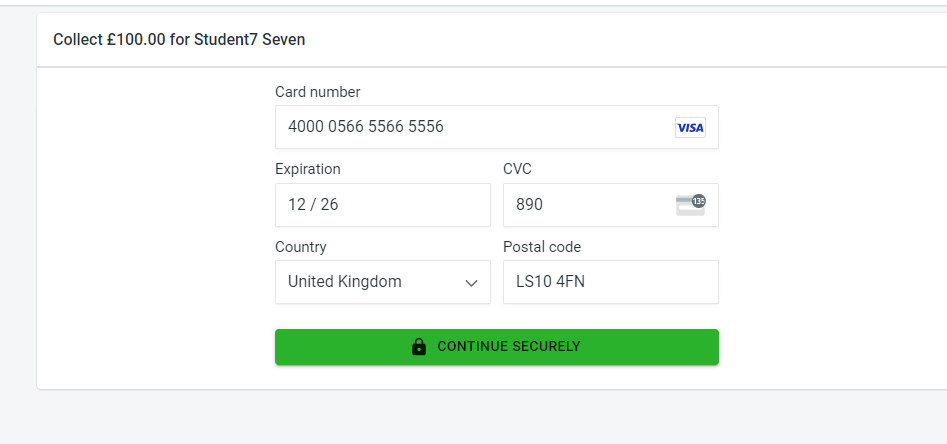

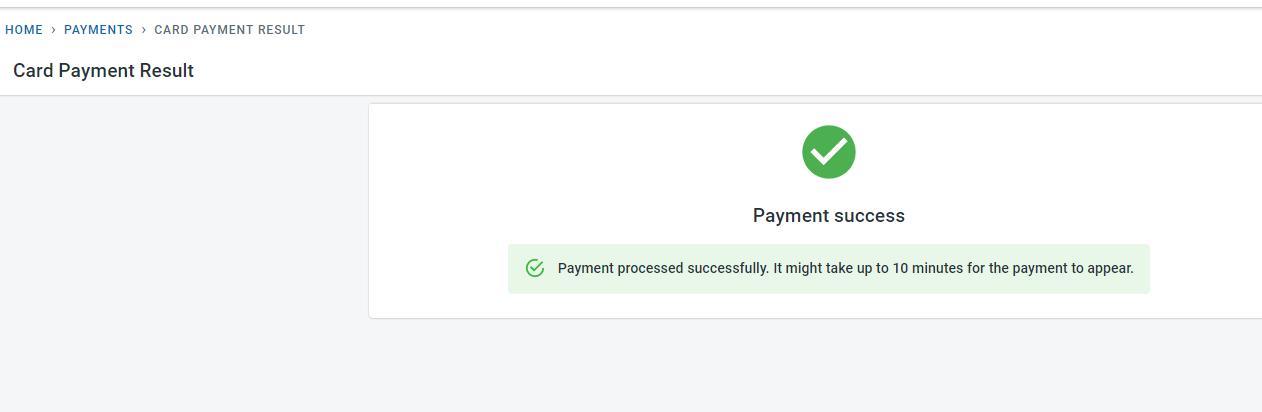
If the payment is successful, a success message would be displayed

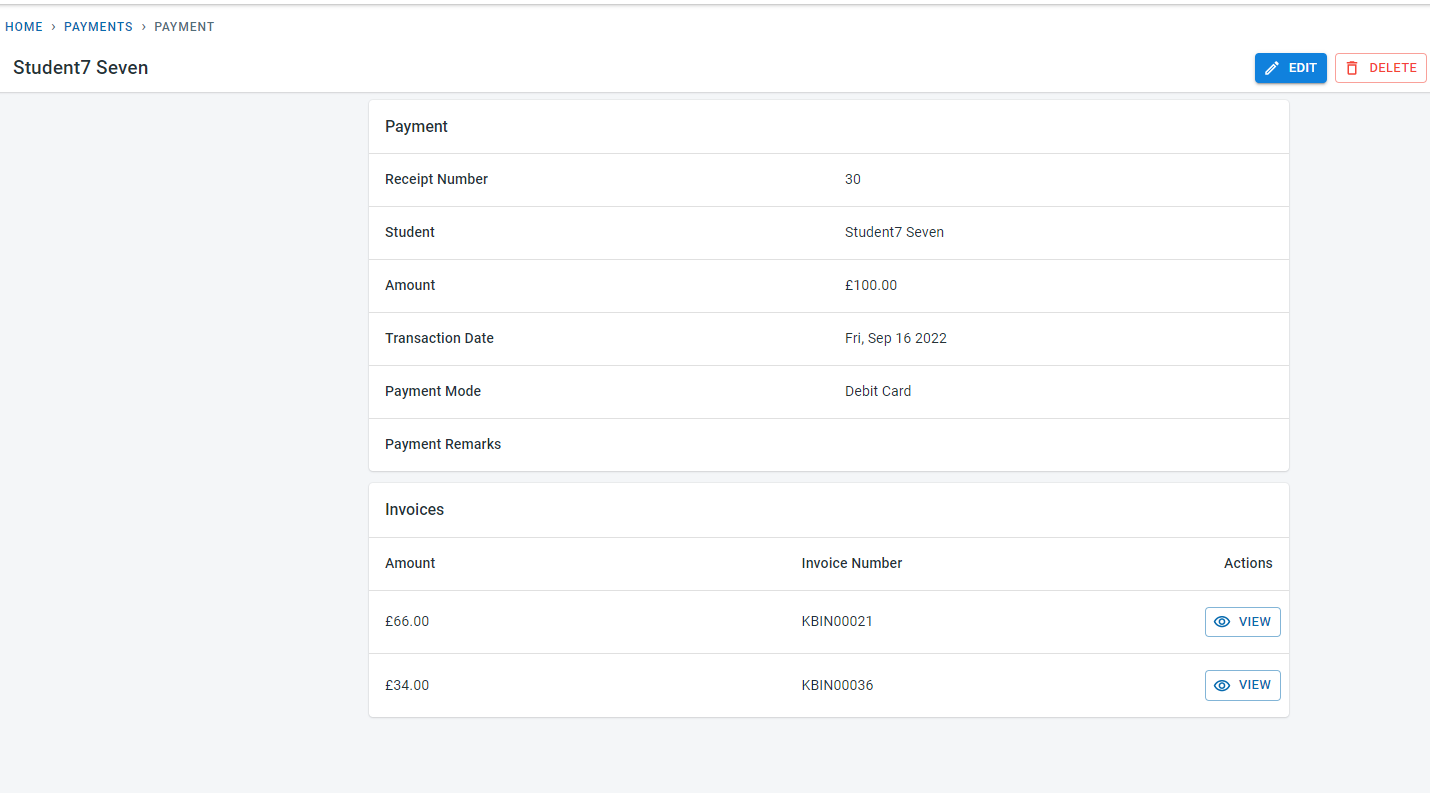
Payment would be recorded automatically in the system for the student


Manual Payment Direct debit
  • Changelog
Classbees help center
www.classbees.com