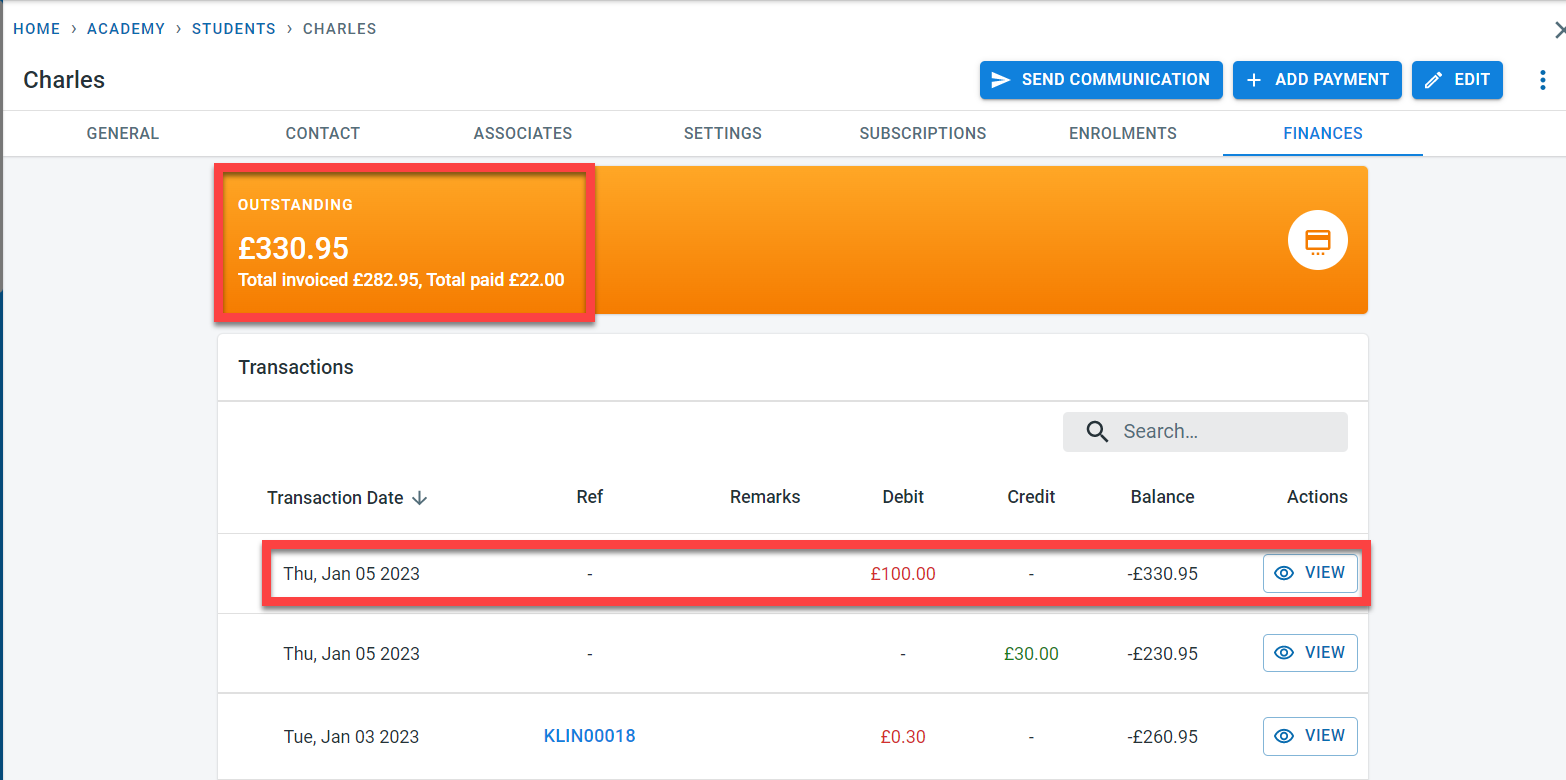
Invoices, payments, and credit notes are used to calculate the outstanding balances for the student. It is possible to make adjustments to the student’s outstanding balance without creating any of the above documents.
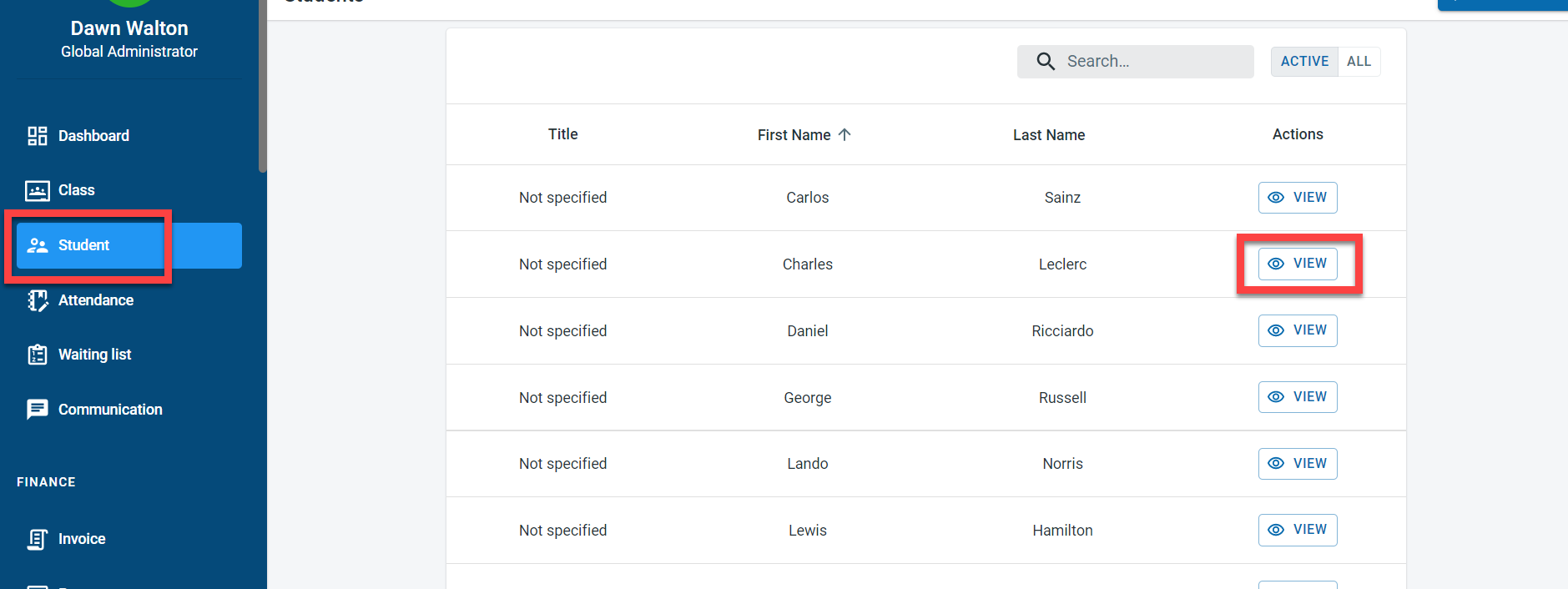
In order to adjust the balance for the student, select “Student” from the main menu. Click on View next to the student.
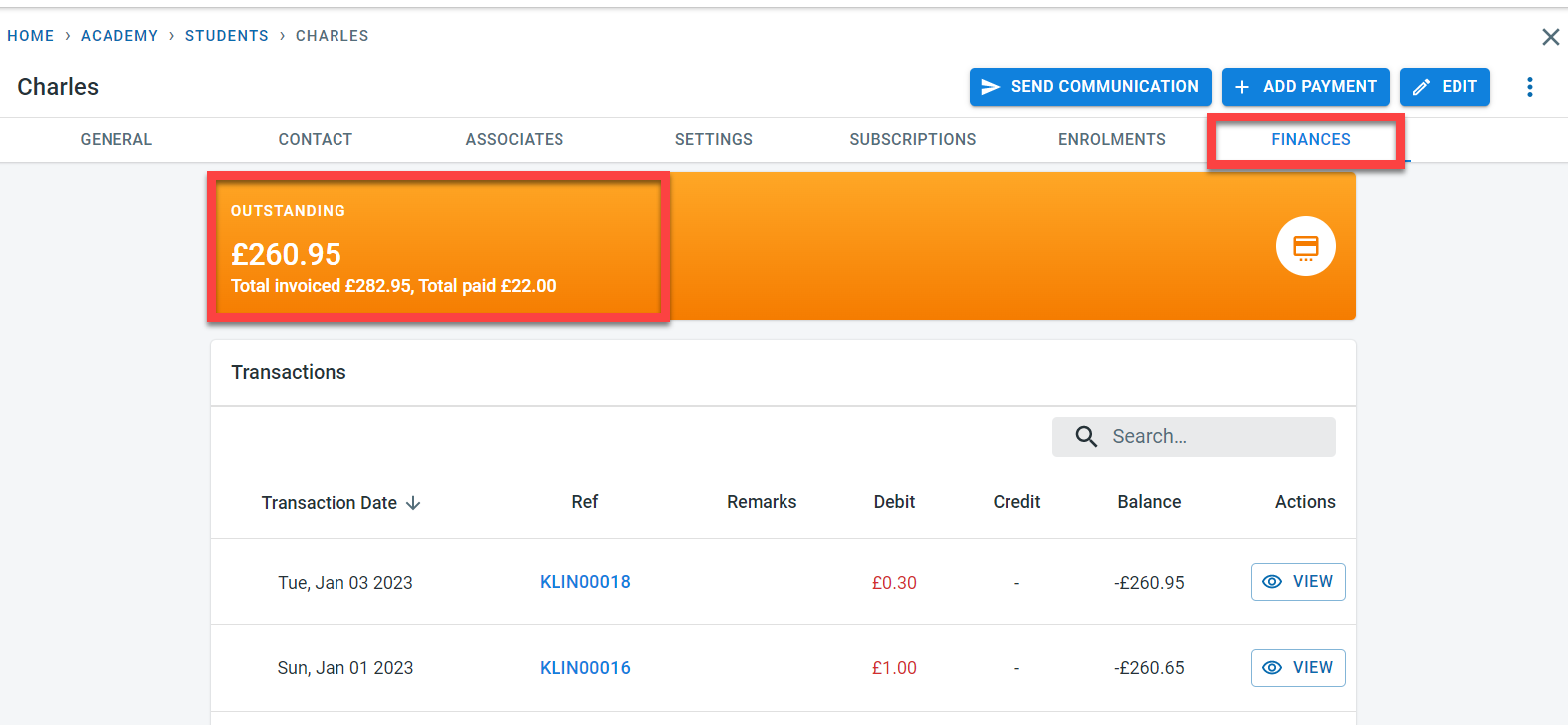
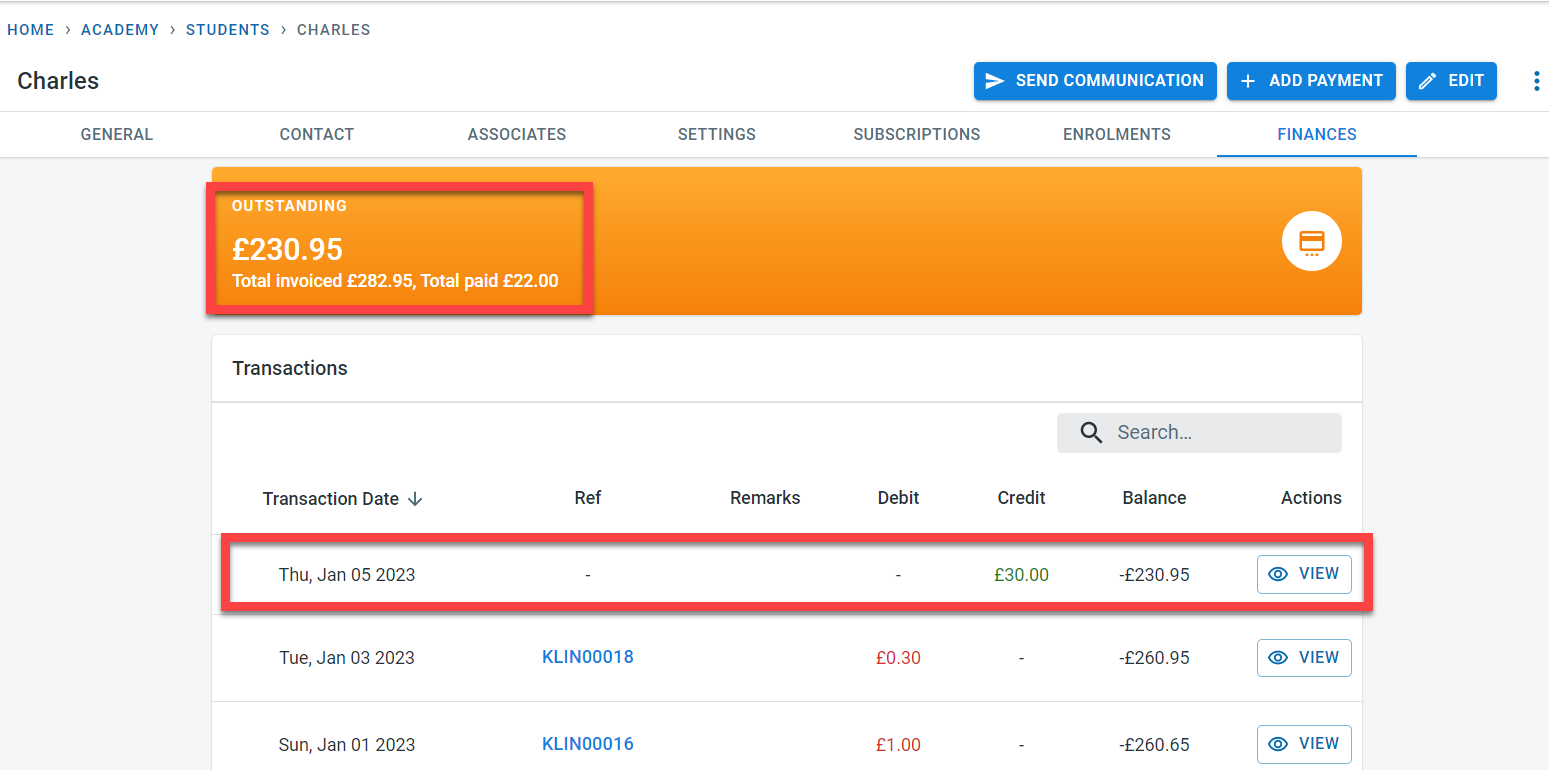
Click on “Finance” on the student screen. Check the Outstanding balance for the student
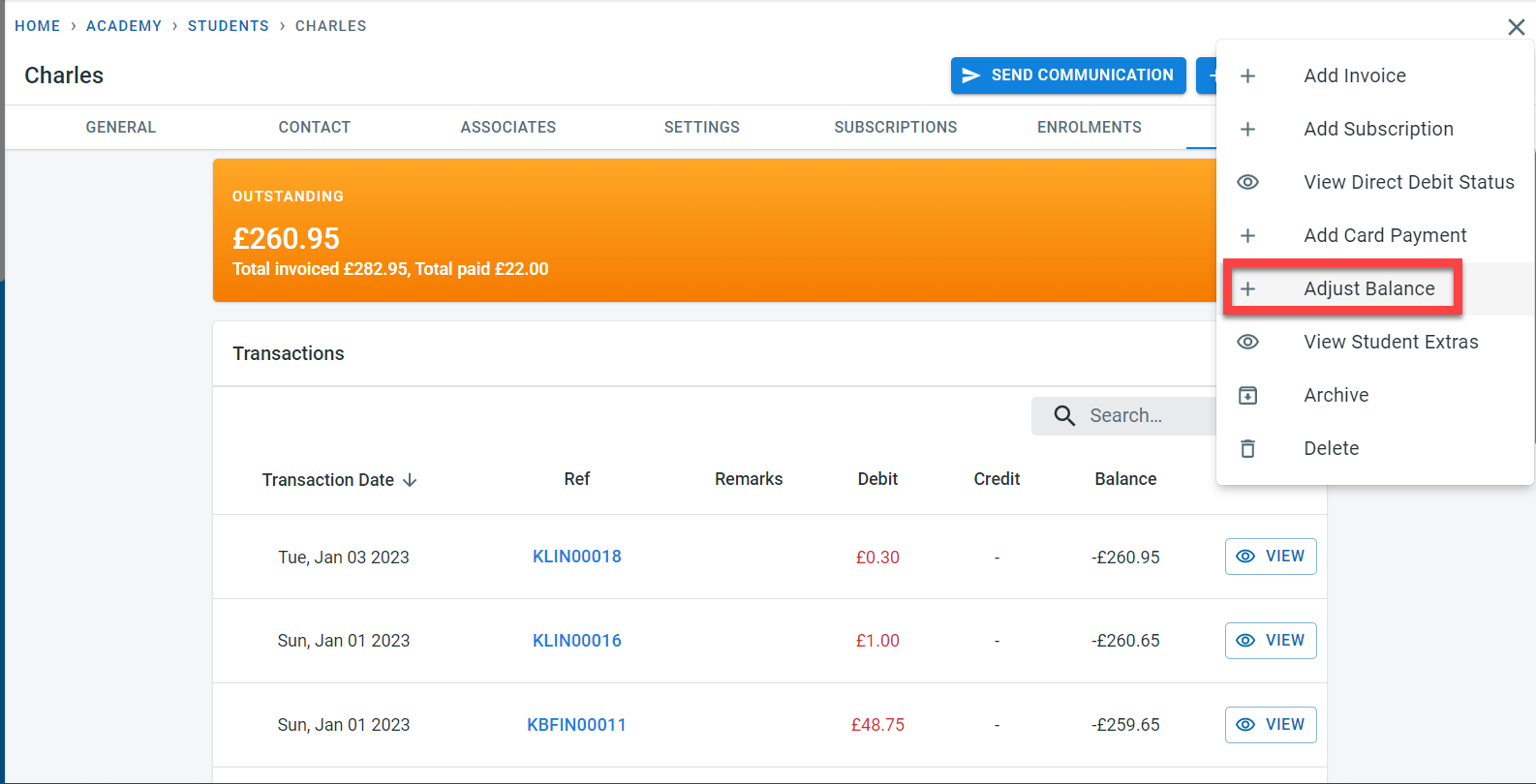
Click on the three dots next to “Edit”. Select “Adjust Balance”.
Enter a positive amount as a credit in the account .
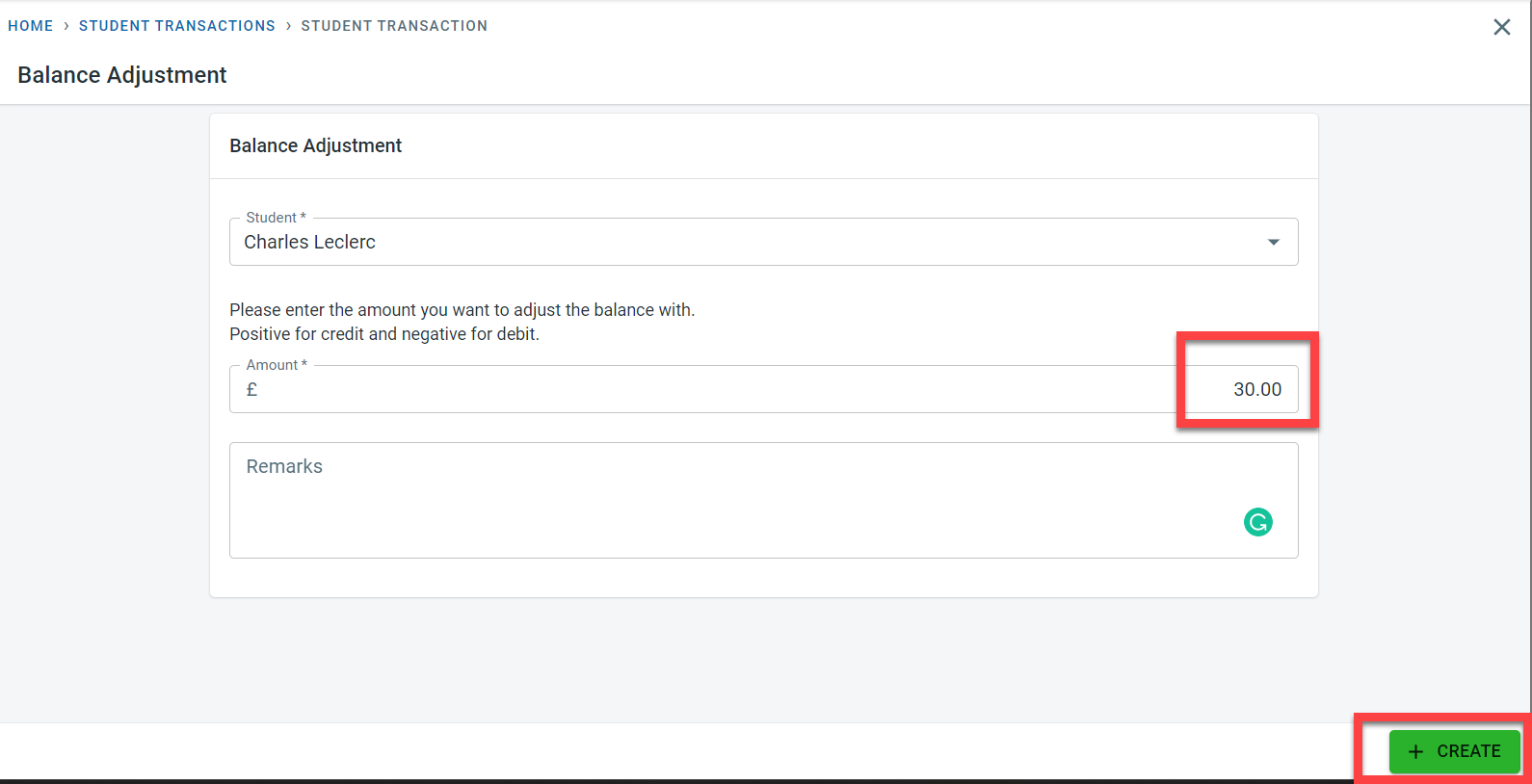
This will decrease the outstanding balance on the student account.
Entering a negative value in the amount will be considered a debit.
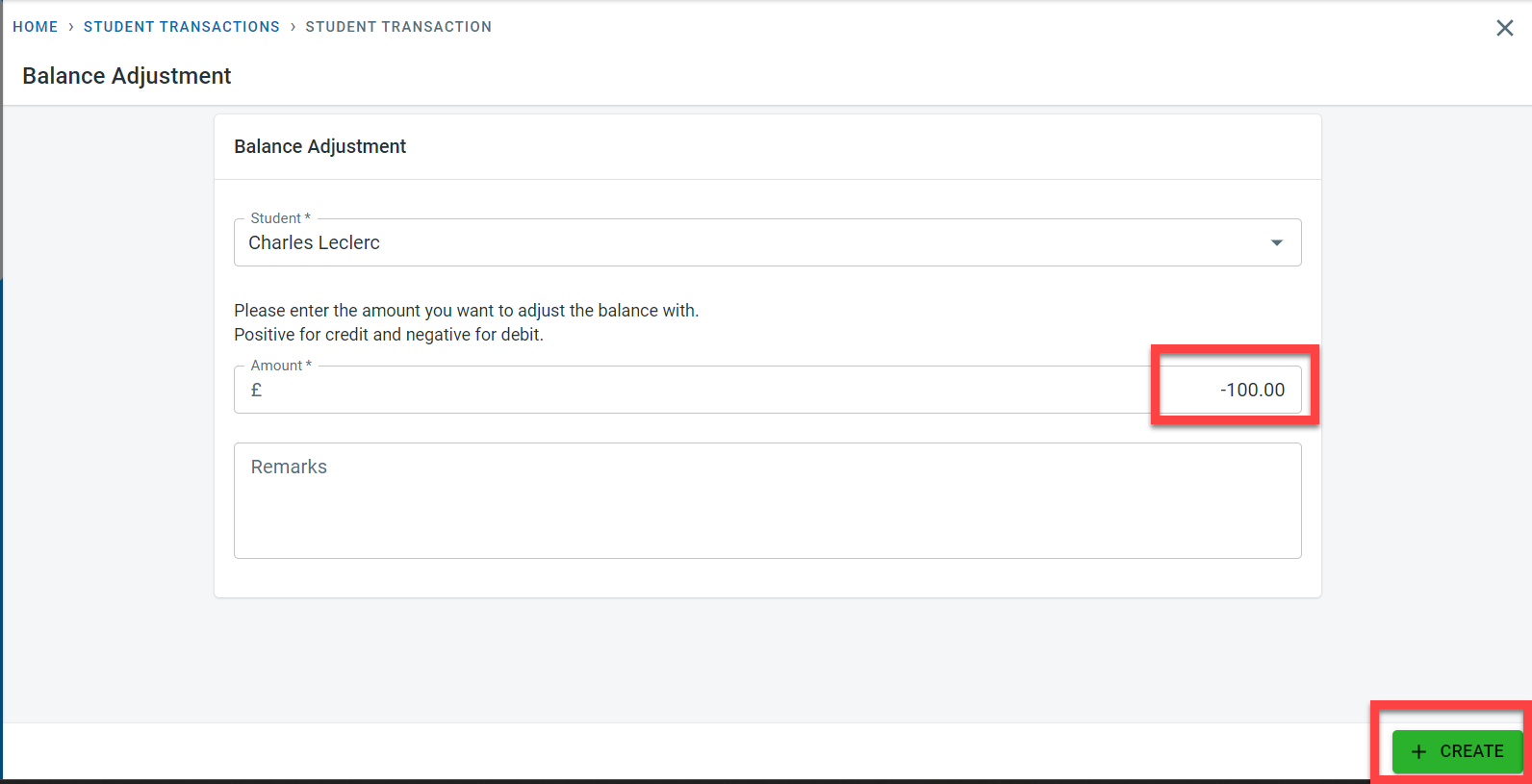
This entry will increase the outstanding balance on the student account