In certain cases, the subscription fees would be determined at the academy level. The student might move between classes but the subscription fees would always be the same and would be from the academy-level subscription fees
Subscription fees can be defined at the academy level
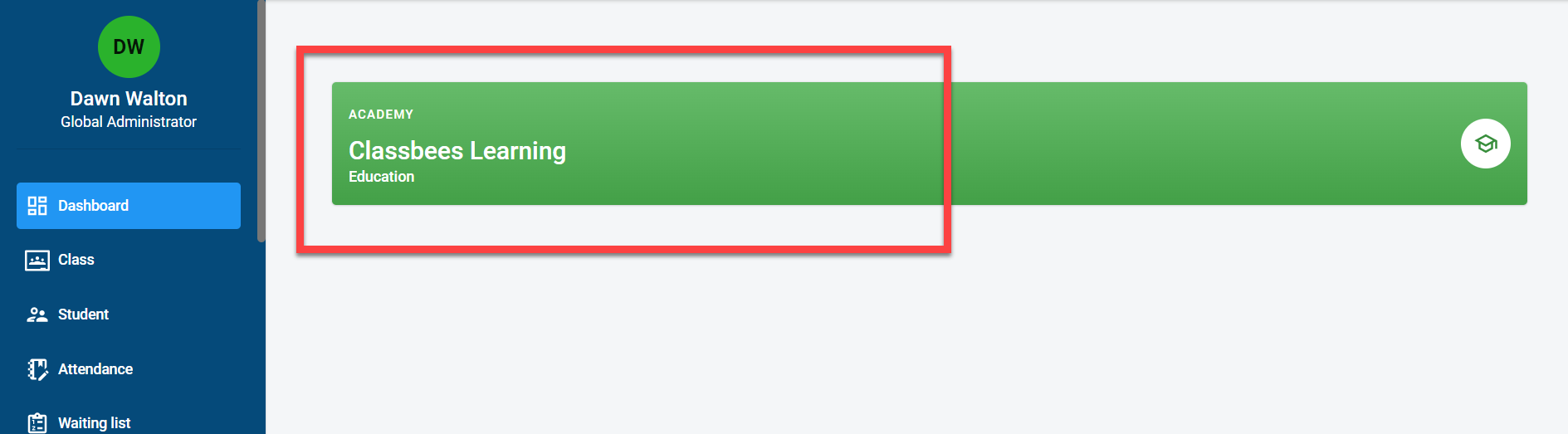
Click on the academy
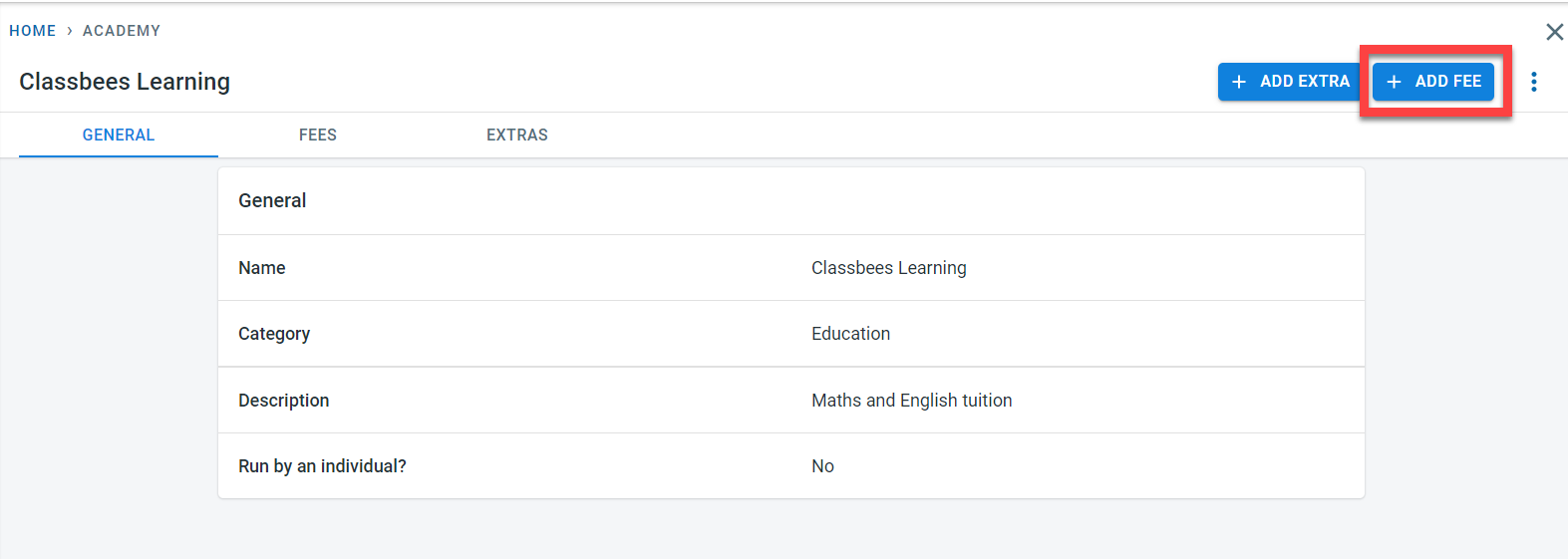
Click on “Add fees” to add new subscription fees
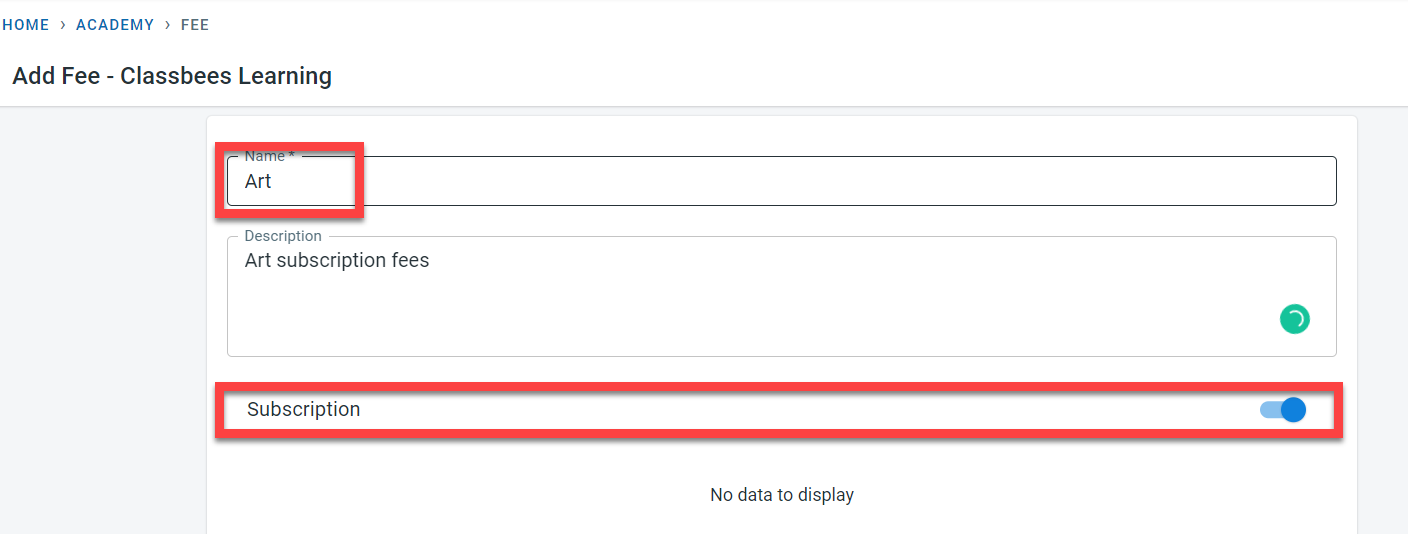
Enter the name for the subscription fees and activate “Subscription”
Click on “Add new” to add a new frequency for the subscription
Under the subscription section, different subscription fees can be added. The frequency of the subscription can be defined – allowed values as of now is weekly, fortnightly, and monthly. For the frequency, the fees and the effective date can be added. There can be multiple instances of the same frequency but the effective dates have to be different. In the screenshot below, the first monthly subscription fee of 70£ is effective from the 1st of Jan 2022, and a different monthly subscription fee of 75£ effective from the 1st of Jul 2022
r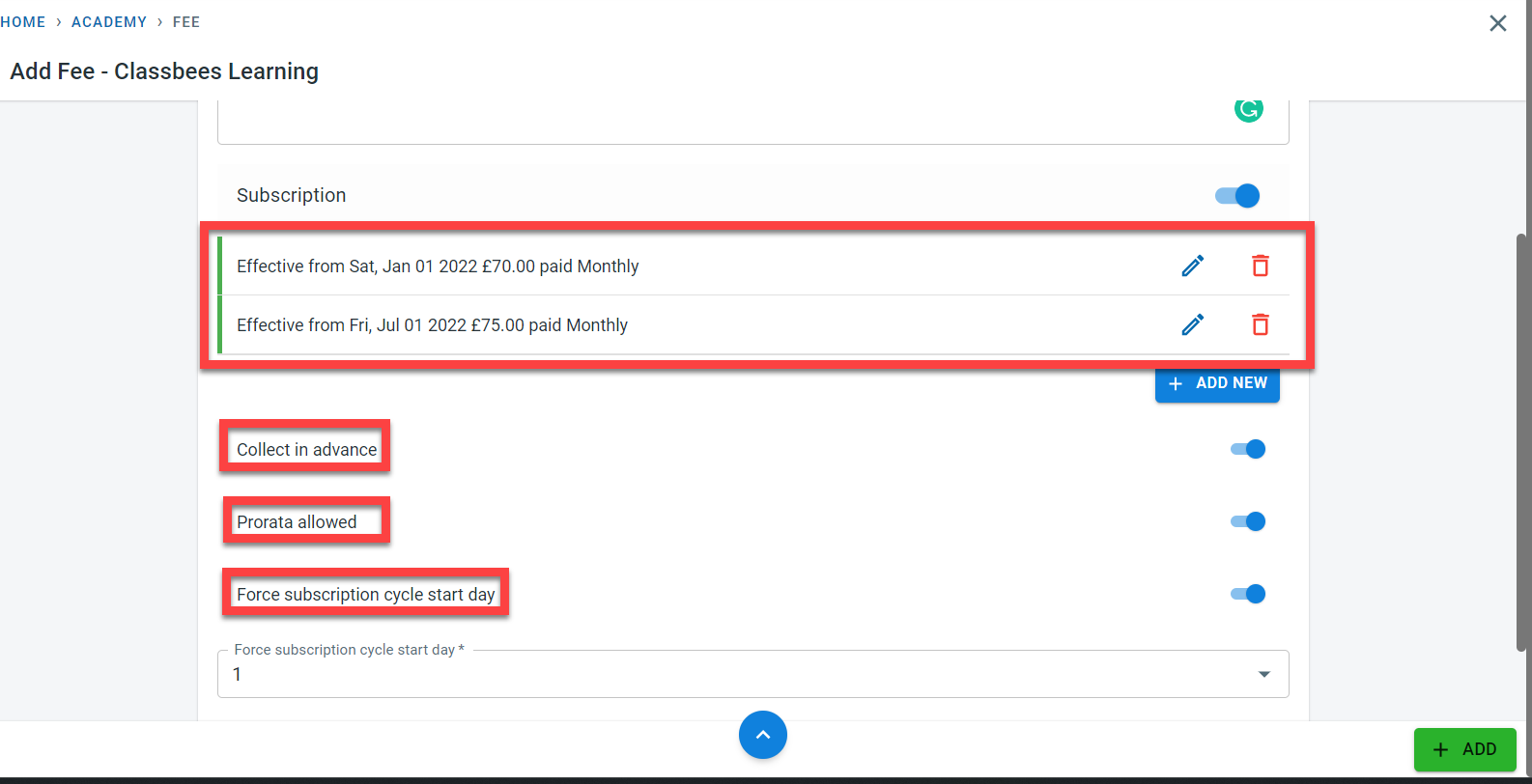
If the fees have to be at the start of the subscription period (before all the activity/class for the subscription period has been delivered), activate the “Collect in Advance”. If this is not activated, then the fees will be collected after the end of the subscription frequency.
“Prorata allowed” is to be set if the subscription fees have to be calculated for only the period attended by students when they either join the class later than the term start date or if they finish earlier than the term end date.
There are two ways in which the subscription fee billing cycle can be calculated. The first one is where the fees are to be calculated based on the subscription cycle start dates and the second option is where the subscription fees will be calculated based on the enrolment date of the student.
If the fees are to be calculated based on the subscription cycle start date, activate the “Force subscription cycle start date” and enter the start date for the subscription cycle in the “Force subscription cycle start date”. If the “Force subscription cycle start date” is not activated, the subscription fees cycle will be based on the enrolment date of the student.
Click on “ADD” to save the subscription fees
The next step is to assign the subscription to the student