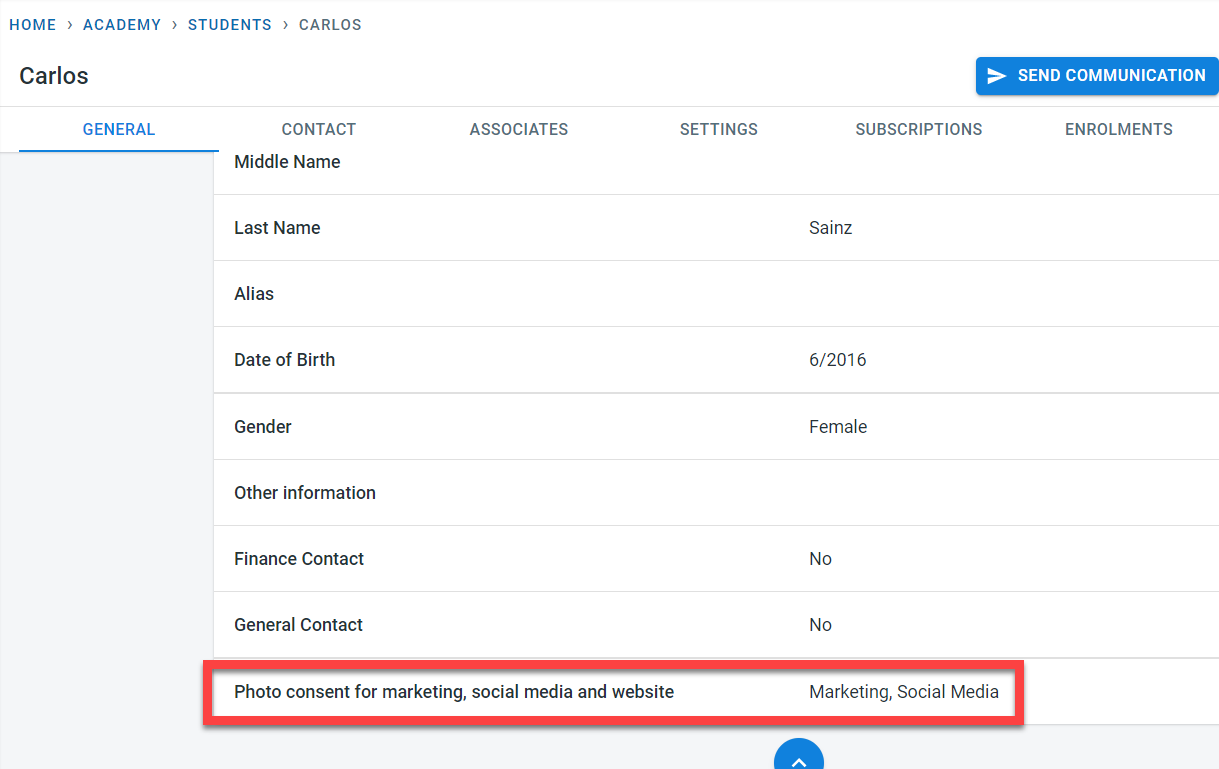
Photo consent for the student for marketing, social media, and website can be recorded on the student’s general screen.
The photo consent report provides a quick summary of the student’s photo consent for marketing, social media, and website.
To access the report, select “Photo Consent” under the reports in the main menu
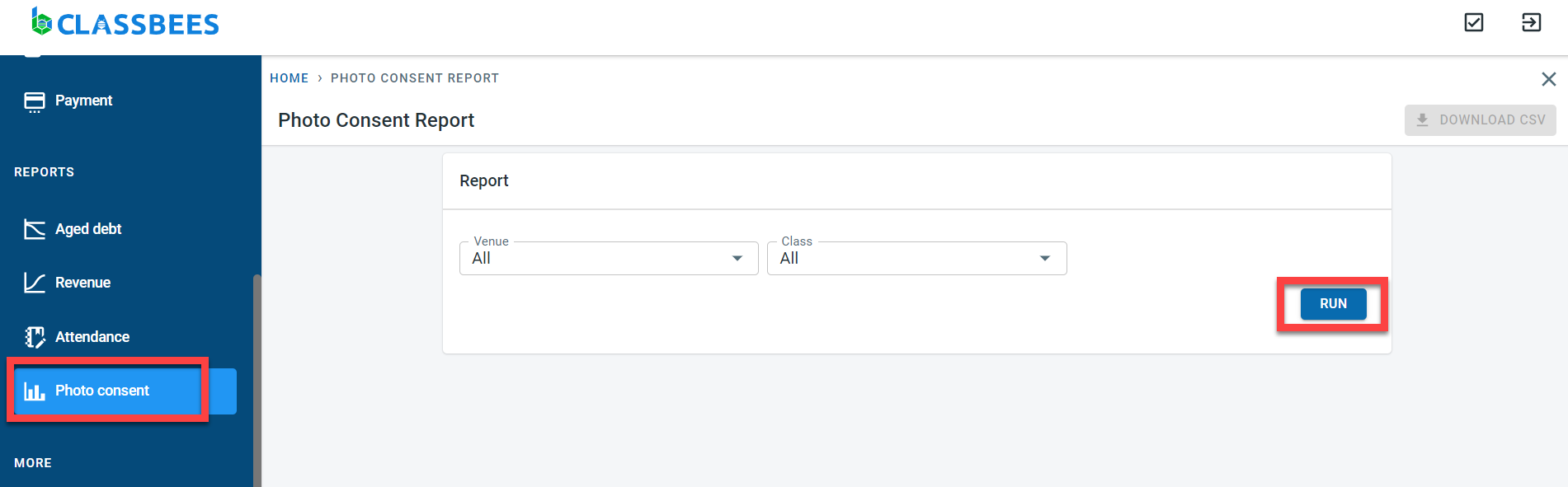
There are no mandatory fields in this report. You can limit the data displayed by selecting a specific venue or specific class. Click on Run.
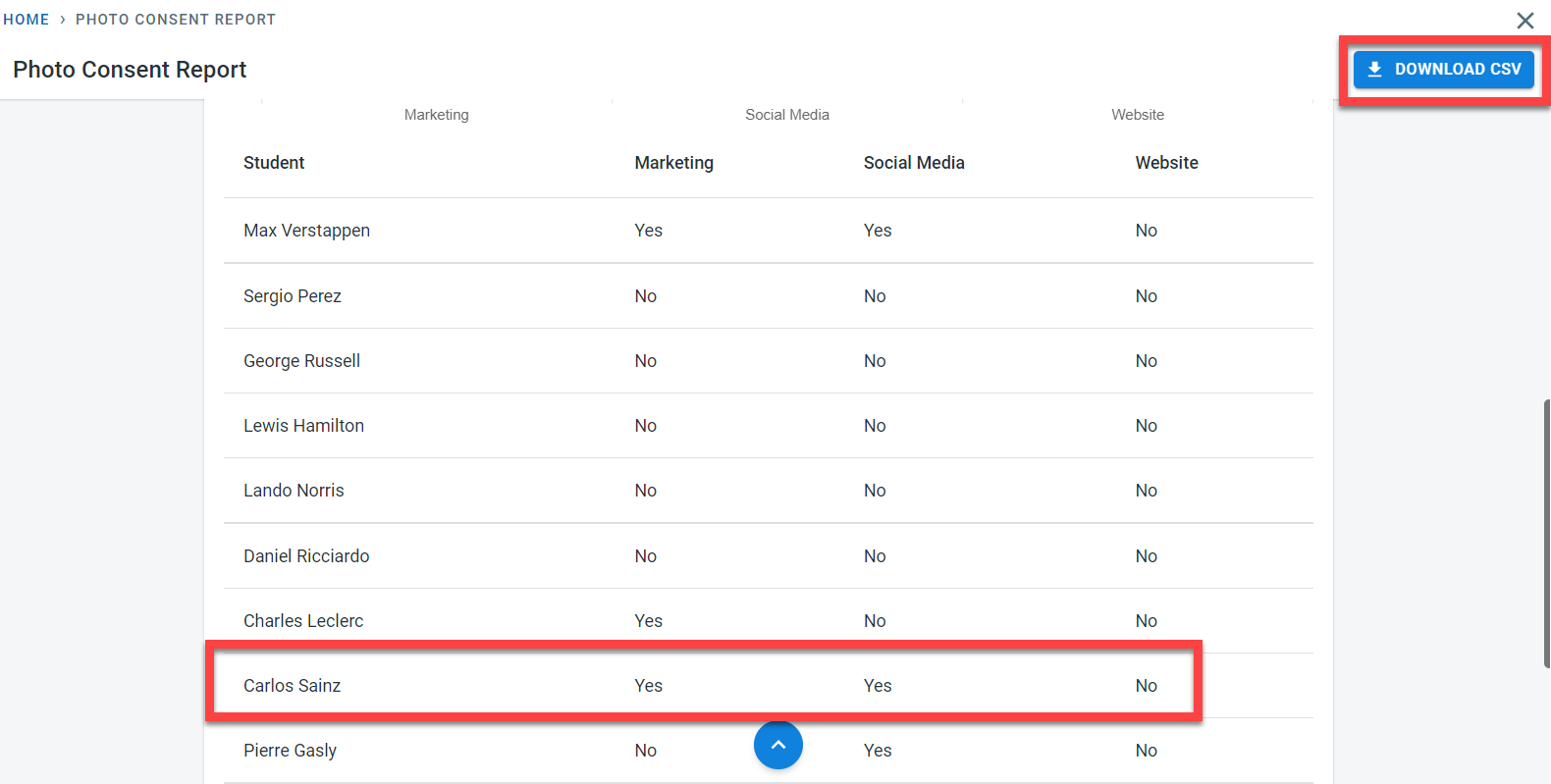
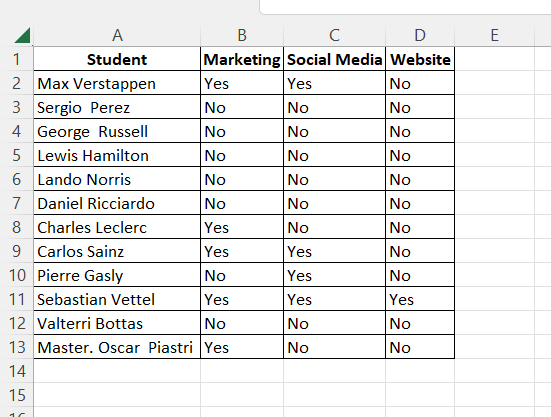
Click on “Download CSV” to download the data into excel. The CSV report downloaded for the above run is shown below