The revenue report is a very useful tool to dissect the revenue generated by the academy/club. this report could be used to review the revenue generated by the academy/club by class, course, invoice date, or by venue. This report can be used as a health check of the current performance and can be used to decide future operations. The basic data for this report is the invoice generated in the report.
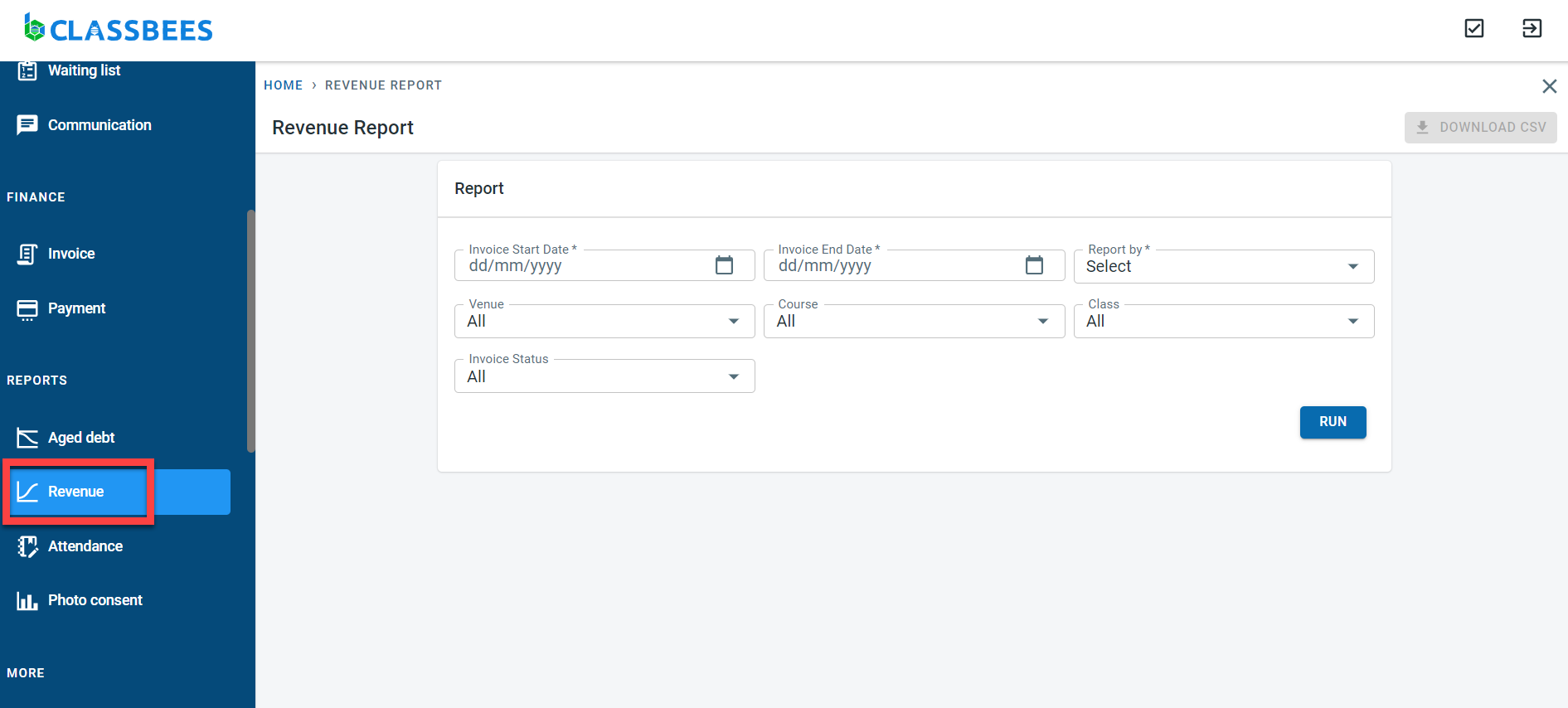
To execute the report, Select “Revenue” under reports in the main menu.
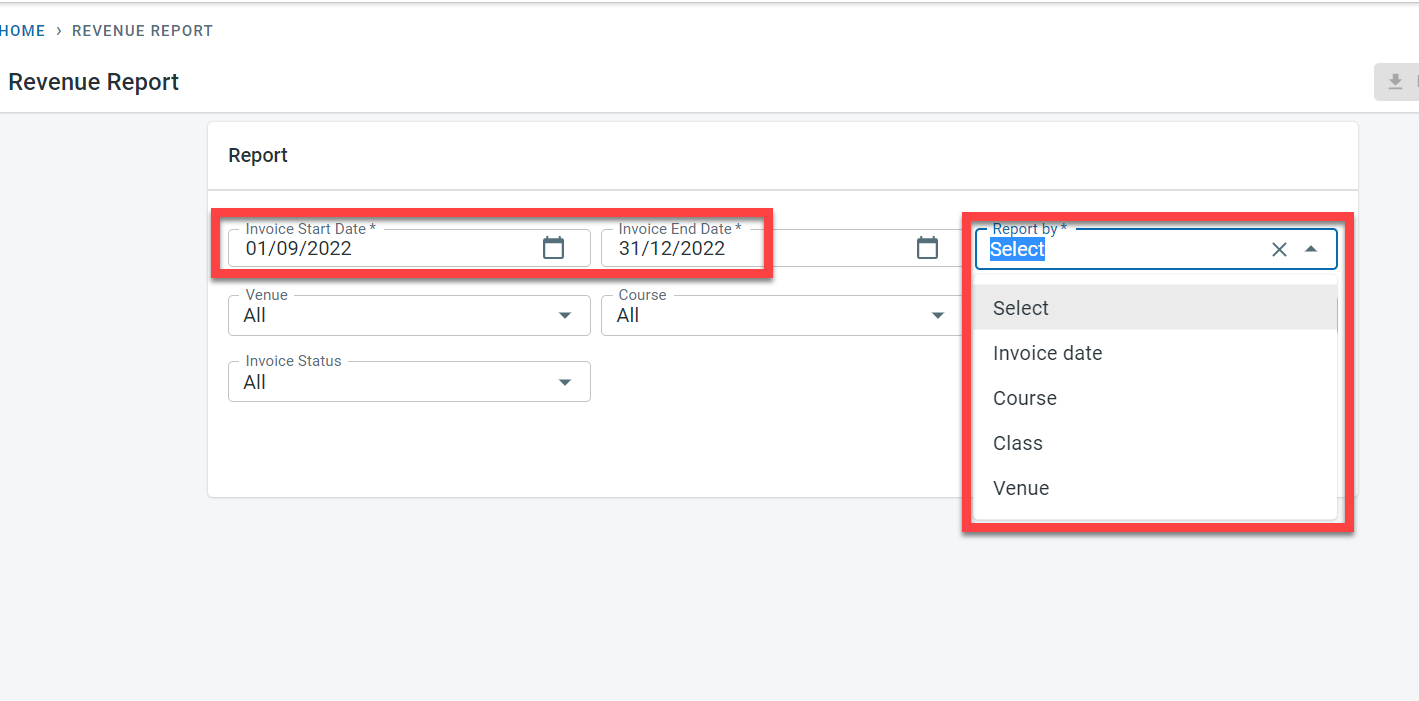
The invoice start and end date is entered to filter out the invoices created between the two dates. The Report by field is used to group the data together in the detail screen - the selection values here are Invoice date, Course, class, and venue. These are the mandatory fields.
The data can be further restricted by selecting a specific venue, course, class, or invoice status
Click on Run. The report shown below has been grouped by Venue. The Y axis displays the revenue generated and the X axis displays the Venue
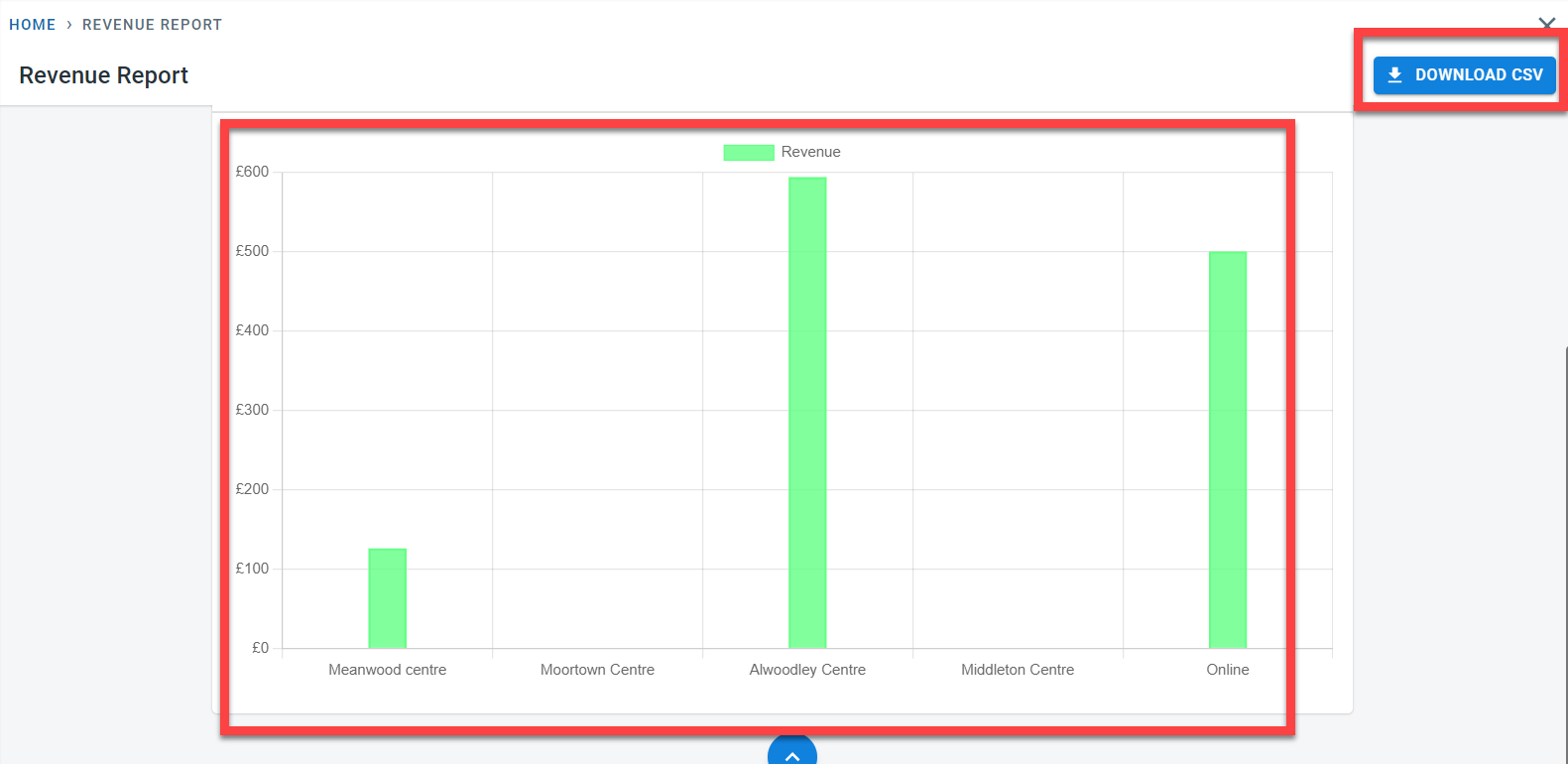
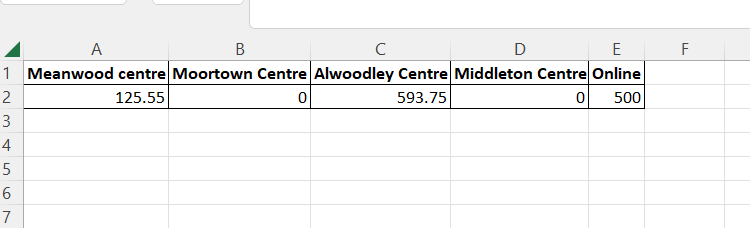
Click on “Download CSV” to download the data into excel. The CSV report downloaded for the above run is shown below