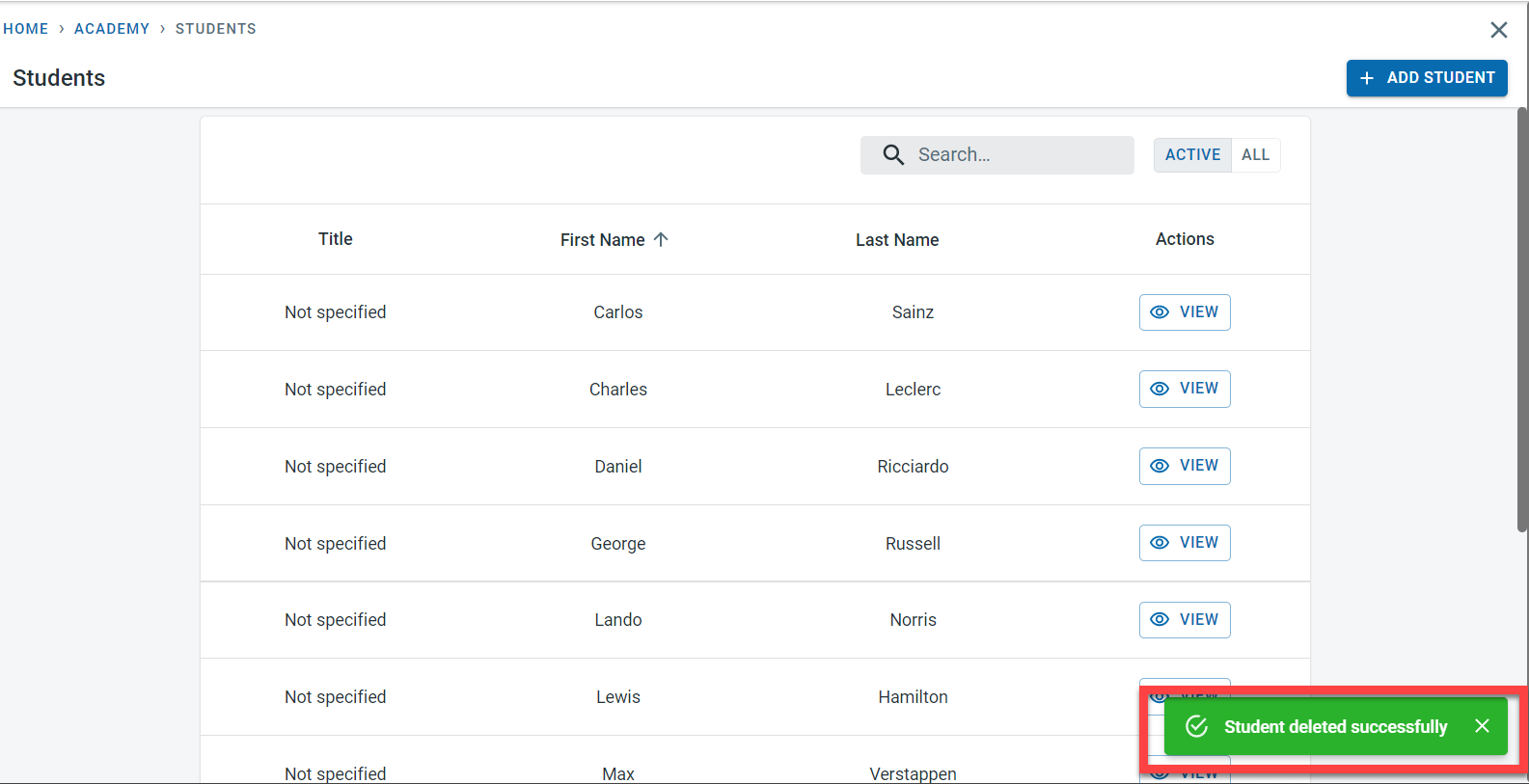
Students who are no longer active can either be hidden from the active student list or can be removed completely from the system.
Archiving a student
If a student is no longer enrolled in any class in the academy and if all the invoices have been settled but the details of the student are to be retained in the system for future reference, it is advisable to archive a student.
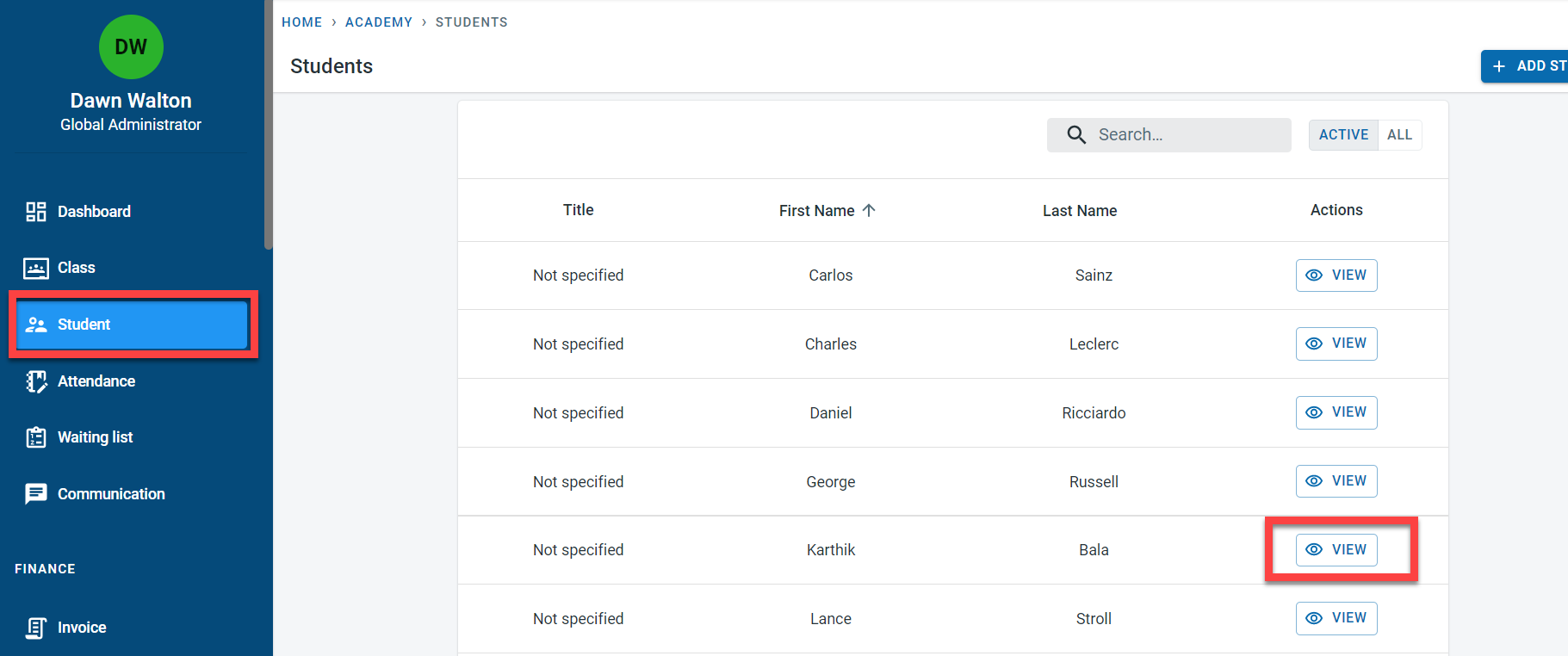
To access the student module, select “Student ” from the main menu. Click on “View” next to the student
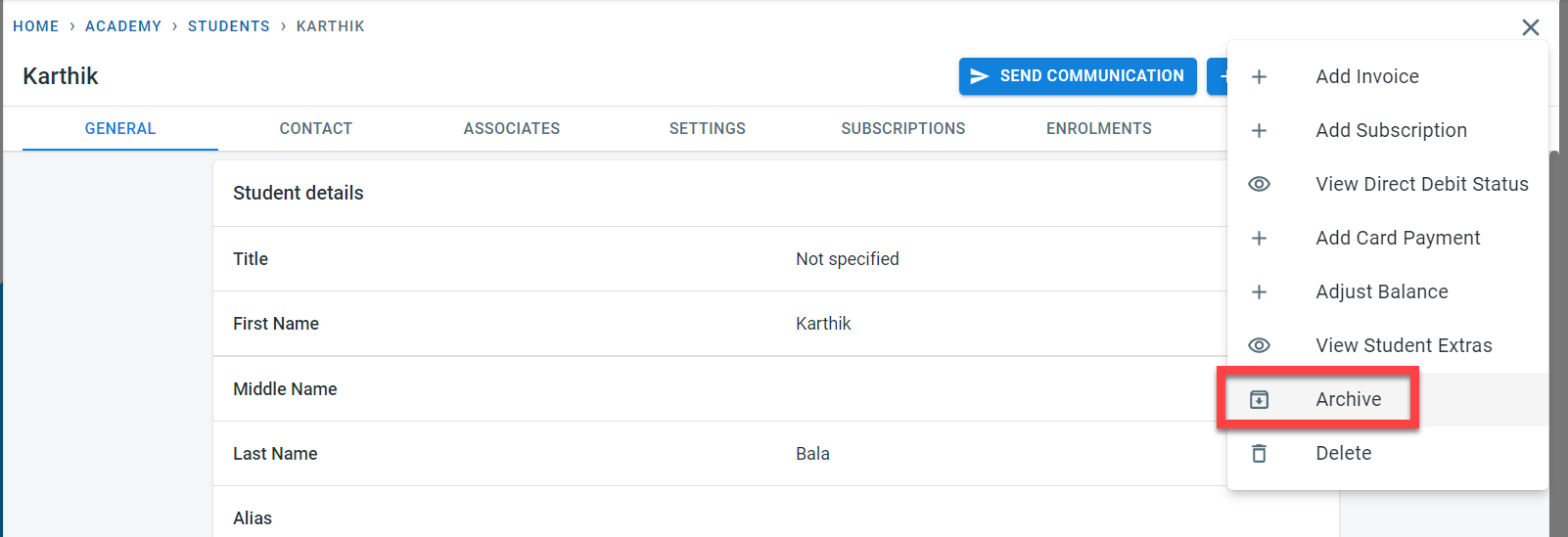
Click on the three dots on the top right of the screen next to the “Edit” button. Click on “Archive”
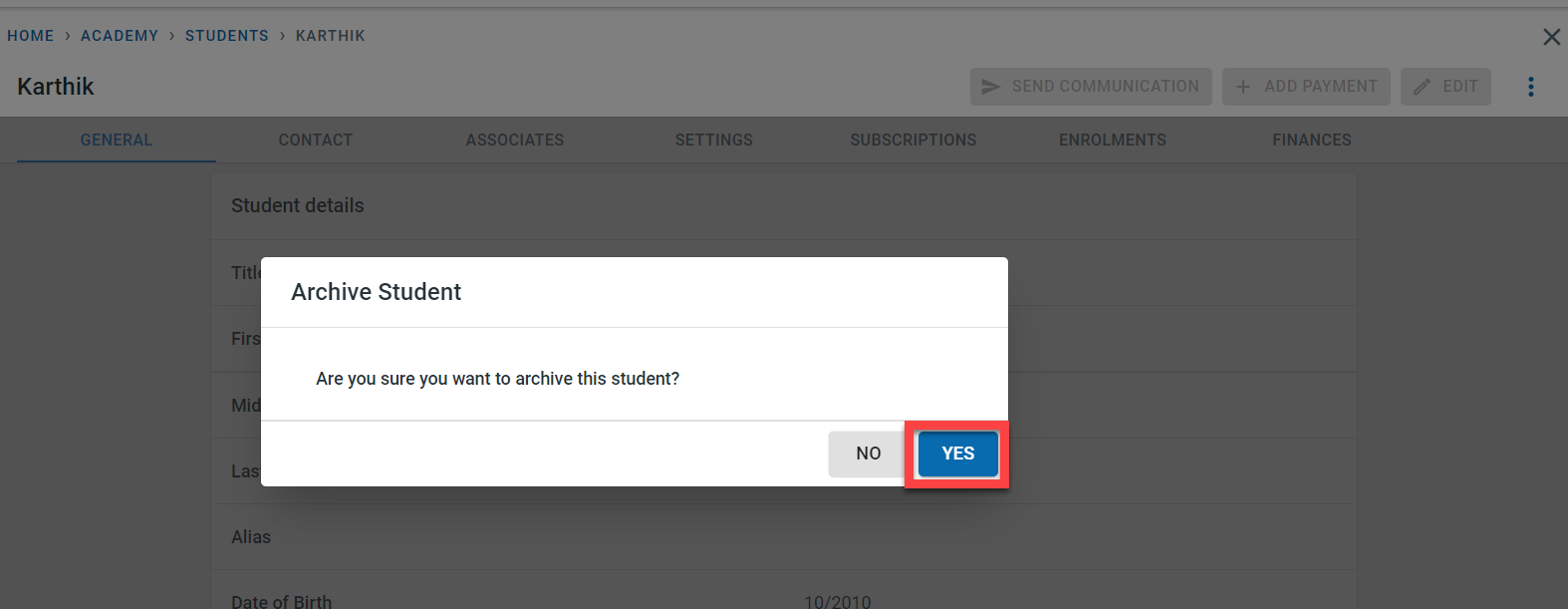
In the pop-up, click on"yes" to confirm that the student is to be archived.
A message would be displayed to confirm that the student has been archived.
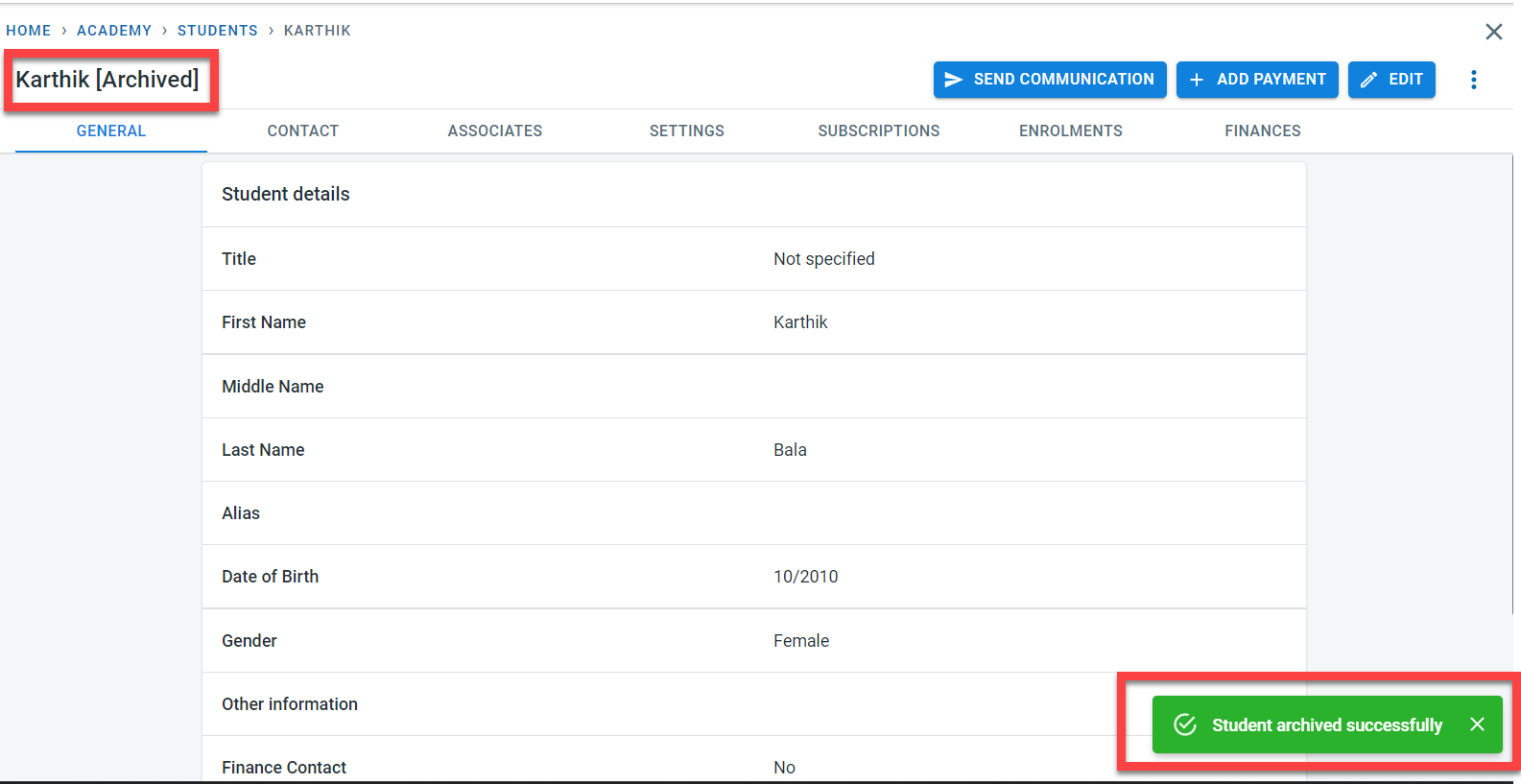
In the detail screen of the student, it will be visible in the header, that the student has been archived
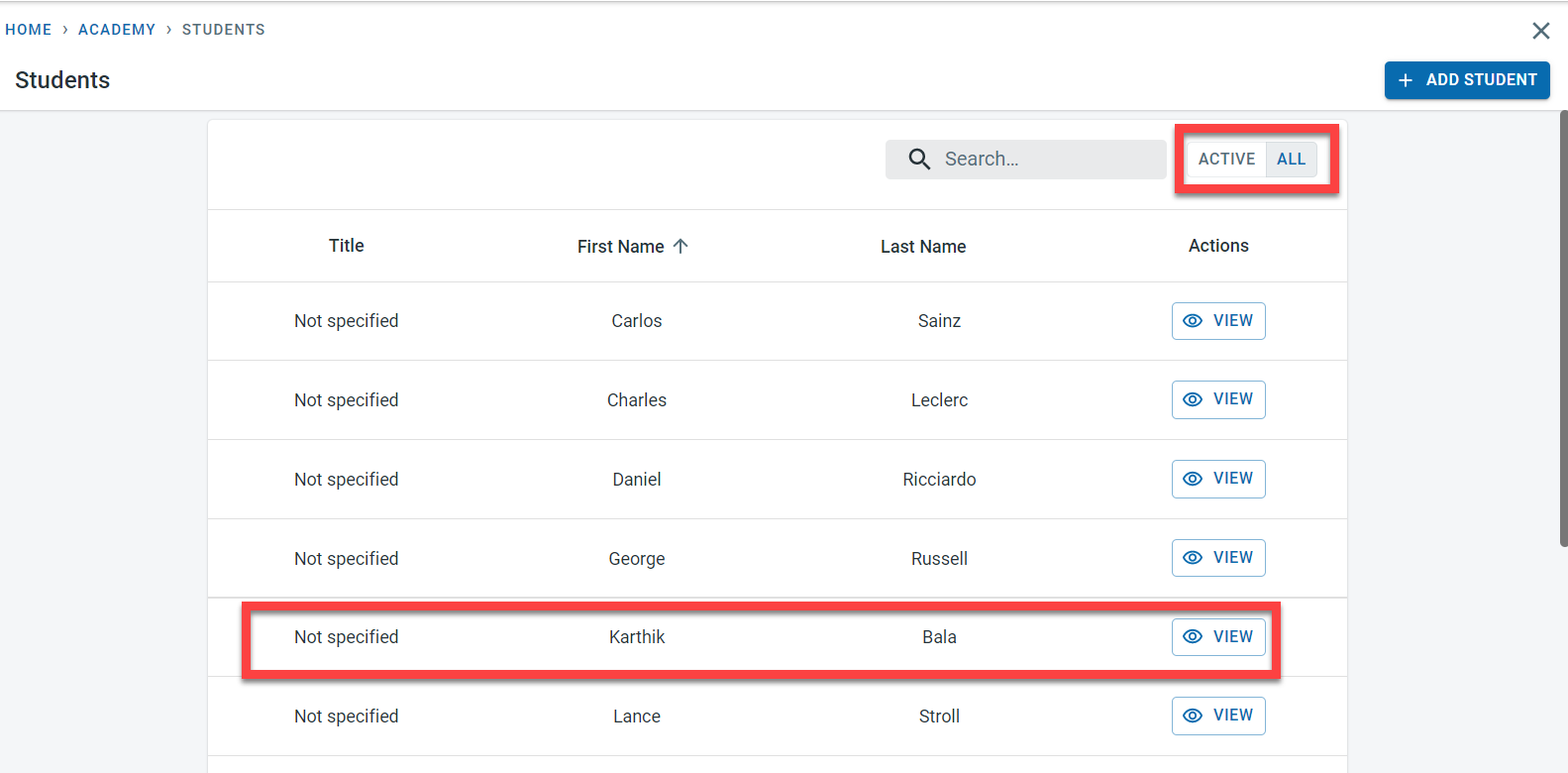
In the student list, there would be an option to view only active students or all students. Archived students will not be visible in the active list but will be visible in “all” list
Deleting a student
If the student is no longer needed in the system, the student record can be removed from the system.
Once a student is deleted from the system, all data related to the student will be removed from the system permanently. It is not possible to restore deleted student and related information
To access the student module, select “Student ” from the main menu. Click on “View” next to the student
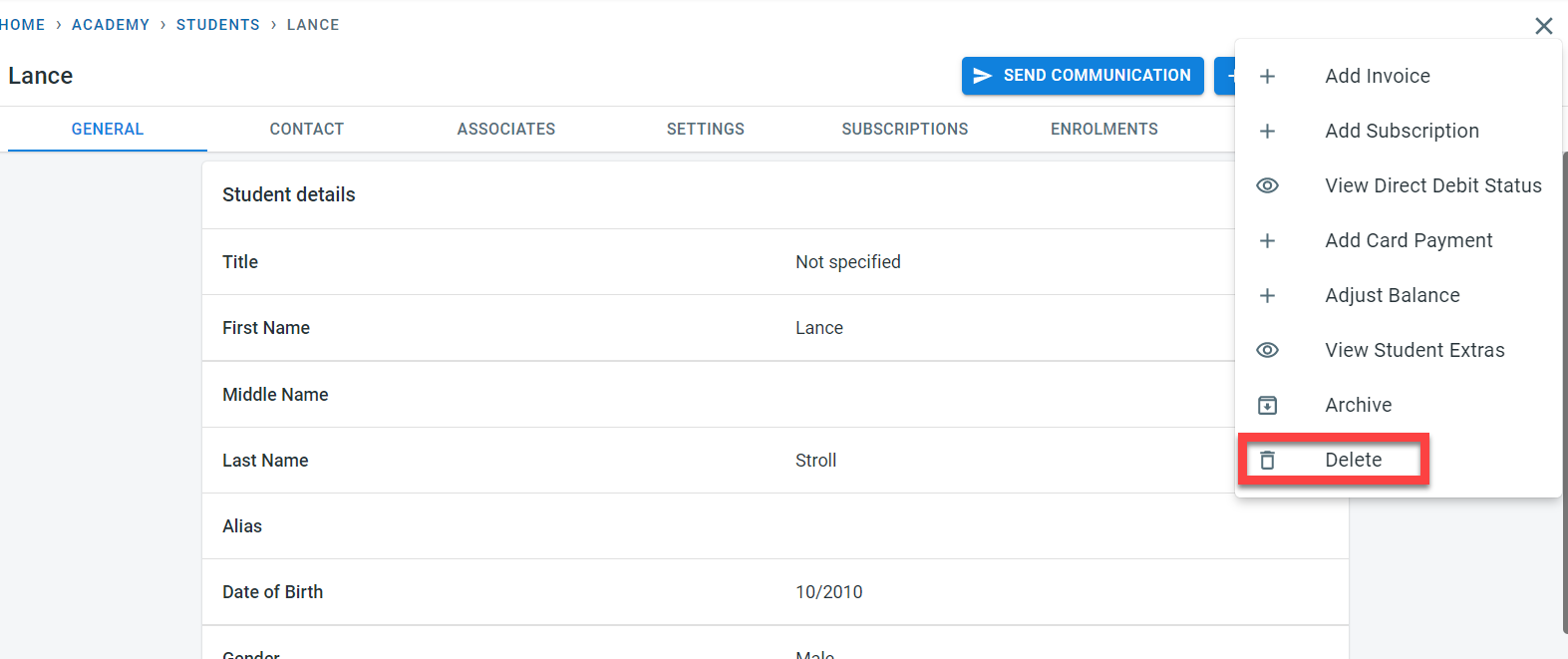
Click on the three dots on the top right of the screen next to the “Edit” button. Click on “Delete”
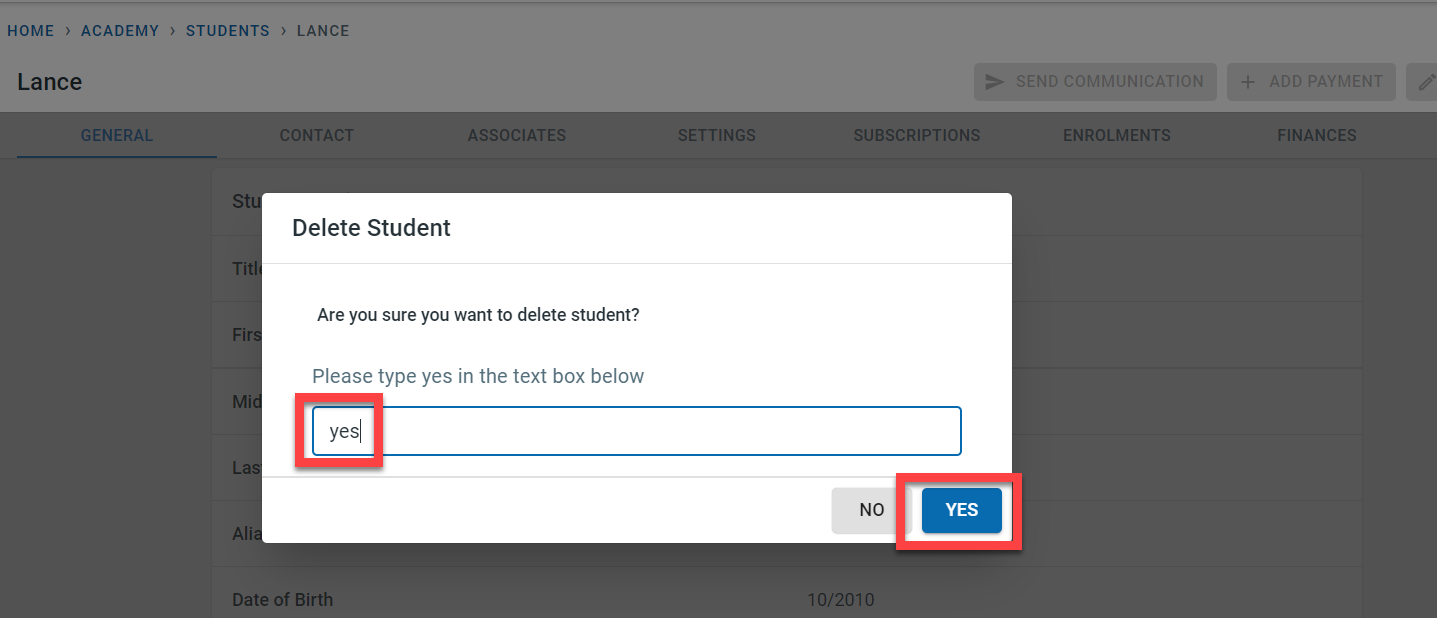
In the pop-up, enter “yes” to confirm that the student is to be deleted and click on “Yes”
The student would be deleted from the system and a message would confirm the same.