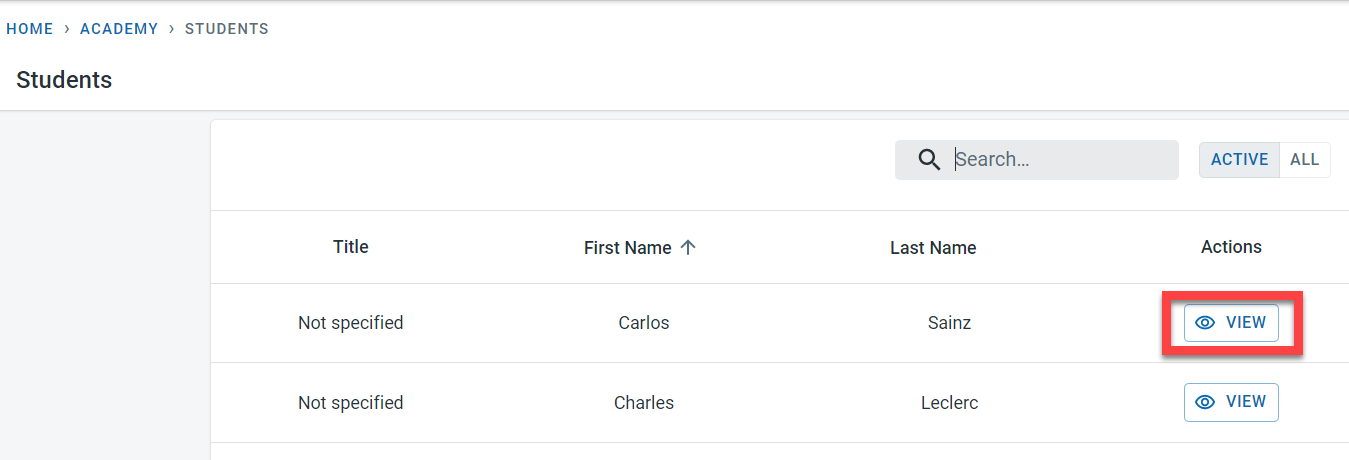
Subscriptions can be added to the student directly without any link to the enrolment. Select the view next to the Student.
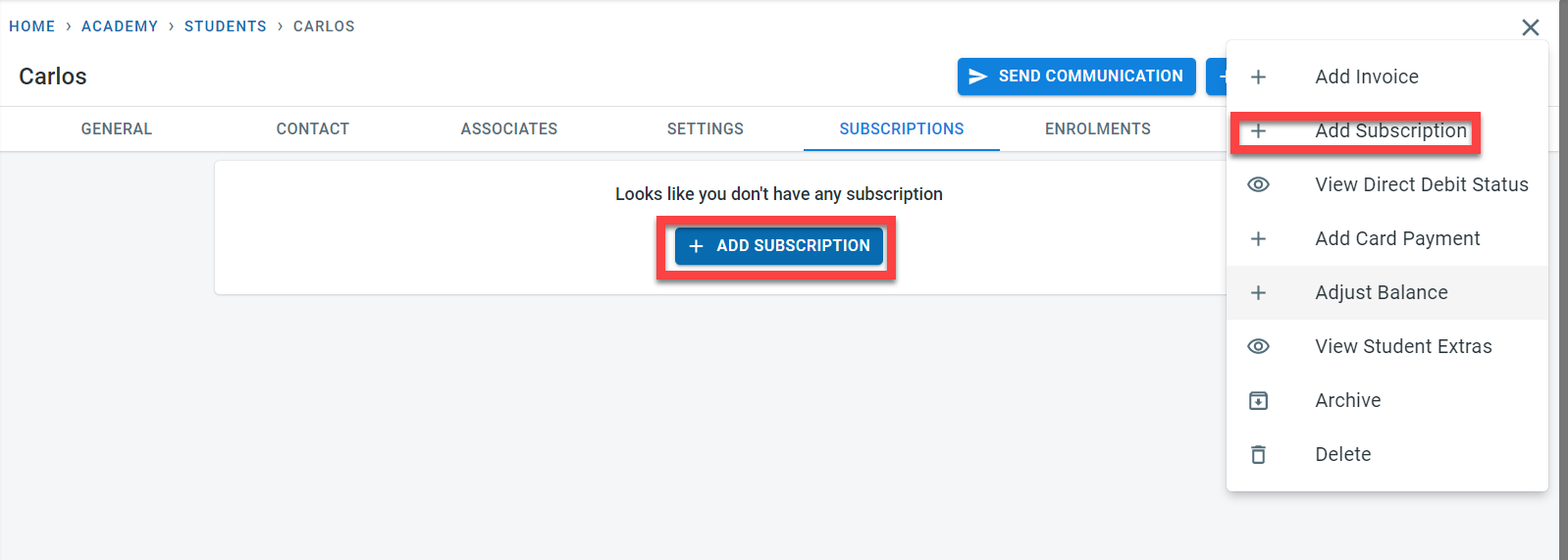
Click on “Add Subscription” for the student.
Select the subscription defined at the academy level for the student and the payment frequency defined for the subscription.
Set the start date for calculating the subscription start date for the student. There is an option to set the end date when the subscription collection should be stopped for the student (This can be set at a later time when the student’s subscription end date is known)
In addition, the date on which the subscription fees have to be collected will be captured. This would provide flexibility if needed to collect fees for students on different dates through the subscription period
“Collect In advance” will be prepopulated for the student based on the academy-level subscription fee setting but can be overridden for the student if need be.
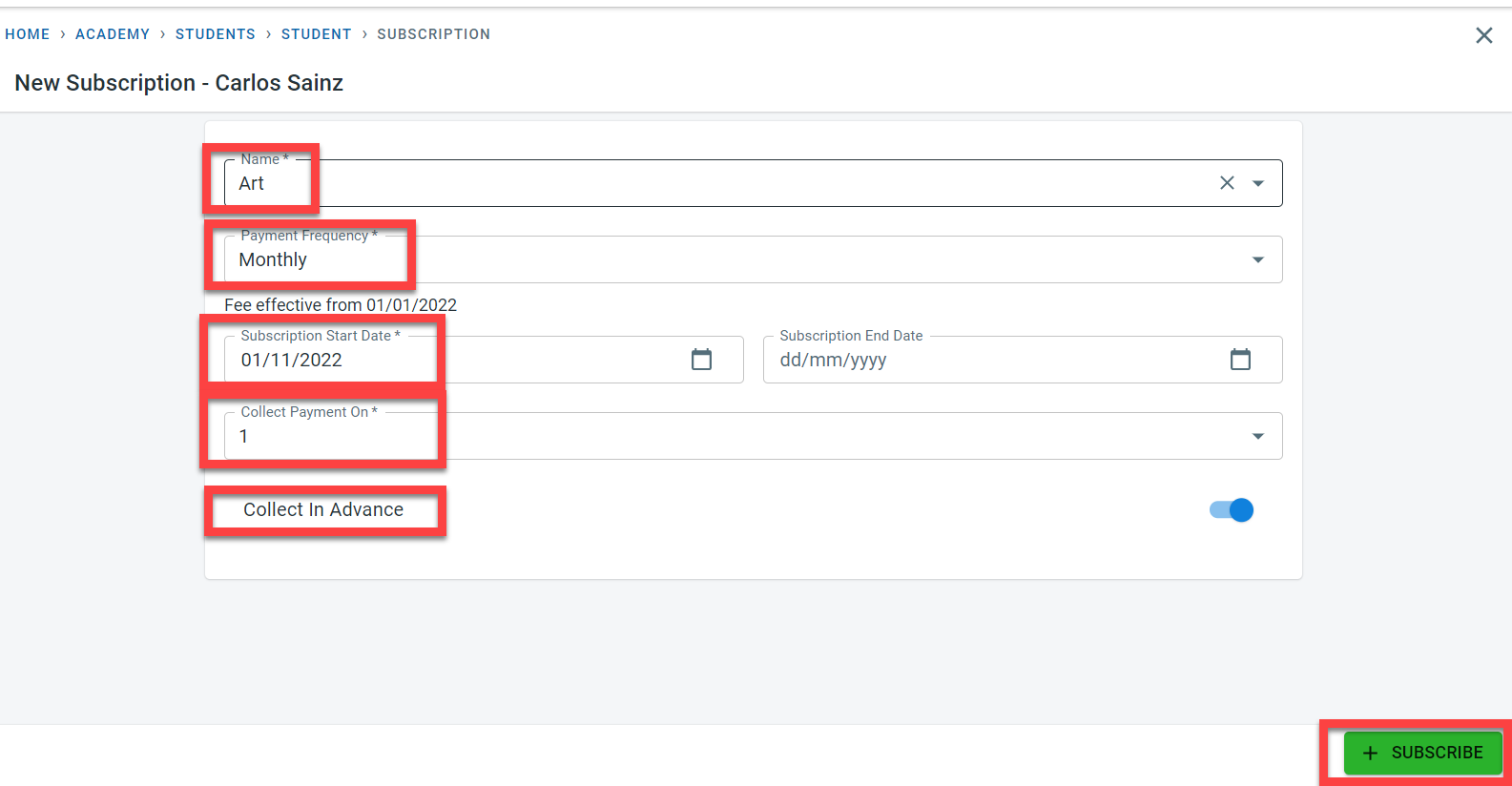
Click on “Subscribe” to save the subscription for the student
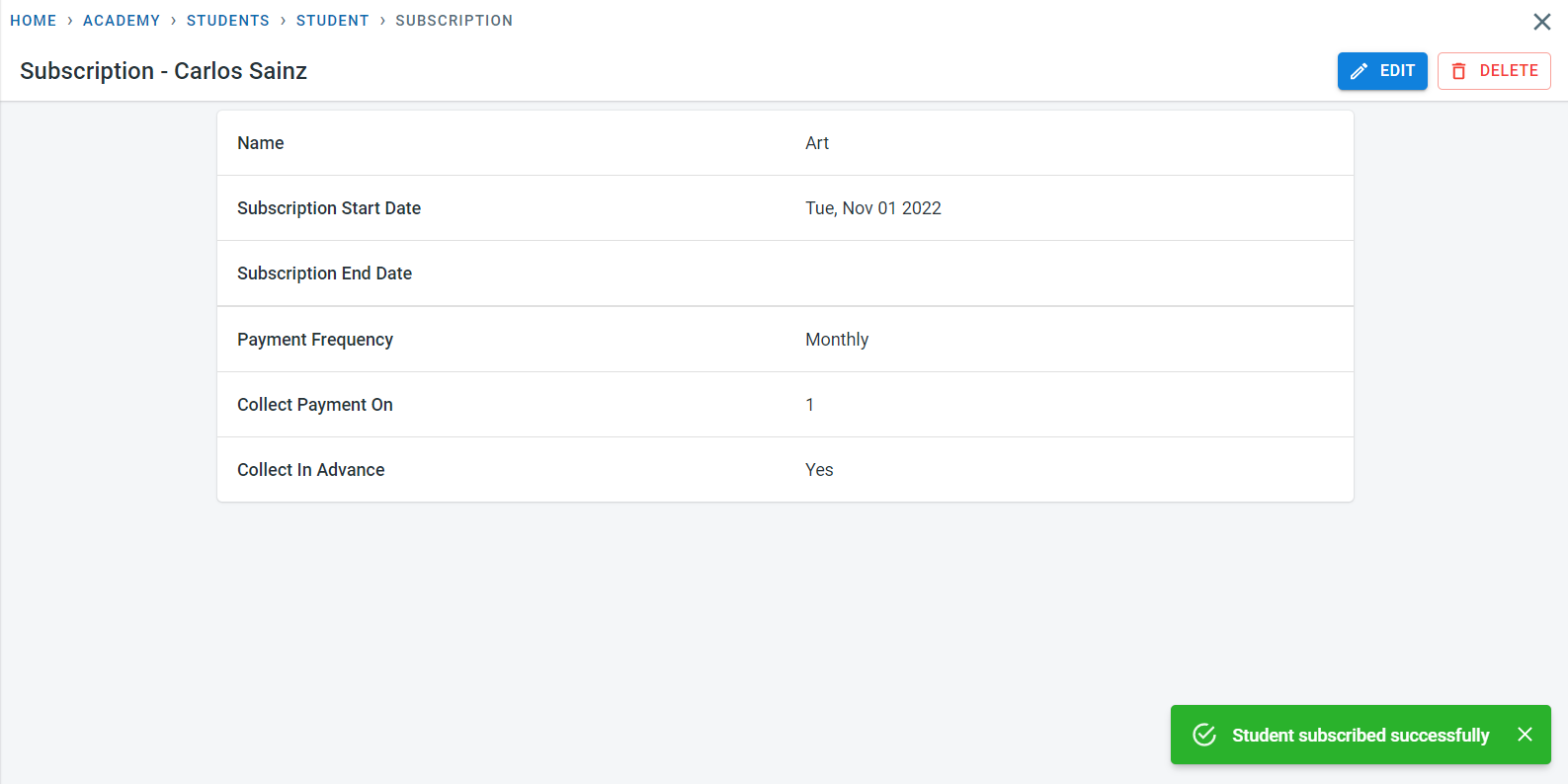
Invoices would be raised for the subscription assigned to the students - details can be found in finance - invoices