There is a set capacity for the class. When the class reaches capacity, it is possible to add other interested students to the waiting list.
Before adding the student to the waiting list, a student record has to be created.
To add a student to the waiting list, click on “Waiting List” from the menu
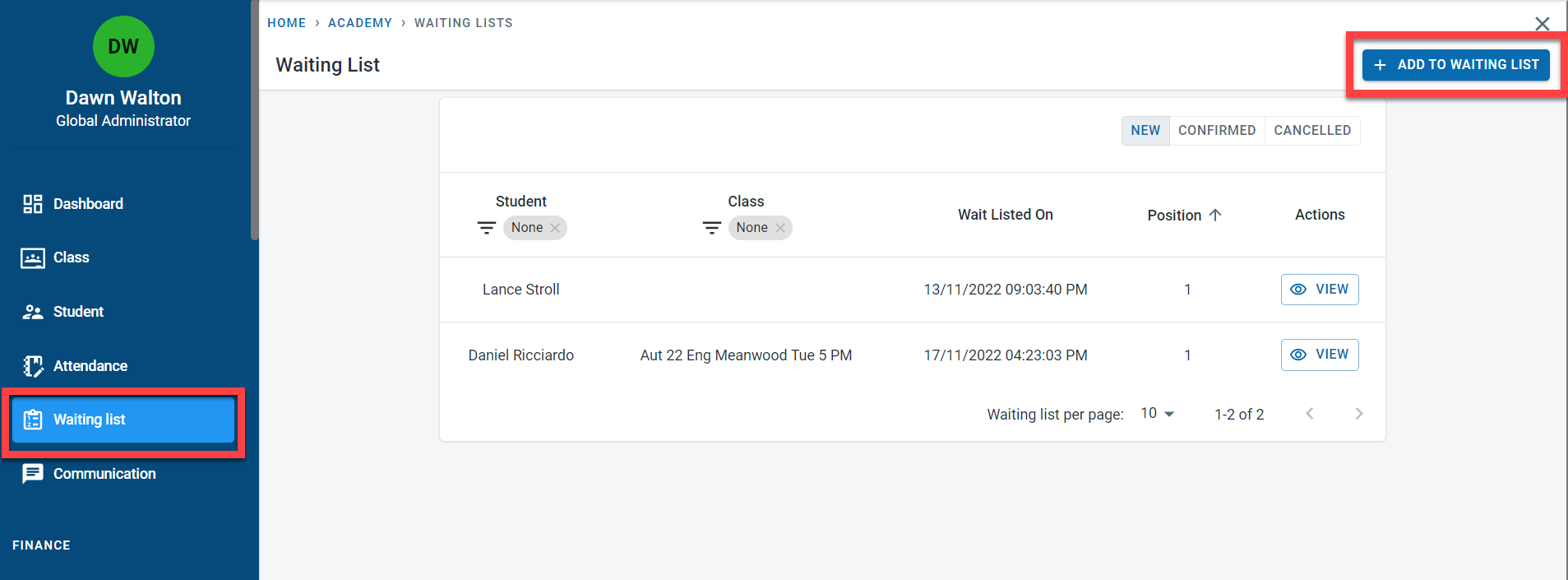
To add a new student to the waiting list, click on “Add to waiting list”.
Enter the class to which the student has to be added to and the student’s name.
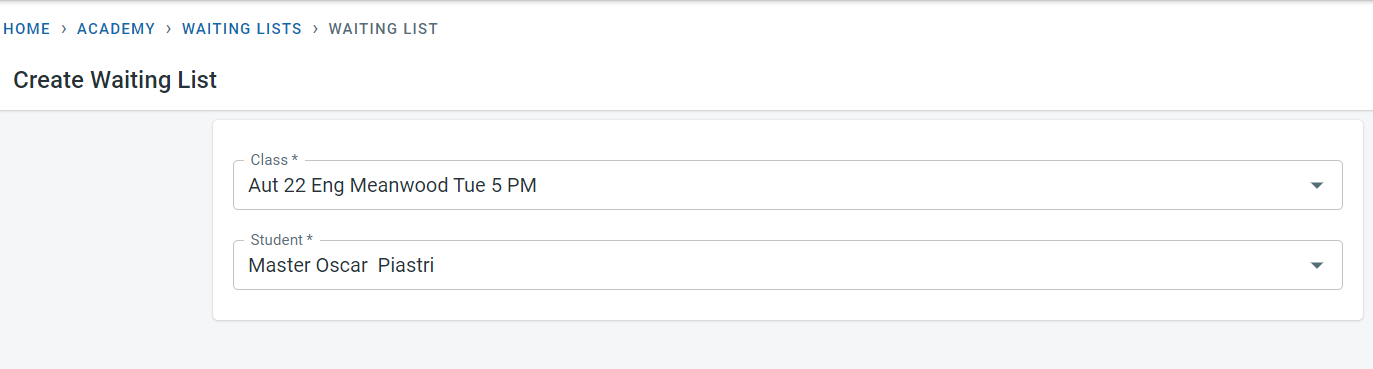
Click on Save
The system determines the waiting list position automatically based on the number of students already on the waiting list for the class
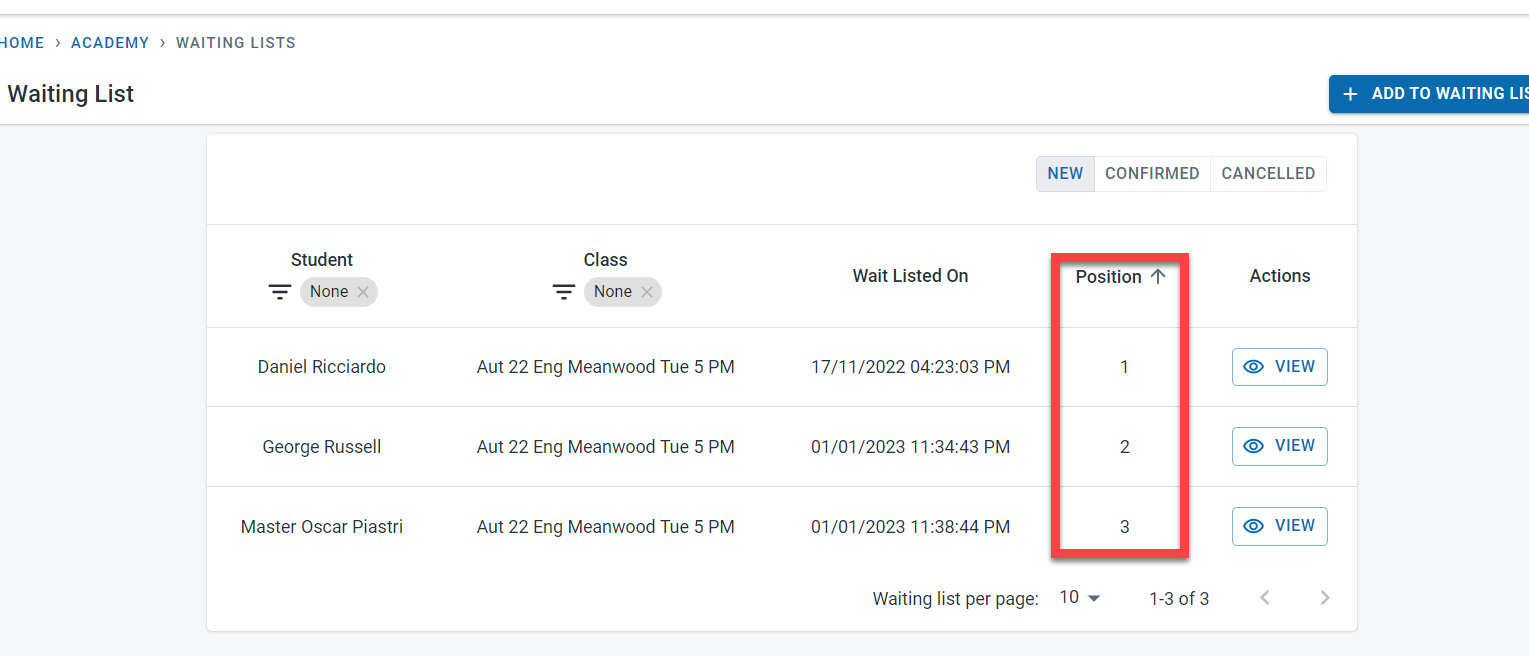
Click on “View” next to the student to view or amend the waiting list entry.
“Cancel” button would cancel the waiting list entry. Click on “Edit” to amend the waiting list entry. Clicking on “Delete” will remove the waiting list entry
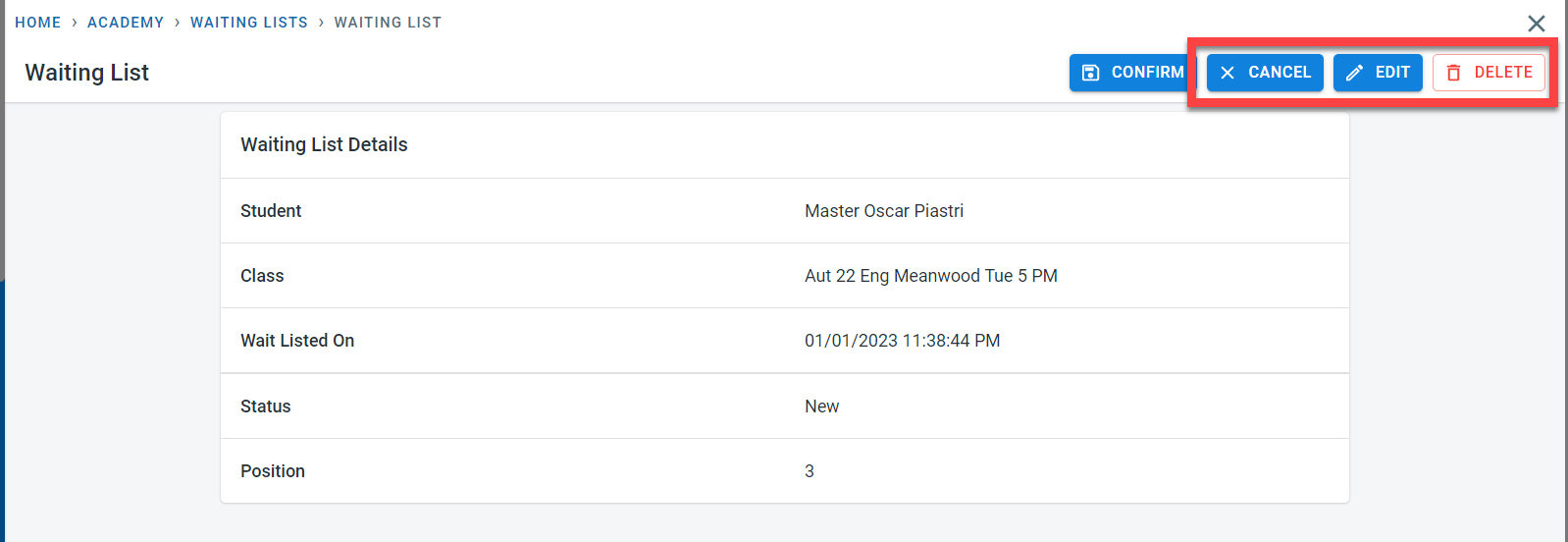
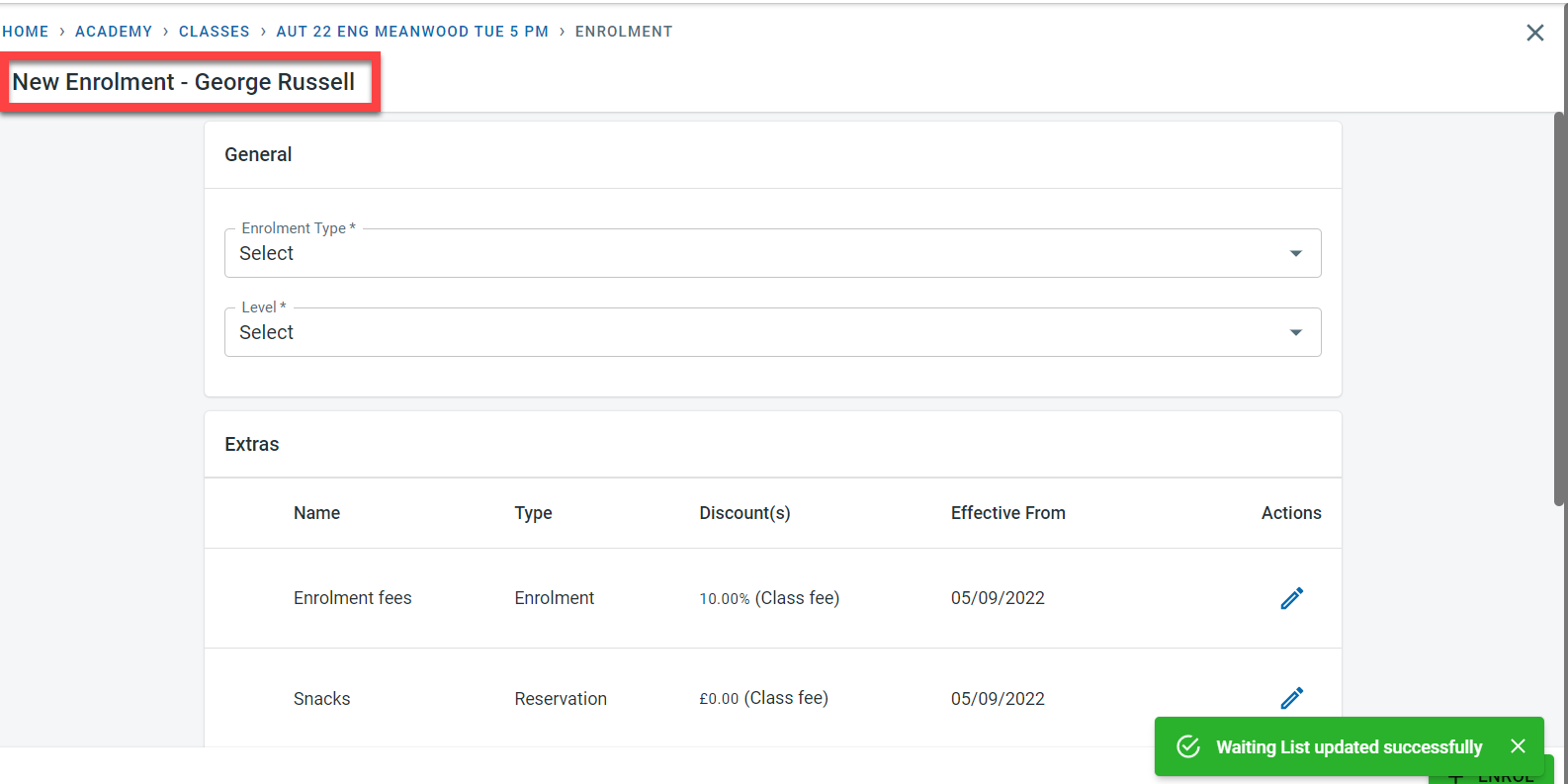
To confirm a student on the waiting list, click on “Confirm”. The system will prompt to start the enrolment process for the student for the class.
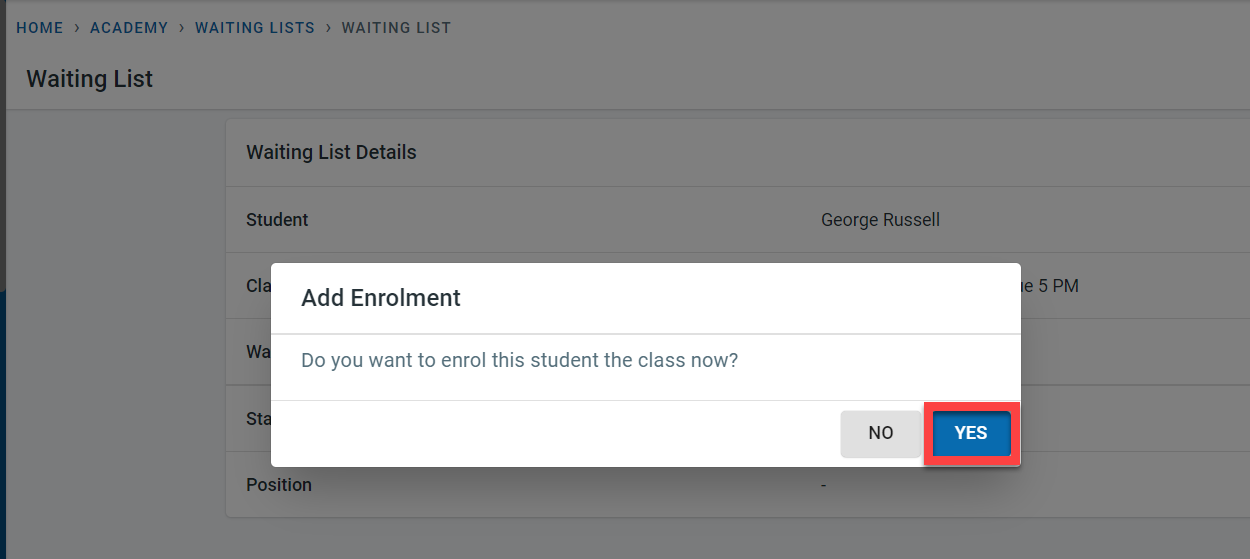
Click on “Yes” to proceed to the enrolment